
 WhatsApp: +86 16626708626
 Email:
  Phone: +86 16626708626
Description
3. Key Technical Specifications
| Parameter | Value |
|---|---|
| Brand | ABB |
| Model | 1TGE120016R0104 |
| Hardware description | Swg. (switchgear) bus connector, dual redundant, without termination |
| System application | MNS iS intelligent switchgear / motor control centers (MCC) |
| Associated device | MLink system interface (industrial PC) and MControl units search. |
| Redundancy | Dual-redundant switchgear bus connectivity search. |
| Termination | Supplied without bus termination (termination handled separately) search. |
| Typical role | Physical connector/interface between MLink and switchgear bus within the MNS iS system |
| Mechanical style | Plug/connector form factor for switchgear bus interface |
| System standards | Used within switchgear systems designed per IEC 62271 and related standards library. |
| Notes | Specific to ABB MNS iS architecture; not a generic Ethernet or fieldbus plug search. |
4. Product Introduction
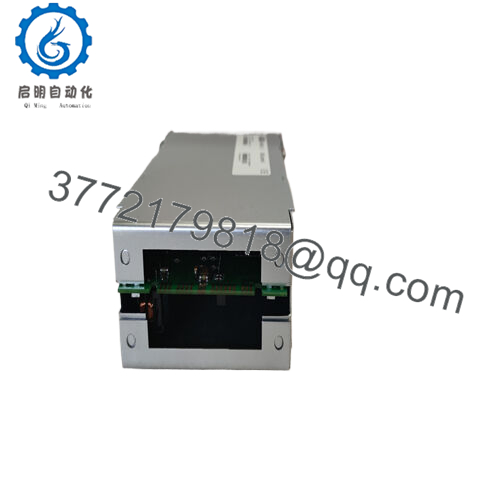
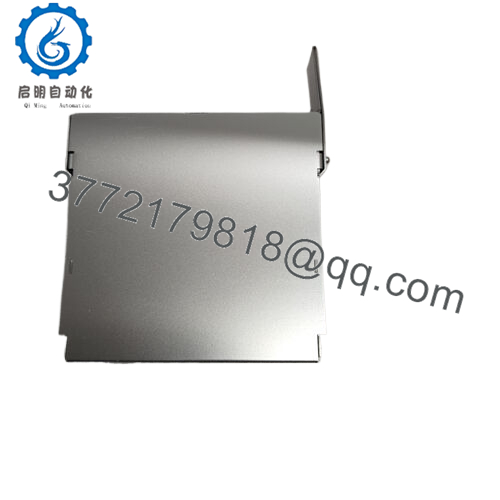
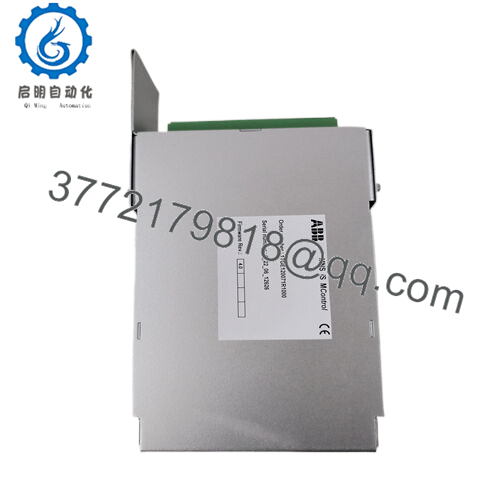
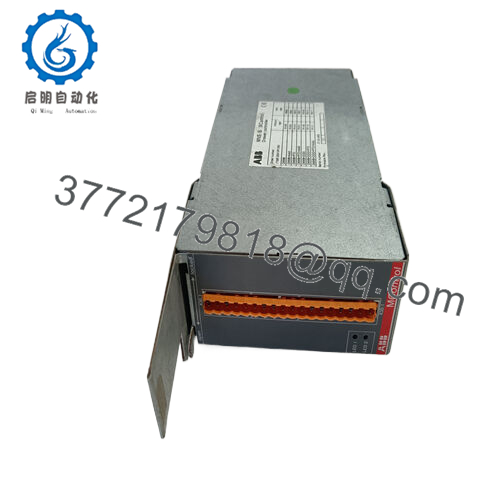
The ABB 1TGE120016R0104 is a dual-redundant switchgear bus connector used in MNS iS systems to link the MLink industrial PC interface to the internal switchgear bus, without including line termination in the connector itself. It is part of the dedicated hardware set of plugs required for communication between MLink and MControl modules in intelligent low-voltage switchgear and MCCs.
You specify this part when you need an OEM-correct switchgear bus connector for a dual-redundant MNS iS configuration, where the termination is handled separately according to the system topology. Using the exact ABB part number avoids marginal connections, protocol errors, and intermittent communication faults that can appear with improvised connectors.

- 1TGE120016R0104
5. Troubleshooting Quick Reference
This is aimed at deciding if a comms issue is due to the 1TGE120016R0104 connector, the MLink, MControl, or the bus wiring.
| Symptom | Possible Cause | Relevance to this Part | Quick Check Method | Recommendation |
|---|---|---|---|---|
| MLink cannot see any MControl units | Wrong / loose bus connector, connector not fully seated | ✅ High | Inspect that 1TGE120016R0104 is the correct part, fully plugged, with no bent pins | Reseat connector, check part number; if problem clears when swapping connector, replace the part. |
| Intermittent loss of all devices | Poor contact in connector, mechanical damage, vibration | ✅ High | Wiggle test the connector while monitoring bus status and alarms on MLink | If comms drop during physical movement, replace the connector and re-test. |
| Only one of the redundant paths works | One channel in the dual-redundant path open/shorted | ⚠️ Medium | Check redundancy status in MNS iS diagnostics; inspect each physical path separately | Trace each redundant link; if one side recovers with a new connector, keep a spare on the shelf. |
| Bus errors increase after modification | Missing bus termination or incorrect plug type | ⚠️ Medium | Verify you are using “without termination” connector where design calls for it | Confirm termination hardware is installed at the correct points; use the specified ABB termination. |
| Single bucket offline, rest online | Local MControl issue, local drop wiring, not main connector | ❌ Low | Check if other feeders respond; only one out usually points to local device/wiring | Focus on the bucket-level hardware and drop, not the 1TGE120016R0104 at the main interface. |
| MLink LEDs show no bus activity | MLink not configured, powered, or internal fault | ❌ Low | Verify MLink power, OS/application status, and communication configuration | Fix MLink issues first; only suspect the connector once MLink is known healthy and configured. |
If you are still unsure, record screenshots of the MNS iS / MLink diagnostics, take clear photos of the connector and cabling, and share them with your LV switchgear specialist before replacing multiple parts.
6. Frequently Asked Questions (FAQ)
Q1: What exactly does the ABB 1TGE120016R0104 do in an MNS iS system?
It is the dual-redundant switchgear bus connector used between the MLink interface and the internal switchgear bus, providing the physical plug needed for communication in MNS iS systems, but without integrated bus termination. In short, it is part of the dedicated connector set required for proper MLink–MControl communication.new.
Q2: Is 1TGE120016R0104 interchangeable with 1TGE120016R0103?
No, 1TGE120016R0103 is documented as a termination component (“MLink 10Base-I Termination”), whereas 1TGE120016R0104 is a dual-redundant bus connector without termination. Swapping these will change line termination and can lead to reflection issues, bus errors, or a completely dead link.search.
Q3: Do I need additional termination when using 1TGE120016R0104?
Yes, this part is explicitly listed “without termination,” so correct bus termination must be provided by the dedicated termination hardware per the MNS iS design guidelines. Check your one-line and the MLink / MControl interface manual to see where terminators are required in your topology.
Q4: Can I use a generic Ethernet or fieldbus connector instead of this ABB part?
To be blunt, that is asking for trouble. The ABB documentation calls out specific IDs (including 1TGE120016R0104) as “special interface plugs” for communication with MControl, and they are part of the validated system bill of material. Using generic hardware risks intermittent faults that are extremely hard to diagnose in a live MCC lineup.
Q5: Is the 1TGE120016R0104 hot-swappable?
While physically you can unplug and re-plug it, in a live switchgear bus that means you are interrupting communication for all connected devices, and you can easily create alarms or trips. The safer practice is to schedule a maintenance window, place affected feeders in a safe state, and then disconnect and replace the connector with the bus de-energized (from a communication standpoint).
Q6: How can I confirm that my comms problem is actually caused by this connector?
First, use the MNS iS / MLink diagnostics to see whether the bus is present and whether errors spike when the cable is touched or moved. If swapping in a known-good 1TGE120016R0104 restores stable comms while keeping the same MLink, MControl, and cables, you can confidently tag the removed connector as faulty.
Q7: What should I watch out for when installing a new 1TGE120016R0104?
Check that the part number on the bag and the connector itself matches 1TGE120016R0104, not the termination variant, and make sure the plug is fully seated with no visible pin damage. Take a minute to verify redundancy status and bus error counters in MLink after installation; that quick check will save you a lot of rework later.



