
 WhatsApp: +86 16626708626
 Email:
  Phone: +86 16626708626
Description
2. Product Core Brief
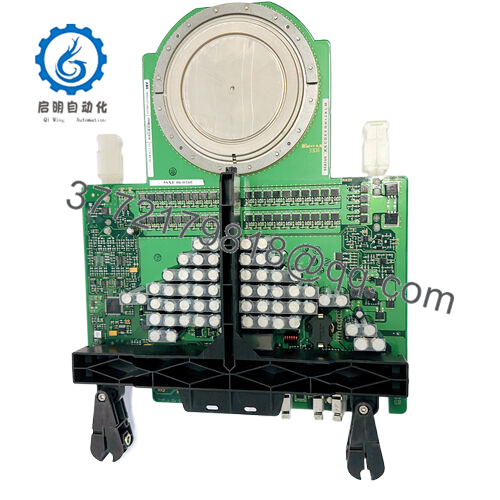
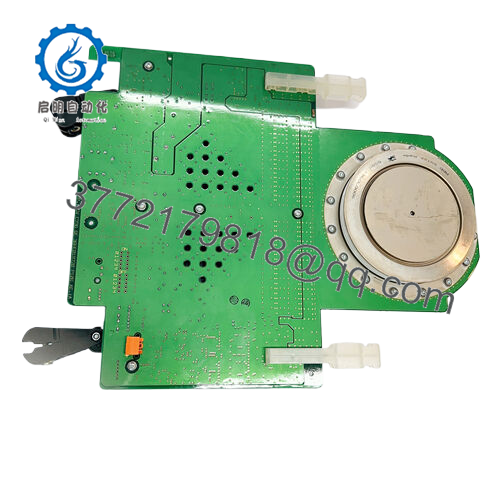
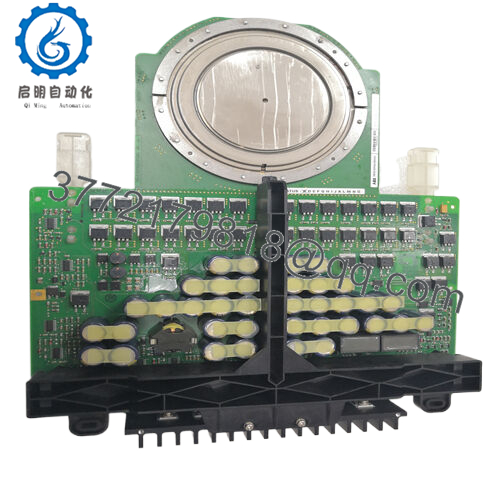
- Model: DKTFM418B (3BHB015651P0001)
- Brand: ABB
- Series: ACS6000 Power Electronics Components
- Core Function: High-voltage DC link / filter capacitor
- Product Type: Film Capacitor Module
- Key Specs: 2 × 1600 µF capacitance, 2866 V rated voltage, film dielectric
- Condition: New Original / New Surplus
3. Key Technical Specifications
- Capacitance: 2 × 1600 µF (total effective 3200 µF in configuration)
- Rated Voltage: 2866 V DC
- Dielectric Type: Film (high-voltage grade)
- Operating Temperature Range: −40°C to +85°C (typical for this series in field use; verify exact curve in OEM datasheet)
- Breaking Capacity: Up to 12 A (surge withstand)
- Product Net Weight: 82 kg
- Shipping Weight: Approximately 100 kg
- Application: ACS6000 medium-voltage frequency converter DC link
- Mounting: Bolt-on or rack-integrated in drive cabinet
- Country of Origin: France (common for this part)
4. Product Introduction
The ABB DKTFM418B (3BHB015651P0001) is a high-voltage film capacitor module designed for the ACS6000 series medium-voltage drives. It serves as a DC link capacitor in power conversion systems, handling energy storage, ripple smoothing, and transient protection in heavy industrial applications like mining, cement, marine propulsion, and steel rolling mills.
This part stands out for its high capacitance density at 2866 V and proven reliability in demanding MV drive environments. In my experience commissioning ACS6000 systems, these capacitors maintain stability under high ripple current and voltage stress far better than generic alternatives, reducing harmonic issues and extending overall drive life when properly sized.

- 3BHB015651P0001
5. Installation & Configuration Guide
Replacing this capacitor requires full system shutdown—it’s not a plug-and-play I/O module. Plan for 4–8 hours of downtime depending on access and busbar work.
Stage 1: Pre-Installation Preparation (30–60 min) ⚠️ Safety First: Lock out and tag out all incoming power to the drive. Discharge DC bus capacitors (wait at least 10 minutes; verify 0 V with multimeter on bus terminals). Ground the bus if required by site rules. Notify operations of extended downtime. Tools Required: ESD wrist strap (mandatory), insulated torque wrench (for busbar bolts), multimeter, insulated gloves, camera/phone for photos, discharge tool/resistor bank. Data Backup: No logic to back up, but photograph existing busbar connections, cable routing, and any markings on the old capacitor. Record serial number and date code from the old unit.
Stage 2: Removing the Old Module (45–90 min)
- Open the drive cabinet and remove any protective covers over the DC link section.
- Label and carefully disconnect busbar links or cables (use torque settings from ACS6000 manual; don’t bend bars).
- Unbolt the capacitor mounting hardware (typically 4–6 M10/M12 bolts). Support the weight—82 kg is heavy; use a hoist or second person.
- Pull the unit straight out. Inspect mounting surface and busbars for arcing, corrosion, or overheating signs.
⚠️ Note: Keep the old capacitor until the new one is fully tested and the drive runs without faults. It may be needed for warranty claims.
Stage 3: Installing the New Module (45–90 min)
- Wear ESD strap and verify new part matches exactly: DKTFM418B / 3BHB015651P0001. Check for shipping damage.
- Position the new capacitor and bolt it down using original torque specs (cross-pattern tightening to avoid stress).
- Reconnect busbars/cables exactly as photographed. Apply anti-oxidant compound if busbars show oxidation. Torque to spec.
- Reinstall covers.
Self-Checklist: [ ] Connections torqued, [ ] Polarity correct (observe markings), [ ] No loose hardware, [ ] Busbars clean and aligned.
Stage 4: Power-On & Testing (60–120 min) Pre-Power Check: Use multimeter to confirm no shorts between +/− bus and ground. Measure insulation resistance (>100 MΩ at 1000 V if possible). Power-On Steps:
- Energize control power first, then main power (follow ACS6000 startup sequence).
- Monitor DC bus voltage ramp-up on drive display or via CDP312 panel.
- Watch for alarms (e.g., DC overvoltage, capacitor imbalance). Clear if safe.
- Run no-load test, then incremental load. Monitor temperature rise on the capacitor bank.
- Perform full insulation and continuity checks post-install.
⚠️ Troubleshooting Note: If DC bus won’t charge or throws undervoltage/overvoltage faults, double-check polarity and connections. If excessive ripple or heating occurs, suspect mismatch or degraded upstream components.
6. Frequently Asked Questions (FAQ)
Is this capacitor hot-swappable? No. The ACS6000 DC link operates at lethal voltages (thousands of volts). You must fully de-energize, discharge, and lock out the drive before any work. Attempting live replacement risks arc flash, explosion, or death.
Is the DKTFM418B 3BHB015651P0001 obsolete? It remains a service part for installed ACS6000 systems, but new production may be limited. We source new surplus/stock from verified channels. Availability fluctuates; check current stock when ordering.
What is the direct replacement if this is unavailable? No pin-for-pin “universal” substitute exists due to exact voltage, capacitance, and mounting dimensions. Contact ABB service for latest supersession or engineered equivalent. In emergencies, I’ve seen matched AVX/ABB film caps used, but always verify with drive engineering.
Will the drive retain its configuration when replacing this capacitor? Yes. This is a passive power component—no firmware or parameters are stored here. The drive CPU retains all settings. However, always upload parameters before major work as good practice.
Why is the price lower than direct from ABB? We supply new surplus or OEM excess stock that meets full specs but bypasses factory distribution markup. All units undergo incoming inspection, visual checks, and basic high-voltage insulation testing before shipment. Full OEM certification isn’t claimed unless specified.
What testing do you perform on these capacitors? Each unit gets visual inspection (no case damage, leakage, or discoloration), insulation resistance test (>10 MΩ at 500 V), and capacitance verification if equipment allows. We don’t reform or hi-pot at full 2866 V in house due to safety limits, but we verify no obvious degradation. Test photos available on request.
How do I confirm compatibility with my ACS6000 drive? Cross-reference the exact part number against your drive’s bill of materials or spare parts list. Firmware/hardware revisions can affect capacitor sizing—always pull the old unit’s label and match it precisely. If in doubt, consult the ACS6000 service manual or ABB technical support.



