
 WhatsApp: +86 16626708626
 Email:
  Phone: +86 16626708626
Description
2. Product Core Brief
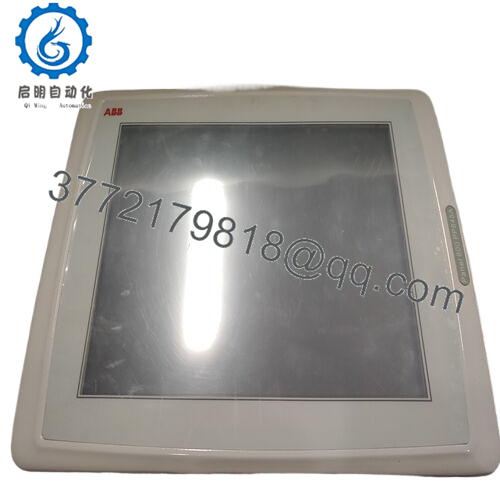
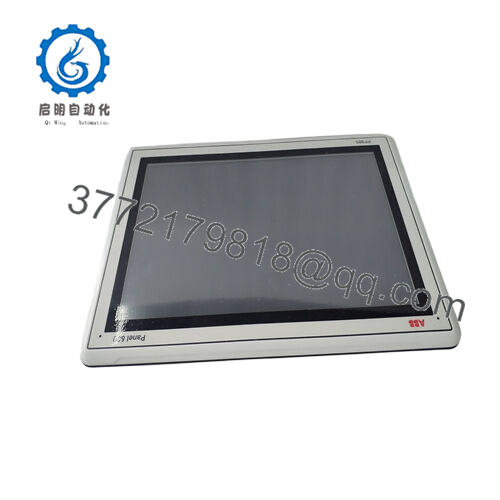
- Model: 3BSE092978R1 PP881
- Brand: ABB
- Series: Panel 800 Series Industrial HMI
- Core Function: Human-Machine Interface (HMI) touchscreen
- Product Type: Operator Touch Panel
- Key Specs: 10.1″ 1024×600 display; resistive touch; dual Ethernet
- Condition: New Original / New Surplus
3. Key Technical Specifications
| Parameter | Value |
|---|---|
| Part Number | 3BSE092978R1 (ABB PP881) |
| Product Type | Panel 800 Standard Touchscreen HMI |
| Display Size | 10.1″ TFT, widescreen 16:9 |
| Resolution | 1024 × 600 pixels |
| Touch Technology | Resistive touchscreen |
| Processor | ARM9 1 GHz |
| Main Memory | 1 GB |
| External Storage | 2 GB SSD (1.5 GB free for application) |
| Power Supply | 24 V DC (18–32 V DC) |
| Communication | 2 × Ethernet 10/100Base-T; 2 × USB 2.0; RS-232/RS-422/485 |
| Operating Temp | −10 °C to +60 °C |
| Protection | Front IP65 / NEMA 4X/12; Rear IP20 |
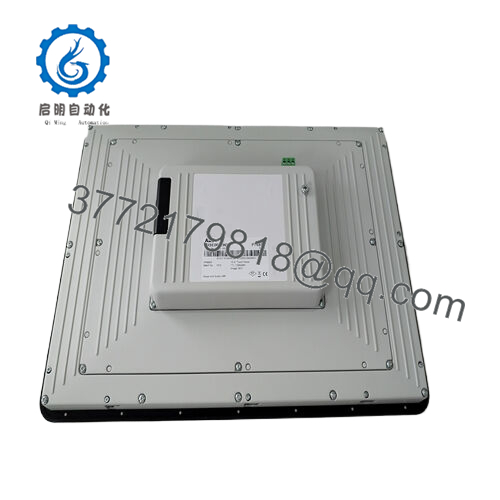
| Dimensions | 292 × 194 × 52 mm |
| Weight | ~1.65 kg |
| Compliance | CE, UL, RoHS, WEEE |
4. Product Introduction
The ABB 3BSE092978R1 PP881 is a Panel 800 Series industrial human-machine interface (HMI) with a 10.1″ 1024×600 resistive touchscreen display. Designed for process and discrete automation environments, it provides operators with graphical visualization and interactive control of PLC/DCS applications.
This panel integrates dual Ethernet (10/100Base-T), USB, and serial communication for versatile connectivity. Its Panel Builder 800 configuration platform (Version 6.2) supports rapid project deployment. Engineers choose this panel when a rugged operator interface with IP65-rated front protection and industry-proven reliability is required.
5. Installation & Configuration Guide
This section provides step-by-step guidance for replacing and commissioning the ABB PP881 3BSE092978R1 HMI panel in an industrial automation environment.
Stage 1: Pre-Installation Preparation (10–15 min)
⚠️ Safety First
- Notify operations of planned downtime; confirm machine states are safe.
- Lock out/tag out AC/DC supplies feeding the HMI and control panel.
- Wear ESD protection and work on an ESD surface.
- Verify zero main/control power at terminals.
Tools Required
- ESD wrist strap
- Insulated screwdriver set
- Multimeter (verify 24 V DC and continuity)
- Labels and smartphone for photos
- Panel mounting hardware (verify correct size fasteners)
Document Configuration
- Photograph existing panel wiring, tag connectors.
- Record network settings, IP addresses, screen layouts, and user access configurations.
Stage 2: Removing the Old Module (5–10 min)
- Confirm main power (24 V DC) off at HMI input terminals.
- Label all communication cables (Ethernet, serial, USB).
- Loosen mounting screws or clamps; slide the panel forward from cut-out.
- Gently unplug cables; inspect connectors for damage.
- Set aside old panel for reference.
⚠️ Keep the old PP881 until the new panel is fully tested and communicates correctly.
Stage 3: Installing the New Module (10–15 min)
- ESD Prep: Ground yourself with wrist strap.
- Confirm exact model 3BSE092978R1 PP881 matches BOM.
- Mount the new panel into the cut-out (275 × 177 mm center cut), align edges.
- Install mounting screws/clamps to secure panel per OEM torque spec.
- Reconnect Ethernet, USB, and serial cables using original labels.
- Self-Checklist:
- Model verified
- Panel mounted flush
- Cable labeling matches original
- Ground/shield termination correct

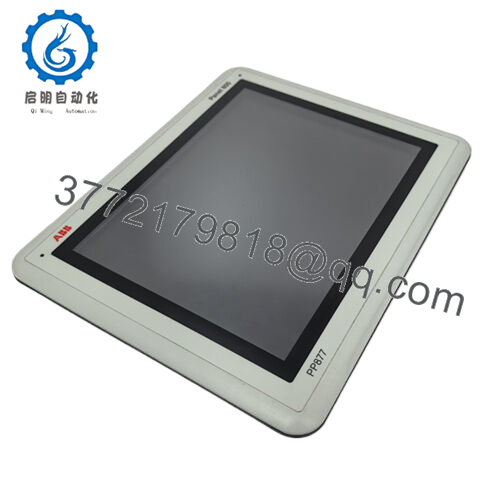
- PP881
Stage 4: Power-On & Testing (10–20 min)
Pre-Power Validation
- Check 24 V DC supply to HMI is within 18–32 V range.
- Confirm Ethernet termination/connectivity toward PLC/SCADA.
Power-On Sequence
- Energize control power (24 V DC) to the HMI.
- Observe power and status LEDs; panel should boot to factory screen.
- Connect to engineering PC running ABB Panel Builder 800 (v6.2).
- Verify network settings (IP address, gateway, subnet) match site plan.
- Load existing HMI project or restore backup.
- Perform functional test of buttons, screens, and alarm displays.
⚠️ If the panel fails to boot or communicate, check power polarity and network cabling; incorrect wiring is the leading cause of failures.
6. Frequently Asked Questions (FAQ)
Q1: Can I hot-swap this HMI panel under power?
No. The PP881 must be powered down (24 V DC isolated) before removal or installation. Hot swapping while powered risks backplane faults or display/controller damage.
Q2: What does “New Original / New Surplus” mean?
It signifies unused, factory-manufactured ABB stock, typically from project overstock or cancelled orders. Units are original and uninstalled; packaging may show factory age but components have never been in service.
Q3: Will I lose my HMI configuration when swapping panels?
Replacing the physical HMI hardware does not erase existing logic on the controller. However, the panel’s screen layouts and recipe data may reside on the HMI itself; back up your HMI project via Panel Builder 800 v6.2 before replacement.
Q4: What software is required for commissioning?
You must use ABB Panel Builder 800 Version 6.2 or later to configure and download projects to the PP881. Projects from earlier versions may not be compatible without conversion.
Q5: What network protocols does this panel support?
Primarily Ethernet/TCP-IP for connection to PLC/DCS devices. The panel may also support serial protocols via RS-232/422/485 if configured; verify protocol stacks against system architecture.
Q6: Why might pricing differ from OEM list price?
Surplus inventory pricing is typically lower than OEM factory list. Price variance reflects stock availability, lead time, and supplier mark-ups. Always verify authenticity, part condition, and traceability before procurement.



