
 WhatsApp: +86 16626708626
 Email:
  Phone: +86 16626708626
Description
- Product Core Brief
- Model: 500CIM05 (1MRB150077R1/B)
- Brand: ABB
- Series: 500 Series (AC500 / legacy automation)
- Core Function: Fieldbus communication interface
- Product Type: Communication module
- Key Specs: PROFIBUS-DP support (likely 9-pin D-sub), multi-protocol capable (DeviceNet/CANopen in variants), rack-mounted
- Condition: New Original / New Surplus
- ⚠️ Obsolete Model – Limited Stock Available
- Key Technical Specifications
- ABB Type Designation: 500CIM05
- Complete Order Number: 1MRB150077R1/B
- Communication Protocol: PROFIBUS-DP primary (fieldbus master/slave support); variants mention DeviceNet, CANopen
- Interface Connectors: 9-pin D-sub (PROFIBUS), possibly RJ45 Ethernet in extended configs
- Transmission Speed: Up to 12 Mbit/s (PROFIBUS standard)
- Mounting: Rack or DIN rail in 500 series cabinets
- Power Supply: Typically 24 V DC from system backplane
- Operating Temperature: 0 to +55 °C typical for legacy ABB modules
- Protection Class: IP20
- Dimensions: Standard ABB module size (approx. 100–150 mm height, varies by rack)
- Weight: Approx. 0.3–0.6 kg
- Compatibility: ABB 500 series PLCs, ACS500 drives, distributed I/O stations

- 500CIM05 1MRB150077R1/B
- 500CIM05 1MRB150077R1/B
- Product Introduction
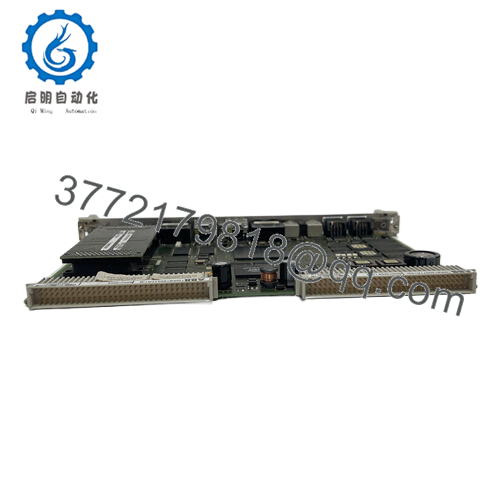
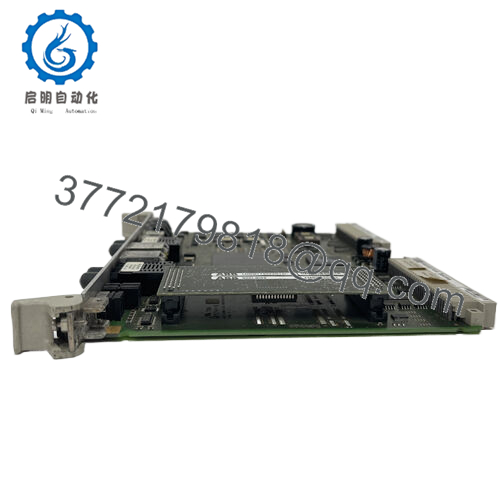
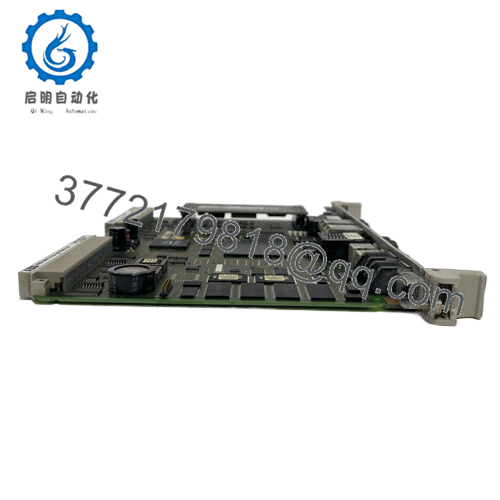
The ABB 500CIM05 (1MRB150077R1/B) is a communication interface module for legacy ABB 500 series control systems. It provides fieldbus connectivity, primarily PROFIBUS-DP, to link controllers with remote I/O, drives, sensors, and actuators in industrial networks.
In older installations (power plants, chemical plants, drives cabinets), this module enables reliable data exchange and diagnostics over PROFIBUS, reducing wiring and supporting distributed control. Its multi-protocol flexibility in some configs makes it versatile for integrating third-party devices, though modern systems favor newer interfaces like CI series in 800xA.
- Installation & Configuration Guide
Stage 1: Pre-Installation Preparation (15–25 min) ⚠️ Safety First: Schedule downtime. Lock out/tag out rack power. Wait 5 minutes for discharge. Tools Required: Grounded ESD wrist strap, PH1/PH2 screwdriver, multimeter, PROFIBUS tester if available, smartphone for photos. Data Backup: Photograph module (connectors, LEDs, address switches if present). Document network config (PROFIBUS address, baud rate, bus topology). Export PLC program if tied to controller.
Stage 2: Removing the Old Module (10 min)
- Power down rack.
- Disconnect fieldbus cable (label PROFIBUS connector; note termination resistors).
- Release locking tabs/screws; pull module straight out to protect backplane pins.
- Inspect rack slot for dust or bent pins. ⚠️ Note: Retain old module until new one establishes comms.
Stage 3: Installing the New Module (15–20 min)
- Wear ESD strap. Confirm match (500CIM05, 1MRB150077R1/B).
- Configuration Clone (Crucial): Set any DIP switches or rotary address selectors to match old unit (e.g., PROFIBUS node address, baud rate). Enable termination if end-of-line.
- Insert into slot; ensure full seating and lock.
- Reconnect PROFIBUS cable (torque connector; verify shielding/grounding). Self-Checklist: [ ] Address/termination match, [ ] Cable secure, [ ] Module locked.
Stage 4: Power-On & Testing (30–60 min) Pre-Power Check: Verify no shorts on power rail. Power-On Steps:
- Power rack; observe LEDs (power green, bus active/no fault).
- Use PLC programming tool (e.g., Control Builder or legacy software) to scan bus.
- Verify module detected; check diagnostics for node status.
- Test data exchange (poll I/O or drive parameters).
- Monitor for errors under load. ⚠️ Troubleshooting Note: No bus LED = check address/termination/cable. Fault LED = baud mismatch or duplicate address. Intermittent comms = shielding issue or noise.
- Frequently Asked Questions (FAQ)
Can this communication module be hot-swapped? No – legacy 500 series racks typically require power-down for safe swap. Live removal risks bus disruption, data corruption, or module damage. Power cycle the rack.
Is this model obsolete, and is your stock genuinely new? Yes, discontinued (surplus/residual stock only in 2026). Our units are new original or surplus from verified channels – photos of packaging/serial numbers and basic power-on/bus test reports available.
What is the direct replacement if this is out of stock? Migration to modern ABB AC500-eCo or 800xA series interfaces (e.g., CM579 PROFIBUS or CI854 for 800xA). No exact drop-in; requires hardware/software updates. Consult ABB migration guides for PROFIBUS continuity.
Will swapping the module lose network settings? Settings (address, baud) are hardware-based (DIP/rotary switches) – photograph before removal and replicate exactly. Software mappings live in controller; re-verify post-swap.
Why is the price lower than original ABB pricing? Obsolete surplus from excess spares or decommissioned systems – genuine ABB part. We inspect connectors, test power-up/LEDs/basic bus ping, and provide traceability. You avoid scarce OEM sourcing with aftermarket pricing.



