

 WhatsApp: +86 16626708626
 Email:
  Phone: +86 16626708626
Description
2. Product Core Brief
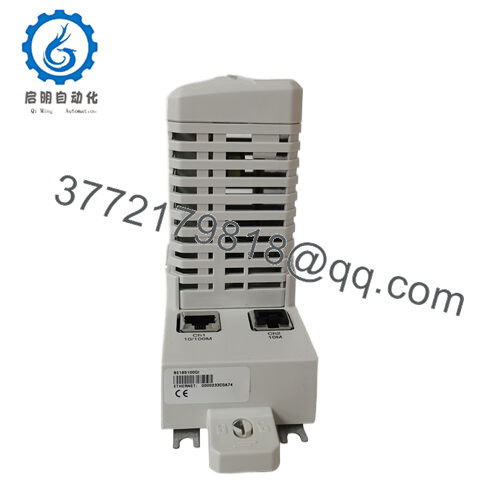
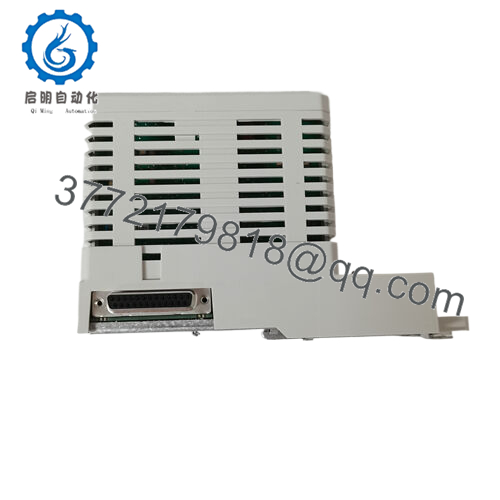
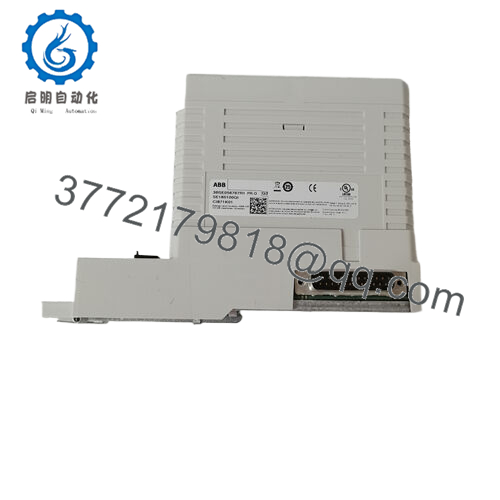
- Model: CI871AK01 / 3BSE092693R1
- Brand: ABB
- Series: AC800M / System 800xA Communications
- Core Function: PROFINET IO master communication interface
- Product Type: Industrial Ethernet Comm Module
- Key Specs: PROFINET IO | 10/100 Mbps | Dual Ethernet ports
- Condition: New Original / New Surplus (Never refurbished)
- Inventory Status: Critical Ethernet comm interface; buffer stock recommended to mitigate lead time variability and avoid production downtime
3. Key Technical Specifications
| Parameter | Specification |
|---|---|
| Device Type | PROFINET IO Master Communication Module |
| ABB Order Code | 3BSE092693R1 |
| Model | CI871AK01 |
| Compatible Systems | ABB AC800M, System 800xA (6.0.3.3+, 6.1.1+) |
| Communication Protocol | PROFINET IO (RT, Class 1) |
| Transmission Speed | 10/100 Mbps Ethernet |
| Ethernet Ports | 2 × RJ45 (CH1 used for PROFINET) |
| Max Devices Supported | Up to ~256 PROFINET IO devices |
| Hot-Swap | Yes (with baseplate) |
| Redundancy | Module redundancy supported |
| Power Supply | +24 V DC via CEX-Bus |
| Operating Temp | 0 °C to +55 °C |
| Protection | IP20 industrial enclosure |
| Mounting | DIN-rail via TP867 baseplate |

- CI871AK01 3BSE092693R1
4. Product Introduction & Supply Chain Strategy
The ABB CI871AK01 (3BSE092693R1) is a PROFINET IO master communication interface for AC800M controllers, enabling high-speed Ethernet-based connectivity between system controllers and distributed field devices over industrial PROFINET networks. It supports real-time PROFINET IO with deterministic data exchange, integrated diagnostics, hot-swap capability, and module redundancy to maximize uptime in process, utility, and manufacturing environments.
From a supply chain perspective, this Ethernet comm module is a critical communication spare impacted by lead time variability and system lifecycle transitions. Maintaining buffer stock (1–2 units) protects against stock-outs and emergency premium buys. Securing New Surplus units avoids latent issues inherent to refurbished Ethernet boards, stabilizing Total Cost of Ownership and ensuring reliable network performance.
5. Installation & Configuration Guide
Stage 1: Pre-Installation (Prep & Safety)
- Lock-out/tag-out the AC800M controller rack and isolate all control power.
- Confirm all Ethernet and bus power rails are de-energized with a meter.
- Wear a grounded ESD wrist strap; Ethernet interface boards are sensitive to static damage.
- Photograph the existing module orientation, network cable terminations, and labeling.
- Record PROFINET configuration parameters and IP addressing before removal.
Stage 2: Removal
- De-energize the CEX bus and remove the TP867 baseplate retaining fixtures.
- Extract the CI871AK01 module straight from the baseplate to prevent bent pins.
- Inspect the backplane connector and guide rails for debris or pin damage.
Stage 3: Installation (Clone & Seat)
- Install the TP867 baseplate if not already mounted; verify secure DIN-rail mounting.
- Align the CI871AK01 module with the baseplate guides; seat with even pressure until fully engaged.
- Torque mounting hardware to ABB specification to prevent vibration de-seating.
- Reconnect dual Ethernet cables exactly as previously documented.
- Re-apply +24 V DC CEX bus power to the mounted module.
Stage 4: Power-On & Testing
- Power the controller rack and monitor status LEDs for RUN and LINK/ACTIVITY indicators.
- Validate PROFINET IO network connectivity using host diagnostics (e.g., Control Builder M).
- Confirm communication with all field devices and check network throughput.
- If supporting redundancy, test failover between redundant modules.
6. Firmware/Software Versions & Upgrade Notes
- The CI871AK01 contains embedded firmware tied to PROFINET IO operations; ensure the host controller Control Builder M configuration matches the existing PROFINET network to avoid communication mismatches.
- Avoid upgrading controller or network firmware during module replacement unless explicitly required for compatibility; uncoordinated firmware changes can cause timeouts and device disconnections.
- Back up current PROFINET device configurations and IP addressing to preserve network integrity after swap.
- For PROFINET IO Class-specific features or diagnostic enhancements, consult ABB lifecycle documentation for recommended firmware compatibility.
7. Frequently Asked Questions (FAQ)
Q1: Is this part truly new? Why is it priced below OEM list but above refurbished offers?
This is a Brand New Surplus unit. It is original ABB manufacturing, never used, and never refurbished. Pricing reflects strategic surplus acquisition rather than OEM list cost, and carries lower risk than secondary market parts that may have hidden failures.
Q2: What system does this interface support?
The CI871AK01 is compatible with the ABB AC800M family and System 800xA control systems (versions 6.0.3.3, 6.1.1, and later) and enables PROFINET IO industrial Ethernet communication.
Q3: Should I hold buffer stock for this module?
Yes. This is a critical communication spare with long lead times and limited current production. Buffer stock (1–2 units) reduces stock-outs and costly emergency orders, balancing inventory turnover and reliability.
Q4: Can the module be hot-swapped?
Yes, it supports hot-swap when installed with the appropriate baseplate and system configuration, though always confirm isolation and rack power state before servicing to avoid backplane faults.
Q5: Will replacing this affect network settings?
The physical swap does not alter network settings, but ensure PROFINET device addresses and IP configurations are documented and replicated exactly to avoid comms issues.



