
 WhatsApp: +86 16626708626
 Email:
  Phone: +86 16626708626
Description
2. Product Core Brief
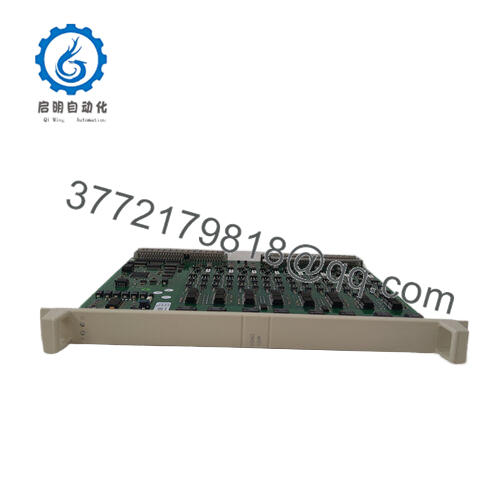
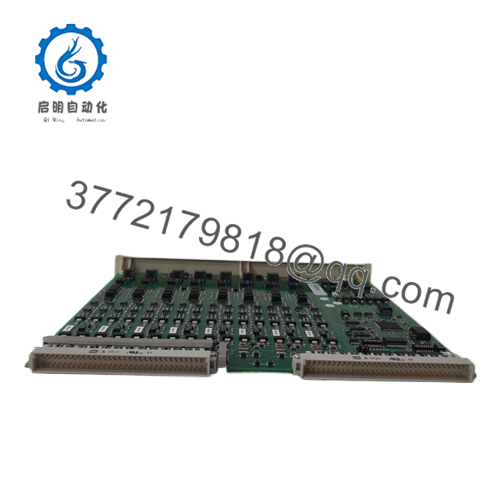
- Model: DSAO120 (3BSE018293R1 / DSAO 120A)
- Brand: ABB
- Series: Advant Master S100 I/O
- Core Function: 8-channel analog output
- Product Type: Analog Output Module
- Key Specs: 8 channels, ±10 V or ±20 mA, 12-bit resolution, 0.05% accuracy
- Condition: New Original / New Surplus
- Note: Legacy S100 I/O part; spares still available but production discontinued
3. Key Technical Specifications
- Channels: 8 isolated analog outputs
- Output Ranges: Voltage: ±10 V; Current: ±20 mA (configurable per channel)
- Resolution: 12 bits
- Accuracy: 0.05% of full scale (typical)
- Load Resistance: Voltage mode max 2 kΩ; Current mode min 0 Ω (short-circuit protected)
- Update Time: Typically 10–20 ms per channel (system-dependent)
- Isolation: Galvanic isolation between channels and backplane
- Power Consumption: Approx. 5–7 W from S100 bus
- Operating Temperature: –10°C to +85°C (some sources list –10 to +70°C; check site conditions)
- Storage Temperature: –40°C to +100°C
- Protection: IP20 (module level)
- Weight: Approx. 0.5 kg
- Mounting: S100 I/O rack (DSBC rack adapters required)
4. Product Introduction
The ABB DSAO120 (3BSE018293R1, designated DSAO 120A) is an 8-channel analog output board in the Advant Master S100 I/O family. It converts digital control signals from the controller into precise analog signals for field devices in process industries such as chemicals, oil & gas, power, and pulp & paper.
This board delivers reliable performance with 12-bit resolution and low drift, making it a go-to choice for legacy systems where exact signal fidelity matters. From field experience with Advant OCS installations, these modules hold calibration well over years of continuous operation, provided you avoid extreme temperature cycling or electrical noise on the field side.
5. Installation & Configuration Guide
Swapping a DSAO120 typically takes 20–45 minutes if prepped properly. Always power down the rack first—no hot-swap on S100 I/O.
Stage 1: Pre-Installation Preparation (10–15 min) ⚠️ Safety First: Notify operations, initiate controlled shutdown if needed, lock out/tag out rack power. Wait 5 minutes for discharge. Tools Required: ESD wrist strap, PH1/PH2 screwdriver, multimeter, wire labels, smartphone for photos. Data Backup: Export controller configuration (parameters, scaling). Photograph old module’s address switches (if any) and channel wiring. Note channel assignments in I/O list.
Stage 2: Removing the Old Module (5–10 min)
- Power down the S100 rack.
- Remove front cover/bezel if present.
- Label and disconnect field wiring terminals (use torque 0.5–0.6 Nm; avoid pulling wires).
- Release locking tabs/levers and pull module straight out.
- Inspect backplane connector for bent pins, dust, or corrosion.
⚠️ Note: Retain the old module as reference until the system runs fault-free. Label it with fault symptoms if it failed.
Stage 3: Installing the New Module (10–15 min)
- Ground yourself with ESD strap. Confirm new part is 3BSE018293R1 / DSAO 120A.
- Set any address/DIP switches to match old module (rare on this board, but photo-verify).
- Align and insert firmly until backplane connector seats (listen for click).
- Secure locking tabs.
- Reconnect field wiring exactly as photographed (observe polarity; torque terminals).
Self-Checklist: [ ] Address/switches match, [ ] Wiring polarity correct, [ ] Terminals torqued, [ ] Module fully seated.

- ABB DSAO120AK01 3BSE020419R1
Stage 4: Power-On & Testing (10–20 min) Pre-Power Check: Multimeter test for shorts on output terminals to ground/common. Power-On Steps:
- Power up rack.
- Observe module LEDs (RUN green = healthy; ERR red = fault).
- Connect to programming tool (e.g., Advant Master engineering station).
- Verify module detected in I/O list; check firmware/revision match if applicable.
- Force outputs manually (0%, 50%, 100%) and measure at terminals with multimeter.
- Download configuration if needed; resume normal operation.
⚠️ Troubleshooting Note: Solid red ERR usually means backplane comms issue or mismatch—reseat module. No output? Check channel config in software and field wiring continuity. Overcurrent trips? Verify load resistance matches spec.
6. Frequently Asked Questions (FAQ)
Can this module be hot-swapped? No. S100 I/O racks are not designed for live insertion/removal. Power down the rack to avoid backplane damage or controller faults. I’ve seen partial hot-swap attempts cause I/O bus errors that required full rack reset.
Is the DSAO120 obsolete? Yes, the Advant Master S100 line is legacy and no longer in new production. Spares come from surplus, refurbished stock, or service kits. Availability is good for now, but declining—plan migrations to newer systems like AC 800M long-term.
What is the direct replacement for DSAO120? No exact drop-in exists in newer ABB lines due to different bus (S100 vs. S800/S900). For migration, use S800 AO810/AO815 with TU850 terminal units via adapters or full system upgrade. Verify channel count, ranges, and isolation requirements match.
Will I lose my output configuration or scaling when swapping? No—the configuration resides in the controller (not the I/O module). Outputs retain programmed ranges and scaling after swap, assuming same module type. Always verify in software post-install.
Why is your price lower than ABB direct? We source new surplus or excess OEM inventory that passes full functional checks but avoids factory channel premiums. Units get inbound visual/traceability inspection, power-up test on S100 rack simulation, and insulation checks. No official ABB recertification unless stated.
What testing do you do on these boards? Each DSAO120 undergoes: visual inspection (no damage, corrosion), power-on self-test in test rack (LEDs, comms to master), output forcing across full range with measured verification (±10 V / ±20 mA), and basic insulation test. Test data/photos available on request. We don’t perform full environmental stress screening in-house.
How do I confirm compatibility with my Advant Master system? Match the exact part number 3BSE018293R1 against your I/O list or BOM. Check controller firmware supports the board (most Advant versions do). If your rack uses older DSAO variants, confirm pinout and range compatibility in the S100 manual. When in doubt, cross-check against ABB library docs or field photos of existing modules.



