
 WhatsApp: +86 16626708626
 Email:
  Phone: +86 16626708626
Description
3. Key Technical Specifications
- Brand: ABB
- Model: GOP2000
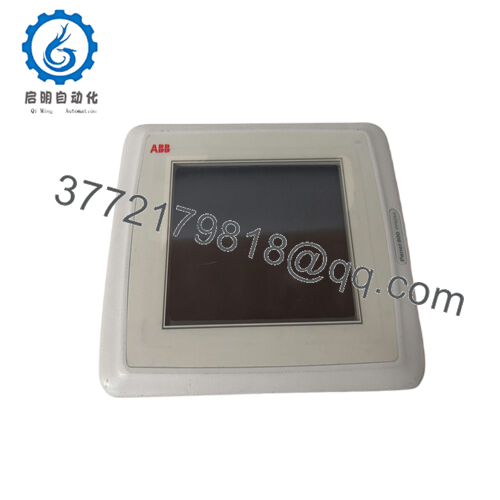
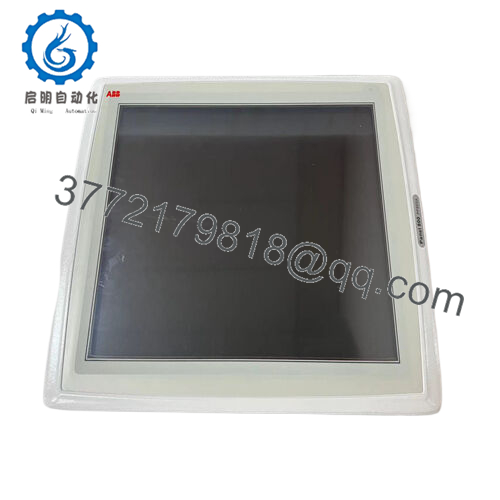
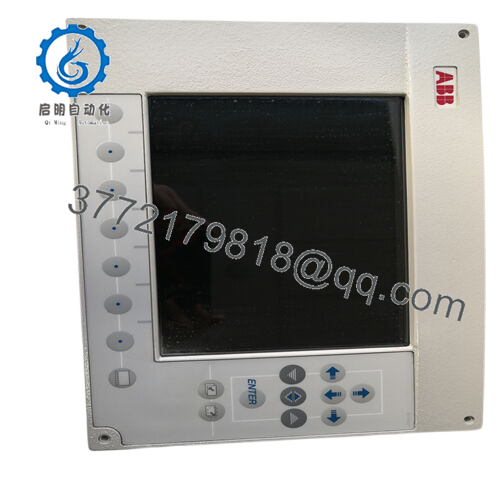
- Product type: Graphic operator panel / panel module controller
- Mounting style: Panel-mounted HMI, usually in a control panel door or console
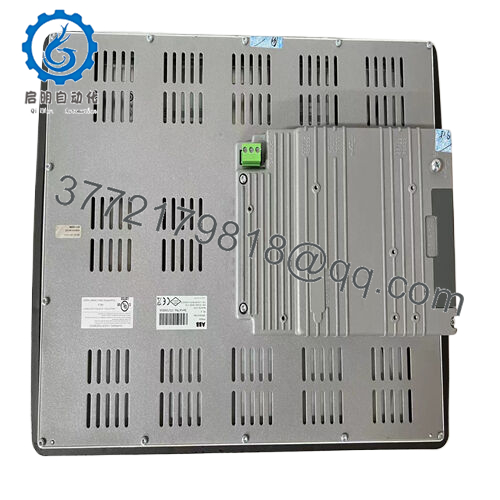
- Typical supply voltage: 24 V DC from the control system power supply (verify on rating label)
- Approximate shipping dimensions: 150 mm × 240 mm × 350 mm (carton, including packing)
- Color options: White, blue, green, black housing/trim, depending on production batch
- Interfaces (typical class): Serial/fieldbus or Ethernet connection to PLC/DCS (exact ports per datasheet)
- Operating environment: Industrial control panel environment; follow ABB limits for temperature, humidity, and vibration
- Protection rating: Panel protection usually IP54 or higher when correctly gasketed; confirm per manual
4. Product Introduction
The ABB GOP2000 is a graphic operator panel module designed as a local HMI for industrial control systems, giving operators direct access to process status, alarms, and basic control functions from the panel door. You typically see this type of panel in MCCs, machine control cabinets, and small process skids where a compact, dedicated operator interface is more practical than a full PC-based station.
Engineers choose the GOP2000 when they need a form-fit operator panel matched to an ABB controller family, with defined cutout dimensions and wiring that align with existing panel designs. It keeps day-to-day operation, alarm acknowledgment, and simple setpoint adjustments close to the equipment, without adding the complexity of a full SCADA node.
5. Troubleshooting Quick Reference
Use this when you are at the panel at 3:00 AM trying to decide if the GOP2000 is actually bad.
| Symptom | Possible Cause | Relevance to this Part | Quick Check Method | Recommendation |
|---|---|---|---|---|
| No display, backlight off | No 24 V DC supply, blown panel fuse, loose plug | ✅ High | Measure 24 V DC at the panel supply terminals, check in-panel fuse or breaker | If there is no power at the terminals, fix the supply first; replace the GOP2000 only if voltage is correct and it stays dead. |
| Backlight on but no graphics | HMI firmware hang, comms issue, or bad panel | ✅ High | Cycle power once, then watch for boot logo; check if any startup text appears | If the panel never shows a boot screen while powered, the unit is likely faulty and needs replacement. |
| Display OK, but no PLC data | Comms cable fault, wrong IP/node, PLC not running | ⚠️ Medium | Check link LEDs (if Ethernet), verify node/IP settings, and look at PLC CPU status | Fix the PLC program state and communication settings before calling the panel bad. |
| Keys/touch not responding | Keypad/touch failure, or frozen application | ✅ High | Try navigating to another page or menu, then power-cycle once | If other panels work fine on the same port and cable, the GOP2000 input hardware is suspect. |
| Random reboots or flicker | Voltage dips, loose power terminals, noise on 24 V | ⚠️ Medium | Log supply voltage with a meter or logger; wiggle test terminals and cable | Tighten terminations, clean up the 24 V bus; replace the panel only if reboots follow the unit across supplies. |
| Some pixels/areas dead on screen | Aged or damaged display | ✅ High | Run a full-screen color test if available, or scroll graphics across the fault area | If dead segments remain, plan to replace the panel; the controller behind it may still be fine. |
| HMI shows alarms but process is OK | Wrong tags, stale signals, mapping/config issues | ❌ Low | Cross-check values directly in PLC/DCS engineering software | Treat this as a configuration problem, not a hardware fault, unless other symptoms point to the panel. |
If you are not sure, take clear photos of the panel, the wiring terminals, and any error messages on the display, then share them with your controls engineer or technical support before you order a new unit.

- GOP2000
6. Frequently Asked Questions (FAQ)
Q1: What is the ABB GOP2000 used for?
It is a graphic operator panel that provides a local HMI for ABB-based control systems, allowing operators to view status, alarms, and change basic parameters directly at the cabinet. In practice, it replaces old text displays and hardwired lamps with a configurable screen and soft keys.
Q2: Is the GOP2000 a direct replacement for my existing ABB panel?
If the existing cutout, mounting pattern, and part number label all match GOP2000, it is usually a direct drop-in. Where people get burned is assuming that “any GOP” will work; you need to match the exact model code and firmware family noted on the old panel label and in your system documentation.
Q3: Can I hot-swap the GOP2000 with the system powered?
From a safety and longevity standpoint, you should not hot-swap it. The panel usually sits on the same 24 V DC bus as the PLC, and yanking cables under load can cause transients on the backplane or comms ports. Kill the panel’s 24 V feed, verify zero volts at the terminals, then replace it.
Q4: Will I lose my HMI configuration when I replace the panel?
That depends on how your system is set up. Some sites keep the HMI project on an engineering laptop and download it after swapping the hardware; others rely on internal storage or a memory card. Before pulling the old GOP2000, document the firmware version, communication settings, and project source location so you are not stuck with a blank screen after replacement.
Q5: Is the GOP2000 still actively supported or effectively a legacy unit?
In many installed bases, this panel is already treated as a legacy HMI, especially where newer ABB panel families have taken over. That does not mean you cannot get parts, but it does mean stock is limited and lead times can stretch, so you should confirm availability early and keep at least one spare at critical sites.
Q6: Why is a refurbished GOP2000 cheaper than a new original one?
Refurbished units usually come from decommissioned panels, are cleaned, visually inspected, and tested powered up, then sold with a shorter warranty. New original or new surplus units (factory sealed or unused stock) tend to cost more but give you better traceability and are safer choices for high-criticality or regulated applications.
Q7: What are the most common mistakes when replacing this panel?
The big ones are not backing up the HMI project, ignoring the firmware match, and rushing the wiring. I have seen panels swapped “like for like” only to find the new one on a different firmware that the old project does not accept. Take a photo of every setting screen you can, label the cables, and verify communication parameters before you button up the door—doing that will save you most of the usual rework.



