
 WhatsApp: +86 16626708626
 Email:
  Phone: +86 16626708626
Description
2. Product Core Brief
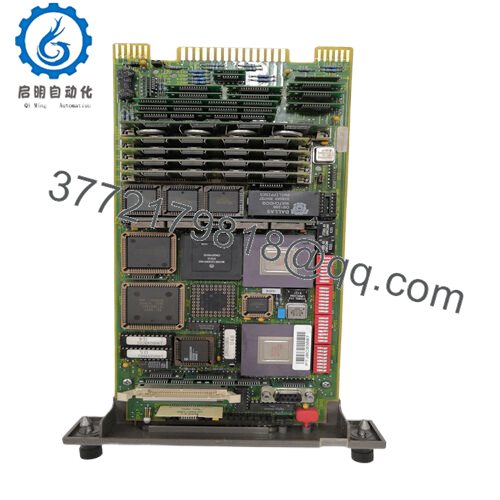
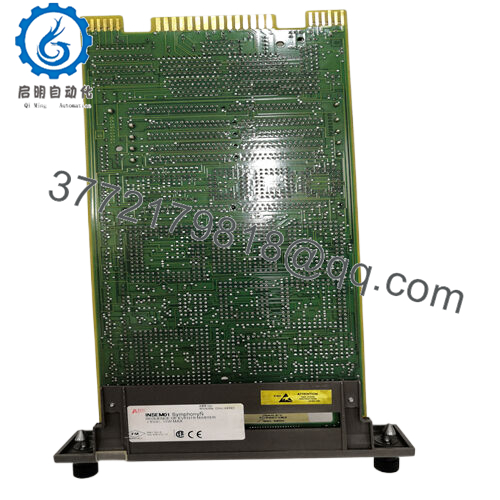
- Model: INSUM MCU2 (variants: MCU2A01C0-4, MCU2A02V24, etc.; exact suffix varies)
- Brand: ABB
- Series: INSUM (MNS Motor Management)
- Core Function: Intelligent motor protection and control
- Product Type: Motor Control Unit (MCU)
- Key Specs: Current ranges 0.1–3.2 A or 2.0–63 A, 380–690 V AC, 24 V DC / 230 V AC aux supply, Profibus/LON communication
- Condition: New Original / New Surplus
- ⚠️ Obsolete Model – Limited Stock Available
3. Key Technical Specifications
- Current Measurement Ranges: 0.1–3.2 A (low range) or 2.0–63 A (high range), internal CTs
- Voltage Range: 380–690 V AC (3-phase)
- Auxiliary Supply: 24 V DC or 230 V AC
- Protection Functions: Thermal overload (IEC 60947-4-1), phase loss/unbalance, stall/jam, underload, PTC thermistor, earth fault (optional), number of starts limit
- Control Functions: DOL, reversing DOL, star-delta, soft start/stop, latched/non-latched
- Communication: INSUM bus (internal), Profibus DP, LON (via gateway options)
- Accuracy: Current ±2%, thermal model Class 10/20/30 adjustable
- Operating Temperature: –5°C to +55°C (typical; derate above)
- Power Consumption: Approx. 5–10 W
- Mounting: Plugs into MNS withdrawable units or fixed panels
- Weight: Approx. 1–2 kg (depending on variant)
- Isolation: Galvanic isolation for inputs/outputs

- INSUMMCU2
4. Product Introduction
The ABB INSUM MCU2 is a high-end motor control unit in the INSUM system for MNS switchgear, offering comprehensive protection and diagnostics for LV motors in refineries, chemical plants, water treatment, and power generation. It builds on the basic MCU1 with expanded features like detailed event logging, adaptive thermal modeling, and better integration with higher-level systems.
In field deployments of MNS/INSUM setups, the MCU2 stands out for its reliable motor supervision under variable loads—I’ve seen it catch impending failures from unbalanced phases or excessive starts hours before a trip. It reduces unplanned downtime when properly parameterized, though legacy status means planning for eventual migration to modern solutions like MNS with UMC or 800xA integration.
5. Installation & Configuration Guide
Swapping an MCU2 in an MNS cubicle takes 20–60 minutes with prep; requires motor shutdown and often panel de-energization. No hot-swap—power off first.
Stage 1: Pre-Installation Preparation (10–20 min) ⚠️ Safety First: Isolate motor feeder, lock out/tag out breaker/contactor power. Verify zero voltage on terminals. Notify operations of downtime. Tools Required: ESD wrist strap, PH1/PH2 screwdriver, multimeter, torque screwdriver, camera/phone, labeling tags. Data Backup: Upload MCU parameters via INSUM MMI/Operator Station or handheld tool. Photograph DIP switches/jumpers (if present), wiring to contactors/PTC/feedback, and slot position.
Stage 2: Removing the Old Module (5–10 min)
- Open cubicle door; ensure panel de-energized.
- Disconnect any plug-in terminals or wiring (label polarity).
- Release locking clips/levers on MCU mounting.
- Pull module straight out carefully to avoid stressing backplane pins.
- Inspect connector for dust, bent pins, or corrosion.
⚠️ Note: Keep old MCU as reference until new unit commissioned—label with symptoms if faulty.
Stage 3: Installing the New Module (10–20 min)
- Ground with ESD strap; verify exact variant matches (e.g., MCU2A02V24 for voltage/aux).
- Set any address/jumpers to match old unit from photos (critical for LON/Profibus node).
- Insert firmly into slot until seated (audible click).
- Secure clips/levers.
- Reconnect wiring/terminals (torque 0.5–0.8 Nm typical; check polarity).
Self-Checklist: [ ] Variant matches, [ ] Jumpers/address correct, [ ] Wiring secure/polarity right, [ ] Fully seated.
Stage 4: Power-On & Testing (15–30 min) Pre-Power Check: Multimeter for shorts on control circuits; confirm aux supply voltage. Power-On Steps:
- Energize aux power first; observe LEDs (power green, status per manual).
- Power main circuit; check no immediate trips.
- Connect to parameterization tool (INSUM MMI or software).
- Verify detection, download parameters from backup.
- Test start/stop commands, monitor protection functions (simulate faults if safe).
- Run motor no-load, then loaded; check current readings and no alarms.
⚠️ Troubleshooting Note: No comms or ERR LED? Check address/jumpers and cable continuity. Thermal trip on startup? Verify parameter match (Class, FLA). Erroneous current? Confirm CT range/variant.
6. Frequently Asked Questions (FAQ)
Can the MCU2 be hot-swapped? No. INSUM MCU requires power-off for replacement—live swap risks bus faults, false trips, or damage to the module/backplane.
Is the INSUM MCU2 obsolete? Yes, INSUM/MNS legacy platform discontinued for new builds. Spares from surplus/service stock; availability decreases over time—stock up for critical motors.
What is the direct replacement for MCU2? No exact drop-in; migrate to newer ABB UMC100.3 or MNS with AF contactors/UMC. For Profibus/LON, use gateways or full INSUM-to-800xA upgrade. Match current range and starter type.
Will motor parameters or protection settings be lost on swap? No—settings stored in MCU non-volatile memory or centralized (INSUM OS). Download/upload via tool before/after. Always backup to avoid rework.
Why is the price lower than ABB factory? Sourced new surplus/excess inventory meeting full specs but bypassing OEM channels. Units inspected visually, powered up in test setup (LEDs, comms), basic I/O checks. Not factory-recertified.
What testing do you perform? Each MCU2: visual (no damage/corrosion), power-on (LED sequence, aux detection), communication ping (if interface equipped), current simulation verification. Parameter read if possible. Test photos/data available.
How do I confirm compatibility for my MNS/INSUM setup? Match full variant (e.g., MCU2A02V24) against BOM or existing label. Check current range suits motor FLA, aux voltage matches site, and protocol (Profibus/LON) aligns. Cross-reference ABB INSUM manuals (e.g., MCU User’s Guide) or pull old photos. If variant mismatch, protection/control may fail.



