
 WhatsApp: +86 16626708626
 Email:
  Phone: +86 16626708626
Description
2. Product Core Brief
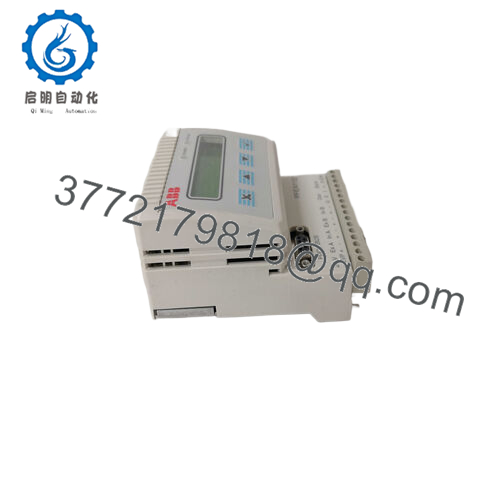
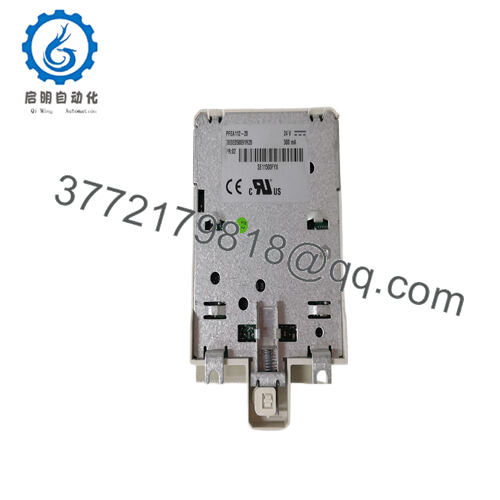
- Model: PFEA112-20 (3BSE050091R20)
- Brand: ABB
- Series: PFEA11x Tension Electronics
- Core Function: Processes signals from web tension load cells
- Product Type: Tension Electronics / Signal Processor
- Key Specs: 2 load cell inputs, Profibus-DP interface, 24 V DC supply (18–36 V), analog outputs (voltage/current)
- Condition: New Original / New Surplus
3. Key Technical Specifications
- Power Supply Voltage: 24 V DC (18–36 V range)
- Power Consumption: 7.5 W typical
- Number of Load Cell Inputs: 2
- Load Cell Excitation: 0.5 A rms at 330 Hz
- Max Load Cell + Cable Resistance: 2 load cells + 5 Ω cable
- Communication Interface: Profibus-DP (standard)
- Analog Outputs: Voltage and current (A, B, A+B configurable), adjustable filtering
- Display: 2 × 16 character, shows A, B, A+B, A-B
- Operating Temperature: Typically −10 to +50 °C (verify with site conditions)
- Mounting: DIN-rail (IP20 version)
- Weight: Approx. 0.5 kg
- Protection Class: IP20 (unsealed enclosure)
4. Product Introduction
The ABB PFEA112-20 (3BSE050091R20) is a tension electronics module in the PFEA11x series, built for web tension measurement in paper, plastic, textile, and foil converting lines. It connects directly to two Pressductor load cells (such as PFCL 301E or PFTL series), processes the millivolt signals, and delivers accurate tension data.
It stands out with built-in Profibus-DP for integration into PLC or DCS networks, real-time display of individual and summed signals, and configurable analog outputs for direct control loops. Engineers choose it for reliable signal conditioning without drift, self-diagnostics, and straightforward DIN-rail mounting in control cabinets.
5. Troubleshooting Quick Reference
| Symptom | Possible Cause | Relevance to this Part | Quick Check Method | Recommendation |
|---|---|---|---|---|
| No display or LEDs on power-up | Power supply failure | ❌ Low | Measure 24 V DC at terminals (18–36 V range) | Verify 24 V DC supply and fuses first |
| Profibus comms timeout / no data | Network/address mismatch | ✅ High | Check Profibus LED status; read GSD file config | Confirm node address, baud rate, terminator |
| Tension reading erratic or zero | Load cell wiring open/short | ✅ High | Measure excitation voltage (~330 Hz AC) at cells; check mV signal | Inspect load cell cables and connections |
| Analog output stuck at zero/span | Configuration error | ✅ Medium | Enter menu, verify output scaling and filter | Reconfigure via front keys; check parameters |
| Display shows overload or fault | Load cell overload / excitation issue | ✅ High | Check diagnostic menu for error codes | Reduce mechanical load; test cells separately |
| No analog output change | Output wiring or scaling wrong | ❌ Low | Measure output terminals with multimeter | Confirm wiring to A/B/A+B; review scaling |
If diagnostics point to the module and checks pass on power, comms, and load cells, replacement is likely needed. Send photos of display/error codes, wiring, and Profibus setup to technical support for confirmation.

- PFEA112-20 3BSE050091R20
6. Frequently Asked Questions (FAQ)
Is the PFEA112-20 hot-swappable in a live system? No. Power down the unit before swapping. Hot-swapping risks backplane damage or transient errors on Profibus. Always isolate 24 V DC first.
What load cells work with this module? It handles two ABB Pressductor load cells like PFCL 201, PFCL 301E, PFTL 101, PFTL 201, or PFTL 301E. Max combined cable resistance is 5 Ω. Check the exact load cell manual for excitation compatibility.
Does it support firmware updates or specific versions? Firmware is field-fixed (typically v1.8 or higher for scaling features). No user updates needed. If you require a specific revision for Profibus compatibility, note it at order—most surplus units run recent stable versions.
Why is surplus/new original stock cheaper than direct from ABB? These are genuine OEM units from factory overstock or decommissioned spares, never used or powered on beyond testing. They undergo full functional checkout on a PFEA test setup, including load simulation and Profibus ping. No refurbishing involved.
Will configuration stay if I swap this module? No. Parameters (scaling, filtering, node address) live in the module. Photograph the display settings or export via Profibus before removal. Re-enter them on the new unit to match.
What if my application needs more than two load cells? Use the PFEA113 variant for four inputs. The PFEA112-20 is strictly two-channel. Mixing different models in the same system requires separate Profibus addressing.
How do I confirm compatibility with my existing Profibus network? Download the ABB GSD file for PFEA112 from the ABB library. Match baud rate (9.6 kbps to 12 Mbps) and node address. Test with a temporary drop before full install.



