
 WhatsApp: +86 16626708626
 Email:
  Phone: +86 16626708626
Description
- Product Core Brief
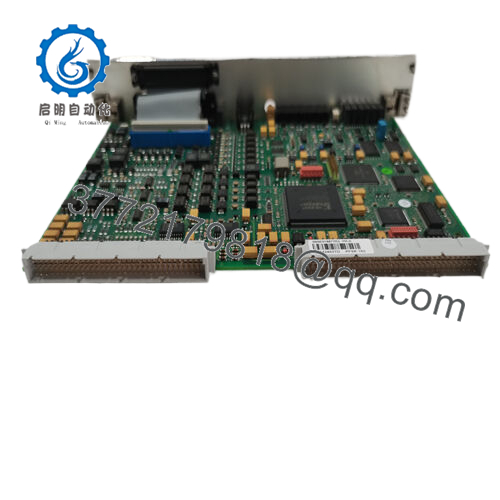
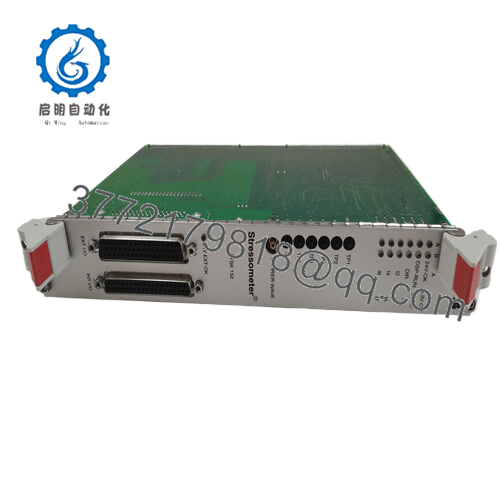
- Model: ABB PFSK113 7625013-S
- Brand: ABB
- Series: Pressductor / web tension system accessories (signal unit family)
- Core Function: Signal transmission and conditioning for tension/load cells
- Product Type: Signal transmission unit module
- Key Specs: RS‑485 communication; multiple analog inputs/outputs; designed for industrial web tension systems
- Condition: New Original / New Surplus
- Key Technical Specifications
(Values are representative of the PFSK113 7625013-S family. Always confirm against the exact ABB datasheet before final design, SIL calculations, or retrofit work.)
- Part number: PFSK113 7625013-S
- Function: Signal transmission / signal conditioning unit for force or tension measurement systems
- External connections: Excitation current to load cells; several analog inputs; multiple analog outputs (voltage or current)
- Communication interface: RS‑485 for higher-level system integration
- Typical analog inputs: 2–4 channels for load cell or process signals
- Typical analog outputs: Up to 4 channels, selectable voltage or current (e.g., 0–10 V, 4–20 mA, depending on version)
- Rated current (electronics): In the tens of mA range (check label before sizing 24 V DC supply)
- Supply voltage: 24 V DC industrial control power (assumed typical; verify on nameplate)
- Approximate size class: Small DIN‑rail/board module format; dimensions on the order of a few centimeters in height and width
- Mounting: Panel or DIN‑rail mount in a protected enclosure (e.g., tension controller cabinet)
- Operating environment: Industrial control cabinet; follow ABB limits for temperature, humidity, and pollution degree
- Product Introduction
The ABB PFSK113 7625013-S is a signal transmission unit module used in industrial tension and force measurement systems, typically alongside ABB Pressductor load cells and dedicated tension controllers. It sits between the field transducers and higher-level control hardware, conditioning and transmitting the measurement signals.
Engineers use the PFSK113 when they need a reliable way to route, convert, and distribute load cell or analog signals, often over RS‑485, without redesigning the entire control system. It helps bridge the gap between the field side and web tension controllers or PLCs and is selected because it matches ABB’s Pressductor ecosystem and wiring conventions.
- Troubleshooting Quick Reference
| Symptom | Possible Cause | Relevance to this Part | Quick Check Method | Recommendation |
|---|---|---|---|---|
| No tension/force signal at PLC | No output from PFSK113 or no 24 V supply | ✅ High | Measure 24 V DC at module supply terminals; check status LEDs (if present) | Restore 24 V supply, check fuses and wiring; replace PFSK113 if supply is OK but output is dead. |
| Output stuck at 0 mA / 0 V | Open input from load cell or bad configuration | ✅ High | Measure signal at input terminals; jumper a known test signal if available | Fix input wiring or configuration first; only swap PFSK113 after confirming input is healthy. |
| Output clamped at max scale | Shorted input, mis-wiring, or internal fault | ✅ Medium | Disconnect input wiring and see if output returns to a default level | If output normalizes with input removed, re-check field wiring; otherwise suspect module fault. |
| Strong noise on analog output | Poor shielding/grounding or RS‑485 wiring issues | ✅ Medium | Inspect shield terminations, check for mixed reference grounds, scope the output | Correct grounding and cable routing; if only this channel is noisy, keep a spare module ready. |
| RS‑485 comms loss / intermittent | Bus termination or address/configuration error | ✅ Medium | Verify line termination, biasing, node address, and baud rate vs. system settings | Correct configuration first; swap PFSK113 only after confirming bus wiring and settings. |
| One channel dead, others OK | Partial internal channel failure | ✅ High | Swap field wiring between two channels; see if the fault follows the channel | If the fault stays with one channel, plan a module replacement and re-check scaling. |
| Module warm/hot to the touch | Overvoltage, wiring fault, or ventilation issue | ✅ Medium | Measure supply voltage, check for shorts on I/O, verify cabinet temperature | Remove power and correct external issues; if heating persists, treat the module as failed. |
If you are unsure, take a clear photo of the PFSK113 nameplate, terminal wiring, and controller diagnostics, then share those along with a brief description of the symptom and your meter readings. That saves everyone time.

- PFSK113
- Frequently Asked Questions (FAQ)
Q1: What exactly does the ABB PFSK113 7625013-S do in the system?
The PFSK113 7625013-S acts as a signal transmission and conditioning module between field sensors (often load cells or related transducers) and your higher-level controller. It handles excitation, input signal handling, and forwarding signals or data—typically over analog outputs and RS‑485—so your PLC or tension controller sees a clean, usable value.
Q2: Is the PFSK113 7625013-S a direct replacement, or do I need to modify wiring?
If you match the ABB part number exactly—PFSK113 7625013-S—and your existing unit has the same designation, you can usually drop it in with the same terminal mapping. That said, always take a high‑resolution photo of the old wiring, compare terminal numbers to the manual, and verify the label on the new unit before energizing. Small differences in options or revisions can change pinouts.
Q3: Does this module store any configuration or require programming after replacement?
Depending on how ABB implemented it in your system, configuration might live in the PFSK113 or in an upstream controller. Treat it as if it might carry parameters: before pulling the old unit, document any DIP switch, rotary address, or jumper positions and, if relevant, back up any project or parameter set in the attached controller. When you insert the new module, mirror those settings first so you do not spend a shift chasing a simple address mismatch.
Q4: Can I hot‑swap the PFSK113 7625013-S under power?
I would not recommend it. Even if the system sometimes tolerates hot swaps, you are dealing with field signals and RS‑485 lines, and an accidental short can upset the entire bus or damage the electronics. Kill the 24 V supply feeding the module, wait for discharge, then pull and replace it. It only takes a few minutes and avoids the “mystery” comms faults that show up later.
Q5: Is this part still current, or is it considered legacy?
In many plants, PFSK113‑based systems are legacy but still very active, particularly in web tension applications. The exact 7625013-S variant can be difficult to source directly from ABB in some regions, which is why you see it in surplus channels. That does not mean it is unusable; it just means you need to double‑check compatibility and keep at least one spare on the shelf if downtime is expensive.
Q6: Why is a New Surplus PFSK113 cheaper than a brand‑new unit from ABB?
New Surplus typically means the module has never seen service but came from project overbuys, canceled upgrades, or plant spare stock. You avoid the OEM lead time and price, but you also need a supplier who can confirm the part number, cosmetic condition, and basic functionality. Always ask for real photos of the exact unit, not just a catalog picture.
Q7: What should I check before blaming the PFSK113 for a tension problem?
Before you point at the PFSK113, confirm the basics: verify 24 V DC supply quality, check all field wiring for loose terminals or damaged cables, measure raw sensor outputs if possible, and confirm that your PLC or tension controller scaling has not been changed. Many “bad module” calls end up being a wiring or configuration issue. Keep these checks in mind and you will avoid most unnecessary module swaps and rework time.



