
 WhatsApp: +86 16626708626
 Email:
  Phone: +86 16626708626
Description
Key Technical Specifications
- Processor Architecture: 32-bit PowerPC
- Memory: Up to 128 MB RAM (application-dependent; confirm with firmware)
- Communication Ports: 1x Onet (O), 1x redundant Onet, 1x redundant Cnet (C), 1x redundant Fnet, 2x PROFIBUS DPV2, 1x Ethernet
- PROFIBUS Support: DPV2 master capability
- Firmware Upgrade: Via USB stick or Analyzer tool (current version varies; document before swap)
- Operating Temperature: Typically 0 to +60 °C (verify site conditions against datasheet)
- Power Supply Input: 24 V DC (standard Symphony rack PSU)
- Mounting: Melody Rack (DIN-rail compatible baseplate)
- Dimensions (approx.): 130 mm W × 300–400 mm H × depth per rack unit (exact varies)
- Weight (approx.): 2.0–2.1 kg
- Battery Backup: Lithium battery for RAM retention
- Certifications: Conforms to relevant industrial standards (IEC-related for process control)

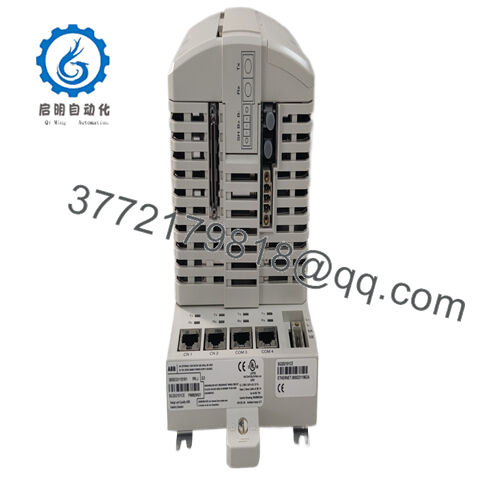
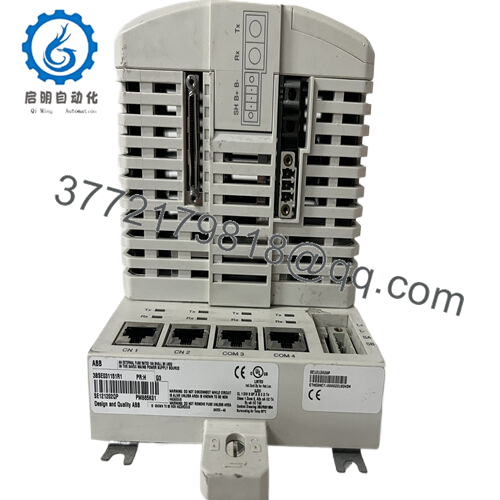
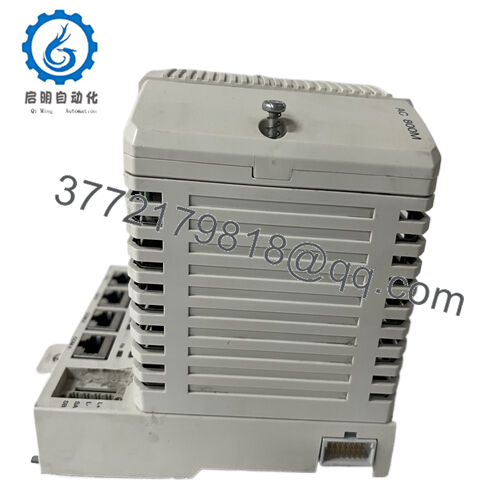
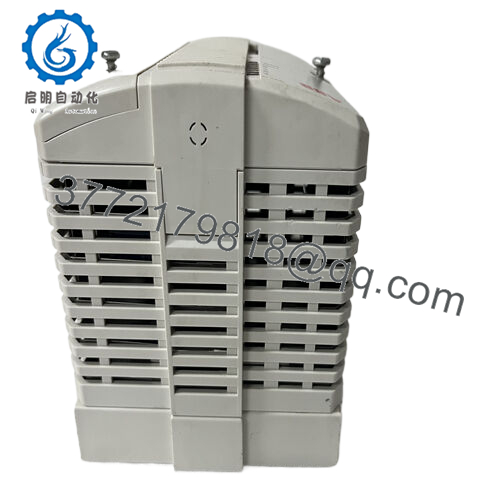
- PM876 3BDH000607R1
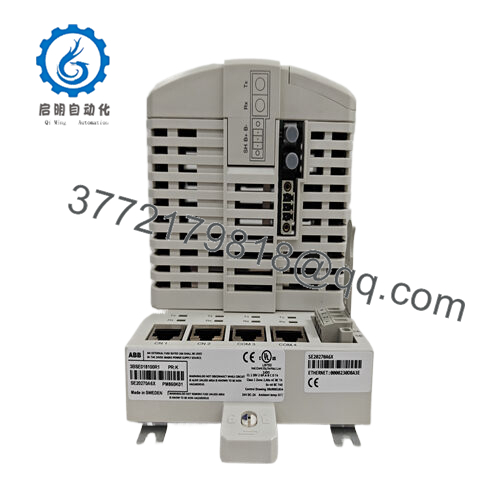
The ABB PM876 (3BDH000607R1) serves as the central processing unit in ABB Symphony Plus Melody Rack systems. It targets process industry applications requiring migration from legacy Symphony DCS controllers like CMC 50 and CMC 60.
This module stands out for its native support of Symphony-specific networks (Onet, Cnet, Fnet) alongside PROFIBUS DPV2 and Ethernet. Plants choose it for brownfield upgrades where full DCS rip-and-replace isn’t feasible—maintaining existing I/O and fieldbus while gaining modern controller performance.
Installation & Configuration Guide
Stage 1: Pre-Installation Preparation (15–20 minutes) ⚠️ Safety First: Notify operations of planned downtime. Verify process is in safe state. Lock out/tag out 24 V power to the rack. Wait at least 5 minutes for capacitor discharge. Tools Required: Grounded ESD wrist strap, PH1/PH2 screwdriver, digital multimeter, wire labels, smartphone/camera for photos. Data Backup: Export application logic via Composer or Control Builder if accessible. Document all network addresses, node IDs. Photograph DIP switches, jumpers, terminal block wiring, and any LED status before removal.
Stage 2: Removing the Old Module (10 minutes)
- Remove front cover/bezel if present.
- Label and carefully disconnect all field wiring and communication cables (do not force screw terminals; torque per spec).
- Release rack locking tabs/levers. Pull module straight out to avoid bending backplane pins.
- Inspect backplane connectors for dust, corrosion, or bent pins—clean if needed with approved contact cleaner. ⚠️ Note: Retain the old module as reference until the replacement runs flawlessly.
Stage 3: Installing the New Module (15 minutes)
- Ground yourself with ESD strap. Confirm new module part number matches exactly (3BDH000607R1).
- Configuration Clone (Crucial): Set all DIP switches and jumpers to match the photographed old unit—node address, baud rates, termination resistors critical.
- Align module with rack slot and insert firmly until it seats (listen for click; ensure full backplane connection).
- Reconnect wiring exactly as labeled (check shielding/grounding). Use torque screwdriver to avoid over-tightening. Self-Checklist: [ ] DIP/jumper settings match photo, [ ] Wiring fully secured and correct, [ ] Locking tabs engaged.
Stage 4: Power-On & Testing (20–30 minutes) Pre-Power Check: Use multimeter to verify no shorts on 24 V rail. Power-On Steps:
- Energize rack power only (keep field devices isolated initially).
- Observe LEDs: Green RUN indicates normal; solid/flashing red ERR signals fault (firmware mismatch common).
- Connect engineering station; verify node address, firmware version, and network comms (Onet/Ethernet ping).
- Download backup application logic if needed (Composer tool).
- Perform dry-run I/O test—force signals and confirm response. ⚠️ Troubleshooting Note: Solid red ERR often means firmware mismatch—downgrade/upgrade via USB if required. No comms? Double-check IP/node config, cable continuity, and switch settings.
Frequently Asked Questions (FAQ)
Is the PM876 hot-swappable? No. Power down the rack before removal or insertion. Hot-swapping risks backplane damage or module failure in Symphony Melody systems.
Is this model obsolete, and is your stock genuinely new? Yes, PM876 is legacy/obsolete from ABB (limited production). We offer new surplus/original stock—never refurbished unless explicitly stated. Units come from verified OEM excess with full inbound traceability and functional load testing >24 hours.
What is the direct replacement if PM876 is unavailable? PM876-1 (3BDH000707R1) serves as the closest variant/updated replacement for many CMC migrations. For full modern transition, evaluate migration to AC 800M (e.g., PM866A) or Symphony Plus native controllers—requires I/O and network assessment.
Will I lose my programming logic when swapping the CPU? No, if battery-backed RAM holds (lithium battery good) and firmware is compatible. Always export logic first. In worst case, reload from backup after swap.
Why is your price lower than OEM list? This is new surplus from decommissioned/expanded projects or excess OEM inventory—not factory fresh production. We pass on cost savings after rigorous testing (power-on, comms handshake, thermal load, insulation Megger >10 MΩ). No OEM markup applies.
Can firmware be updated on this unit? Yes—via USB stick or Analyzer tool. Document existing version before swap. Mismatch causes comms timeout or ERR LED. Test reports/photos available on request.
Keep these checks in mind and you’ll avoid 90% of typical rework—I’ve seen firmware jumps or missed DIP photos add days of downtime. Verify exact compatibility with your Symphony rack and application via ABB datasheet before commissioning.



