
 WhatsApp: +86 16626708626
 Email:
  Phone: +86 16626708626
Description
- Key Technical Specifications
- Product type: PM877 central processor module (AC 800M controller family)
- System role: Main CPU for process automation, power systems, and drives in 800xA/Advant/AC 800M-based DCS
- Processor: High‑performance CPU (PowerPC-class; 32‑bit RISC architecture commonly used in PM8xx series) suitable for complex control and fast scan
- Memory (typical for this class): Hundreds of MB RAM and Flash; actual size can vary by hardware revision (often cited around 512 MB RAM / 256 MB Flash range for similar PM8xx units)
- Rated supply voltage: 24 V DC nominal (typical for AC 800M CPUs); use a stable, noise-limited 24 V DC with appropriate buffering and redundancy where
- Fieldbus / system networks:
- 1 × Onet (often used as an internal or high‑speed link)
- 1 × redundancy link (for CPU redundancy coupling)
- Cnet (C): 2 × redundant ports (often for controller-to-controller / higher-level networks)
- Fnet: fiber‑based system/field network (2 ports)
- 2 × Profibus DPV2 ports (field I/O / drives) — Profibus DP function requires a license
- 1 × Ethernet port (10/100 Mbps) for engineering, HMI, or system
- Redundancy: Supports CPU redundancy; Redundancy Link Cable NT 031 required for redundant controller
- I/O capacity (via Modulebus):
- 1 base I/O cluster with up to 12 S800 I/O modules on electrical Modulebus
- 1–7 additional I/O clusters with up to 12 modules each via optical Modulebus modems
- Mounting: DIN‑rail mount with locking and grounding mechanism; additional screw lugs for vibration‑prone environments
- Firmware handling: Current software version; firmware up‑/downgrade possible via USB stick or analyzer, allowing alignment with existing plant firmware
- Typical environment: Industrial cabinet mounting; use within the temperature and EMC specs of the AC 800M family (commonly around 0 to +55/+60 °C for CPUs — confirm against site datasheet)
- Product Introduction
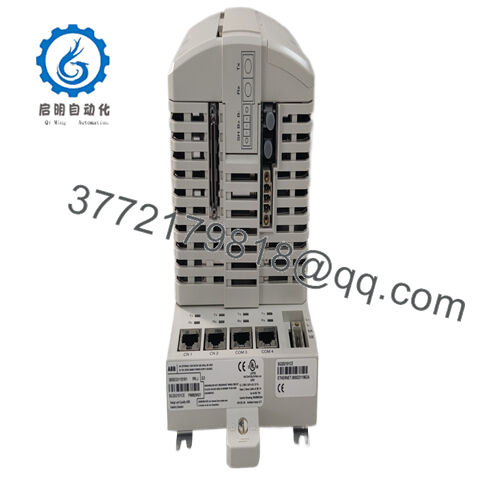
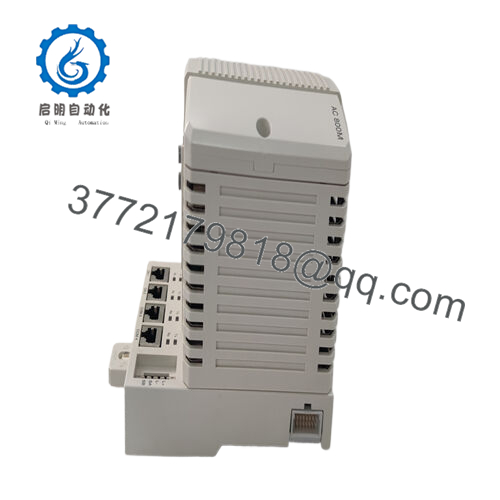
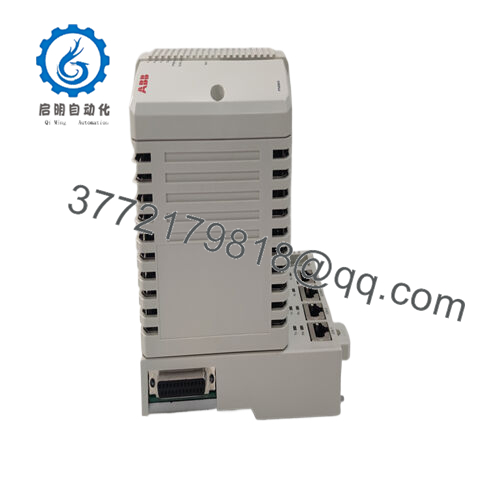
ABB PM877 3BDH000777R1 is a central processor module in the AC 800M controller family, used as the main CPU in DCS and high‑end PLC architectures for process automation, power generation, and drive control. It coordinates real‑time control logic, manages S800 I/O clusters, and links to higher‑level systems over multiple industrial networks.
In real plants, engineers use the PM877 when they need a redundancy-capable AC 800M CPU with Onet, Cnet, Fnet, Profibus DPV2, and Ethernet interfaces in one module, and when firmware compatibility with an existing 800xA or Symphony Plus system matters. The combination of high‑performance processing, dense I/O capacity via Modulebus, and multi‑network support makes this unit a typical choice for large continuous processes where controller downtime is unacceptable.

- PM877 3BDH000777R1
- Troubleshooting Quick Reference
| Symptom | Possible Cause | Relevance to this Part | Quick Check Method | Recommendation |
|---|---|---|---|---|
| No LEDs on PM877 after power‑up | 24 V DC missing, reversed, or out of tolerance; backplane PSU fault | ✅ High | Measure 24 V DC at the controller supply terminals and at the base plate; verify polarity and that voltage stays within ±10% during inrush | Fix the power supply or backplane issues first; only suspect the PM877 if correct 24 V is present and other modules on the same rail power up normally |
| CPU does not join control network / no communication with 800xA | Wrong IP/node configuration, wrong Cnet/Fnet/Onet settings, or physical cabling error | ✅ Medium | Check node/cluster configuration in Control Builder / system tools; verify link LEDs on Ethernet/Cnet/Fnet and inspect cables and switches | Correct addressing and cabling; replacing a good CPU will not fix a misconfigured node or a dead switch/fiber |
| Redundant pair fails to synchronize | Missing or faulty redundancy link cable NT 031; firmware or configuration mismatch between CPUs | ✅ High | Confirm NT 031 is correctly connected and intact; compare firmware versions and control application version between primary and backup controllers | Align firmware and applications; replace the PM877 only if one side repeatedly drops redundancy despite clean link and matched versions |
| Profibus DP segments not coming online | Profibus license not installed/enabled; wiring/terminator issues; wrong GSD/config | ✅ Medium | In engineering tools, confirm DPV2 license and configuration; check Profibus cabling, termination, and bus diagnostics at the PM877 ports | Sort out licensing and bus wiring first; do not blame the CPU until you see persistent DP port hardware errors across multiple correctly wired segments |
| I/O modules show bad/failed status across clusters | Modulebus connection problem (cable, modem, TP830 plate) or missing cluster power | ✅ Medium | Inspect electrical and optical Modulebus connections; check each cluster’s power supply and look for Modulebus status indications | Fix cluster wiring or PSUs before changing the CPU; the PM877 rarely causes widespread I/O failures unless it is completely down |
| Frequent controller restarts or random watchdog trips | Undersized or noisy 24 V DC, ground issues, or application overloading CPU | ✅ Medium | Log CPU load in engineering tools, check event logs around restarts, and monitor 24 V DC for dips and noise with a meter/scope | Improve power quality and review application load; only swap the CPU after ruling out power and configuration causes |
| Firmware upgrade fails or controller does not start after FW change | Incomplete FW load, wrong FW package for this hardware, or interrupted update | ✅ High | Reconnect over USB/service port if available; attempt a controlled re‑flash using the correct PM877 firmware kit; check part ID vs FW type | If recovery re‑flash fails, the module may be bricked and need replacement; always standardize FW versions across the plant to avoid this scenario |
If none of these checks clearly point to the fault, capture screenshots of diagnostics, network status, and event logs, plus photos of the rack and wiring, and share them with technical support before ordering a new PM877. That small step prevents a lot of unnecessary controller swaps.
- Frequently Asked Questions (FAQ)
Q1: What system does the ABB PM877 3BDH000777R1 belong to?
PM877 is a CPU module in the AC 800M controller family and is used as a core controller in ABB 800xA / Symphony Plus style DCS and high‑end process automation systems. It handles the main control application and communications to S800 I/O and plant networks.
Q2: Is this a direct replacement for my existing AC 800M CPU?
It depends on what you are replacing. PM877 can replace another PM877 with the same or compatible firmware and configuration, but swapping it into a slot that previously used a different PM8xx model (for example PM864/865/866) requires checking hardware compatibility, performance sizing, and firmware/project support. Always match the 3BDH000777R1 order code, firmware family, and system version before treating it as “drop‑in.”
Q3: What about redundancy — can I run PM877 in a redundant pair?
Yes, PM877 supports redundant operation when installed as a pair with the correct redundancy link (NT 031) and configured in the control system as a redundant controller. The two CPUs synchronize over the redundancy link and share network connections, so cabling and firmware versions must be identical for stable operation.
Q4: Will my existing application and firmware run on a replacement PM877?
As long as the firmware major/minor version on the replacement is compatible with your control project and 800xA/Symphony Plus version, you can restore the existing application and parameters. If the incoming unit has a different firmware level, you may need to upgrade or downgrade its firmware (which is supported via USB or analyzer tools) before loading the project. Always keep a verified backup of the application and note the current firmware before pulling the old CPU.
Q5: Can I hot‑swap the PM877 while the system is live?
For a single (non‑redundant) PM877, do not treat it as a hot‑swappable card; pulling it will drop the whole controller and can upset the backplane and power distribution. In a properly configured redundant pair, you can usually replace the standby unit with the system running on the active one, but you still follow site LOTO rules and the vendor’s procedure to avoid an accidental failover or power glitch. Respect the fact that this is the main DCS brain, not a minor I/O slice.
Q6: Why is a surplus PM877 cheaper than ordering new from ABB?
Most surplus PM877 units come from project overbuys, canceled jobs, or system upgrades, so they are priced below OEM list even if they have never been in service. The trade‑off is that you are relying on the reseller’s testing and warranty rather than ABB’s direct supply chain, so you want to see clear statements on power‑up tests, communication port checks, and at least a one‑year hardware warranty.
Q7: What should I watch out for when installing a replacement PM877?
The big traps are mismatched firmware/system versions, forgetting to connect or correctly route the redundancy link, and assuming Profibus DPV2 will just work without checking licenses and bus configuration. Physically, pay attention to Modulebus connections, grounding, and 24 V DC quality. If you mirror the old hardware setup, load the correct firmware, and restore a known‑good application backup, you avoid 90% of the usual rework after a CPU change.



