
 WhatsApp: +86 16626708626
 Email:
  Phone: +86 16626708626
Description
Key Technical Specifications
| Parameter | Value |
|---|---|
| Model | PP220 |
| ABB Article Number | 3BSC690099R2 |
| Product Type | Operator Panel / HMI |
| Display Type | TFT-LCD touchscreen |
| Display Resolution | 640 × 480 |
| Screen Size | ~7 inch |
| Memory | 32 MB RAM / 16 MB Flash |
| Communication Protocols | Modbus RTU, CANopen, Ethernet |
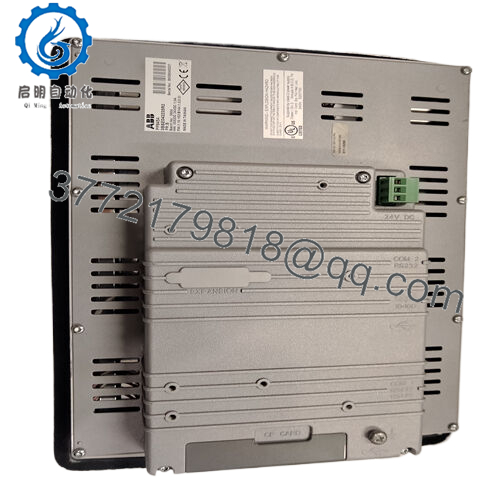
| Power Supply | 24 V DC |
| Power Consumption | <15 W |
| Operating Temperature | −10 °C to +55 °C |
| Storage Temperature | −20 °C to +70 °C |
| Dimensions | ~215 × 130 × 72 mm |
| Weight | ~1 kg |
The panel provides an interactive interface that allows operators to monitor and control process variables such as temperature, pressure, and motor speed in industrial automation systems.

- PP220
4. Product Introduction
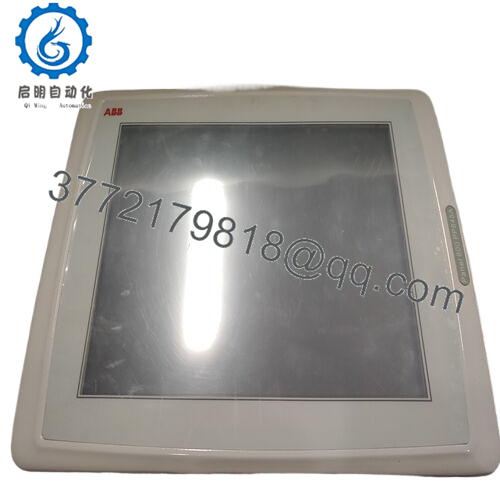
The ABB PP220 (3BSC690099R2) is an operator interface panel designed for industrial automation systems. It functions as a Human-Machine Interface (HMI), allowing plant operators to monitor process values, view alarms, and control equipment directly from a graphical display.
In typical installations, the PP220 is used alongside PLC or DCS controllers to provide a visual interface for process control. The panel supports communication protocols such as Modbus RTU and CANopen, enabling integration with sensors, drives, and controllers across an automation network.
5. Troubleshooting Quick Reference
| Symptom | Possible Cause | Relevance to this Part | Quick Check Method | Recommendation |
|---|---|---|---|---|
| Screen completely blank | No 24 V power supply | ❌ Low | Measure 24 V DC at power input terminals | Verify cabinet power supply |
| Touchscreen responding slowly | Firmware or HMI application issue | ⚠️ Medium | Reboot panel and reload project from engineering software | Reinstall HMI configuration |
| Communication timeout with PLC | Network or protocol mismatch | ❌ Low | Check Modbus address and network cable | Verify controller communication settings |
| Display backlight dim or flickering | Backlight nearing end of life | ⚠️ Medium | Inspect brightness level and runtime hours | Replace display module if required |
| Panel frozen on startup | Internal memory failure | ✅ High | Perform factory reset or firmware reload | Replace HMI if fault persists |
Field observation: Most HMI issues are configuration or communication problems rather than hardware failure. Always verify PLC communication parameters before replacing the panel.
6. Frequently Asked Questions (FAQ)
Q1: What does the ABB PP220 panel actually do?
It serves as the operator interface for a control system. The panel displays process data, alarms, and system status, and allows operators to adjust parameters or start/stop equipment.
Q2: Is the PP220 a PLC or controller?
No. It is not a controller. The PP220 only provides the interface between the operator and the control system. The PLC or DCS performs the actual control logic.
Q3: What systems typically use the PP220?
You’ll commonly see this panel in:
- Manufacturing production lines
- Process automation plants
- Packaging machinery
- Conveyor and material handling systems
Anywhere operators need a graphical control interface.
Q4: Can the PP220 communicate with third-party PLCs?
Yes, as long as the controller supports supported protocols such as Modbus RTU or Ethernet-based communication, integration is usually straightforward.
Q5: Can I hot-swap the operator panel?
Technically the panel can be replaced without affecting the PLC program, but power to the panel should still be turned off to avoid connector damage or voltage spikes.
Q6: Why are many PP220 panels sold as surplus units?
Many installations purchased spare HMIs during commissioning projects. When systems are upgraded or decommissioned, unused inventory enters the surplus market.
Q7: What usually fails first in these panels?
From field experience:
- Backlight aging after long operation
- Membrane keypad wear
- Communication cable faults
The internal electronics tend to be reliable if the panel operates within the specified temperature range.



