
 WhatsApp: +86 16626708626
 Email:
  Phone: +86 16626708626
Description
- Product Core Brief
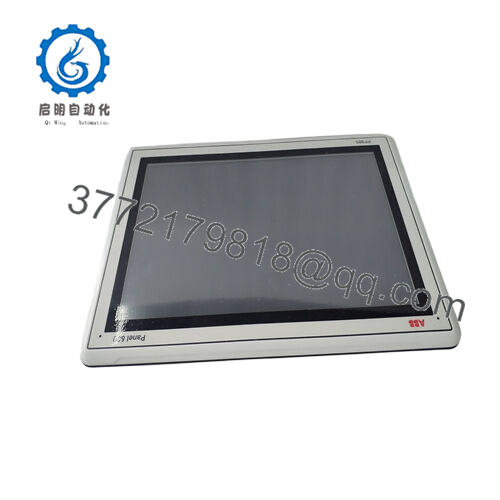
- Model: ABB PP820A 3BSE042243R2
- Brand: ABB
- Series: Panel 800
- Core Function: Process operator interface
- Product Type: HMI operator panel
- Key Specs: 4.3″ FSTN LCD 260×64 px; 2x Ethernet; IP65 front
- Condition: New Original / New Surplus
- Key Technical Specifications
| Parameter | Value |
|---|---|
| Display type | FSTN LCD monochrome |
| Display size | 4.3 inch (109 mm diagonal) |
| Resolution | 260 x 64 pixels |
| Touch screen | Resistive analog (1024 x 1024 resolution) |
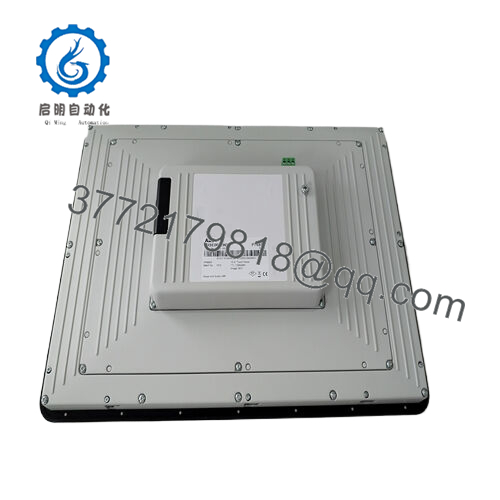
| Ethernet ports | 2 x 10/100 Mbps RJ45 |
| USB ports | 1 x USB Type A (host) |
| Serial port | 1 x RS-232C (COM1) |
| Power supply | 24 V DC (18-30 V) |
| Power consumption | 8 W max |
| Operating temperature | 0 to +50 °C |
| Storage temperature | -20 to +70 °C |
| Front protection | IP65 NEMA 4X (mounted) |
| Rear protection | IP20 |
| Dimensions (W x H x D) | 145 x 124 x 45 mm |
| Cutout dimensions | 138 x 117 mm |
| Weight | 0.7 kg |
| Mounting | Panel mount |
- Product Introduction
The ABB PP820A 3BSE042243R2 is a compact 4.3-inch operator panel from the Panel 800 series, designed for direct connection to AC 800M controllers and System 800xA HMIs. It provides process visualization, alarm handling, and direct control through Ethernet or serial links with function keys and touch overlay.
Maintenance crews mount these on local cabinets for machine-level operator interaction—recipe selection, setpoint entry, manual overrides—without running back to the main control room. The IP65 front survives washdown areas while keeping wiring protected behind.

- PP820A
- Troubleshooting Quick Reference
| Symptom | Possible Cause | Relevance to this Part | Quick Check Method | Recommendation |
|---|---|---|---|---|
| No display power-up | 24 V DC supply missing or reversed | ✅ High | Measure 24 V across power terminals (+/- polarity critical) | Verify polarity and voltage; check fuse in panel cutout before swap. |
| Touch unresponsive or erratic | Calibration lost or cable damage | ✅ High | Run touch calibration utility via USB; inspect ribbon cable connector | Recalibrate first; reseat cable then replace PP820A if touch matrix dead. |
| Ethernet no link | Cable fault, wrong IP, or switch down | ✅ Medium | Check link LEDs; ping panel IP from engineering station | Swap cable/port; reset IP via Panel Configurator before hardware blame. |
| Freezes during screen change | Firmware corrupt or RAM issue | ✅ High | Power cycle; reload firmware via USB; note if specific screen triggers | Reflash Panel 800 firmware; replace if hangs on boot screen. |
| Backlight dim or dead | Backlight inverter fail or 24 V drop | ✅ High | Compare brightness across screens; measure power rail voltages | Confirm stable 24 V first; backlight failure usually means full panel swap. |
| USB port no device detection | USB hub overload or firmware limit | ✅ Medium | Test single USB device; check Panel Configurator USB settings | Limit to one device; update firmware if port enumerates but drops. |
| Random reboots under vibration | Loose power connector or EMI pickup | ✅ Low | Inspect mounting torque; check ground bond continuity | Tighten cutout screws; add ferrite on power cable if EMI suspected. |
| Serial COM1 no comms | Baud/parity mismatch or handshake fail | ✅ Low | Loopback RJ45 test; match settings in Panel Configurator | Confirm 9600-8-N-1 default; test cable before panel replacement. |
Snap photos of power wiring, Ethernet LEDs, and error screens—local HMI issues often trace to cutout mounting or 24 V quality.
- Frequently Asked Questions (FAQ)
Q1: What controllers does the ABB PP820A 3BSE042243R2 connect to?
Native driver support for AC 800M over Ethernet/IP, plus Modbus TCP/RTU serial, Profibus DP, and most PLC brands via generic protocols. Runs Panel 800 Configurator for custom tags—perfect for mixed vendor cabinets.
Q2: Panel cutout and mounting details?
Cutout measures 138 x 117 mm; four M4 screws torque to 0.8 Nm max. IP65 seal needs gasket compression—overtighten cracks the front bezel. Mounts flush in standard enclosure doors.
Q3: Firmware upgrade process for PP820A?
Download Panel 800 firmware package to USB stick via Configurator PC tool. Power up with USB inserted—takes 5 minutes auto-update. Always backup existing project first or risk bricking the display.
Q4: Can operators hot-plug USB devices?
Yes, USB Type A supports flash drives, keyboard, mouse—plug and play after enabling in Configurator. Limit to 500 mA draw; multiple hubs overload the internal regulator.
Q5: Operating temperature limits in washdown areas?
Front rated +50 °C max with IP65 seal intact. Rear needs ventilated cabinet—direct sunlight or steam kills the backlight in months. Derate to +40 °C if fully sealed.
Q6: New Surplus PP820A quality concerns?
Unused OEM panels from machine builder overstock—same spec as factory. Expect bench power-up showing full brightness, touch response, and Ethernet link before ship. Verify firmware version matches your project.
Q7: Warranty expectations on surplus units?
12 months display and touch functionality after full incoming test: power cycle, touch calibration pass, USB/Ethernet enumeration. Request test video of the exact serial number unit operating.



