
 WhatsApp: +86 16626708626
 Email:
  Phone: +86 16626708626
Description
Key Technical
| Parameter | Value |
|———–|——-|
| Display size | 15.4 in TFT/LED widescreen (16:10) |
| Display resolution | 1280 × 800 pixels |
| Brightness | 450 cd/m² |
| Processor | ARM9 1 GHz |
| Main memory (RAM) | 1 GB |
| Storage | 2 GB SSD (1.5 GB free for apps) |
| Power supply | 24 V DC (18–32 V DC) |
| Power consumption | Approx. 25 W typical |
| Operating temperature | −10 to +60 °C |
| Storage temperature | −20 to +70 °C |
| Humidity | 5–95% RH non-condensing |
| Protection rating | IP65 front (NEMA 4X/12), IP20 rear |
| Dimensions (W × H × D) | 410 × 286 × 61 mm (16.1 × 11.3 × 2.4 in) |
| Weight | 3.85 kg (8.5 lb) |
| Interfaces | 2 × Ethernet RJ45, 2 × USB 2.0, 4 × digital I/O |
| Protocols supported | Modbus TCP/IP, Ethernet/IP, Profinet, others via 800xA |
| Configuration tool | Panel Builder 800 Version 6.2 or later |
| Function keys | 20 customizable soft keys |
- Product Introduction
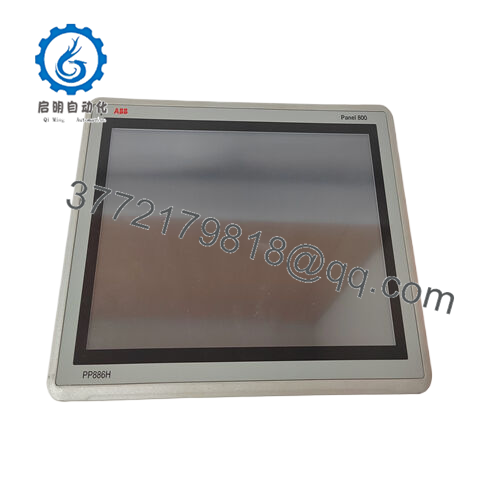
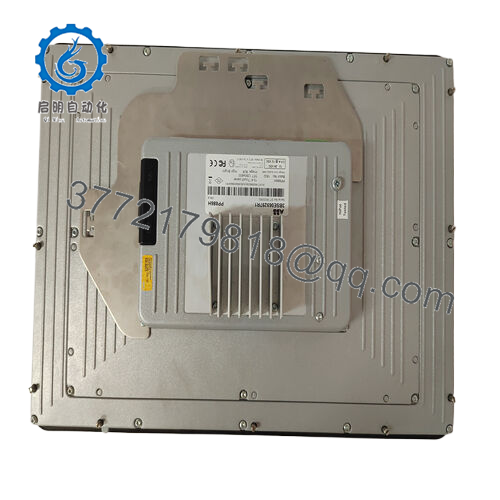
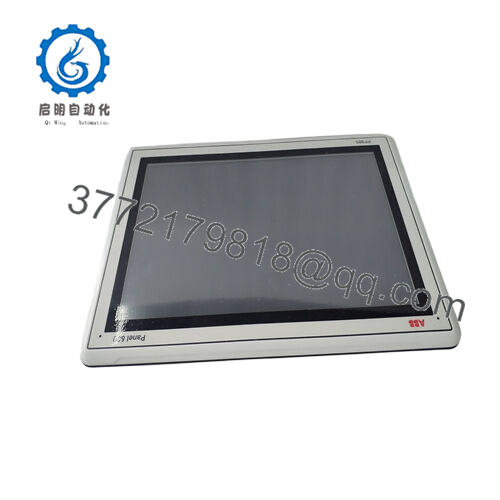
The ABB PP886 (3BSE092980R1) serves as a standard 15.4-inch touchscreen operator panel in the Panel 800 family for ABB System 800xA and standalone HMI applications. Operators use it to monitor processes, enter setpoints, and navigate graphics in pulp/paper, oil/gas, and manufacturing control rooms. It mounts flush in panels with cutout dimensions matching standard 15″ enclosures.
This panel delivers 1280×800 resolution on a 450 cd/m² TFT display with projected capacitive touch, ARM9 processor for smooth graphics, and native integration into 800xA via Ethernet. Sites pick the PP886 over basic keypads or smaller panels when they need widescreen aspect for trend views and multi-window operation without dropping to lower-res models like PP885. Requires Panel Builder 6.2 for project load.

- PP886 3BSE092980R1
- Troubleshooting Quick Reference
| Symptom | Possible Cause | Relevance to this Part | Quick Check Method | Recommendation |
|---|---|---|---|---|
| No power, black screen | 24 V DC missing at terminals | ✅ High | Measure 18–32 V DC across power pins with DMM (Fluke 87) | Fix external PSU or wiring; verify polarity before testing panel |
| Touch unresponsive | Touch calibration off or USB hub fault | ✅ High | Run Panel Builder diagnostics; test touch with mouse via Ethernet | Recalibrate in config tool; swap USB if multi-drop; reload firmware if stuck |
| Display flickers or colors wrong | LED backlight failing or video cable loose | ✅ Medium | Inspect rear I/O connections; power cycle 3x | Tighten cables; if persists on DC supply test, backlight may need service |
| Ethernet no link | Cable bad, wrong speed/duplex, or port damage | ✅ Medium | Check link LEDs; ping panel IP from PC; try crossover cable | Swap cable/port/switch; verify IP settings match network (no DHCP conflicts) |
| Freezes during high graphics load | SSD full or RAM leak in app | ✅ High | Monitor free space via diagnostics; check CPU via task manager in Panel Builder | Archive old projects; optimize graphics (limit animations); restart panel |
| I/O points not reading | Protocol mismatch or comm timeout | ✅ Low | Verify Modbus/EIP settings; check cable shielding | Confirm baud/protocol on master; test I/O loop with standalone PLC first |
| Overheating alarm | Ambient >60 °C or fan blocked | ✅ Low | Measure panel air intake temp; clean vents | Add cabinet AC; verify 50 mm clearance around unit; do not stack panels |
| Battery/clock errors | CMOS battery dead | ✅ Low | Check time sync in diagnostics after power loss | Replace CR2032 battery during outage; enable NTP sync to server |
Grab screenshots from Panel Builder diagnostics, note exact error codes/LED states, and send photos of cabling/power setup to support if basic checks fail. Never open the sealed unit yourself.
- Frequently Asked Questions (FAQ)
Can I use PP886 3BSE092980R1 on non-800xA systems?
Yes, it runs standalone with Panel Builder projects via Modbus TCP or OPC, but full 800xA features like aspect server integration need the full ecosystem. Expect to handle Ethernet config manually on generic PLCs—test comms in a lab first if mixing vendors.
Does PP886 replace PP885 directly?
It supersedes PP885 with widescreen 1280×800 vs 1024×768, so graphics need rework in Panel Builder 6.2. Cutout matches, but verify mounting depth (61 mm) against your panel. Firmware is not backward loadable.
Is hot-swapping or runtime config changes supported?
No runtime project swaps—power down, insert CF card or USB with updated project, power up. Touch stays responsive, but big graphics loads can hitch the CPU briefly. Always back up the existing project first.
What firmware/OS does PP886 ship with, and can I update it?
Ships with Panel 800 firmware tied to Builder 6.2; check ABB library for updates matching your 800xA version. Updates via Ethernet or CF card—do them offline with rollback image ready. Document version before any change.
Why buy New Surplus PP886 cheaper than ABB direct?
Stock comes from integrator over-runs or decommissioned lines, tested identically but at 30–50% less since no new production runs. We run full power-on, touch calibration, Ethernet ping tests, and 24-hour burn-in on an 800xA simulator rack. Test reports on request.
IP65 front—does that cover washdown or chemical plants?
IP65 seals the bezel against dust jets and low-pressure wash (do not submerge). Rear is IP20, so keep it in a purged cabinet. G3 corrosion ok, but avoid direct acid/alkali splash—use RX886 protective cover for harsh fronts.



