
 WhatsApp: +86 16626708626
 Email:
  Phone: +86 16626708626
Description
- Key Technical Specifications
- Type Code: HBFFAFAGANB6ANA1XG (full ordering string)
- Standard Configuration: Non-directional overcurrent + directional earth-fault (typically A variant; includes PHxPTOC, DEFLPDEF/DEFHPDEF functions)
- Current Inputs: 4 I (phase + residual; typically 1/5 A nominal)
- Voltage Inputs: Config-dependent (often residual or phase for directional)
- Binary I/O: 10–17 BI + 9–12 BO (exact per code; supports interlocking/TCS)
- Power Supply: 24–60 V DC or 48–250 V DC / 100–240 V AC (varies by digit)
- Operating Temperature: -25 to +55 °C (extended options available)
- Communication: Ethernet (RJ45 or LC fiber), IEC 61850-8-1, Modbus, optional redundant protocols
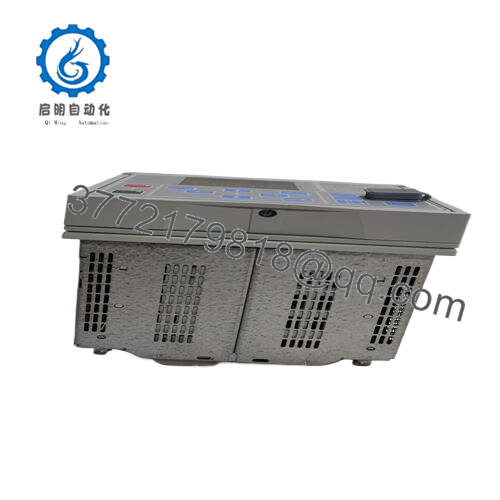
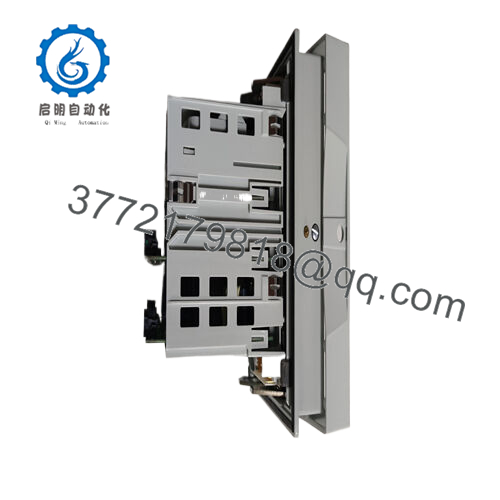
- Mounting: Panel or rack, withdrawable plug-in unit
- Dimensions: Width 177 mm (frame), Height 177 mm (4U), Depth ~201 mm
- Weight: Approx. 4.1 kg (complete unit)
- Protection Functions: 3I> (low/high/inst), Io> → (dir low/high), optional ARC, 79, 46, 49, etc.
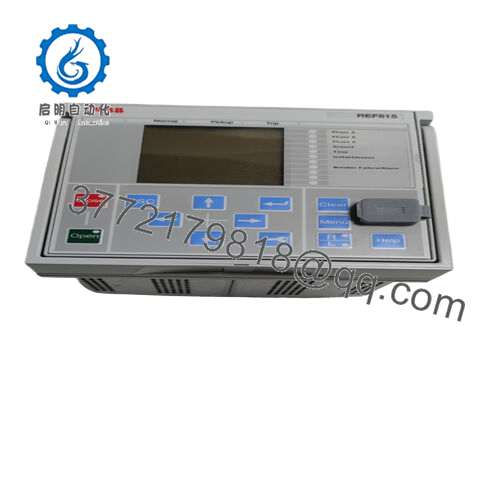
- Product Introduction The ABB REF615 HBFFAFAGANB6ANA1XG is a compact feeder protection relay in the Relion 615 series, built for medium-voltage distribution feeders. It handles protection, control, measurement, and supervision of overhead lines or cables in utility substations and industrial setups, supporting radial to meshed networks with possible DG.
This configuration emphasizes directional earth-fault for resonant or isolated systems alongside multi-stage overcurrent. It integrates IEC 61850 for GOOSE messaging and substation interoperability. Teams pick it for brownfield upgrades—reliable performance without full system replacement. Surplus availability stems from legacy status in newer 615 variants.

- REF615 HBFFAFAGANB6ANA1XG
- Installation & Configuration Guide
Stage 1: Pre-Installation Preparation (15–20 minutes) ⚠️ Safety First: Coordinate downtime with operations. Ensure feeder de-energized and grounded. Lock out/tag out all sources. Wait 5 minutes for discharge. Tools Required: ESD wrist strap, PH1/PH2 screwdriver, Fluke multimeter, wire labels, smartphone/camera, PCM600 laptop. Data Backup: Connect via front USB or Ethernet; use PCM600 to read/export full project (parameters, configuration, disturbance records). Photograph LHMI settings, terminal wiring, CT/VT ratios, binary assignments, and DIP/rotary if any. Document firmware version.
Stage 2: Removing the Old Module (10–15 minutes)
- Open panel door; remove any front cover.
- Label and disconnect all field wiring (CTs, VTs, binaries, trip/close coils)—note torque values.
- Release draw-out latches or screws; pull unit straight out slowly to avoid damaging rear connector.
- Inspect case rear for dust, bent pins, or corrosion—clean with dry air if required. ⚠️ Note: Store old relay safely for reference or return; keep until new unit fully commissioned.
Stage 3: Installing the New Module (15–20 minutes)
- Ground with ESD strap. Confirm exact type code matches (HBFFAFAGANB6ANA1XG).
- Configuration Clone (critical): Use PCM600 to download backup project to new unit. Verify CT/VT ratios, protection settings, binary mappings, and GOOSE subscriptions match photos/original. If firmware differs, upgrade per ABB guide first.
- Slide unit into case guides; push firmly until seated (click/lock engages). Secure latches/screws.
- Reconnect wiring per labels—torque terminals (0.5–1 Nm typical); verify polarity on CTs. Self-Checklist: [ ] Project downloaded & verified, [ ] Wiring matched & torqued, [ ] Unit fully seated/locked, [ ] No loose cables.
Stage 4: Power-On & Testing (20–40 minutes) Pre-Power Check: Multimeter scan for shorts on aux power (24/48/110 V DC typical) and ground. Power-On Steps:
- Energize aux power only (no CT/VT initially).
- Observe LHMI LEDs: Power green, IRF off, application-specific (e.g., protection start/ trip).
- Connect PCM600; confirm relay detected, firmware matches, no internal faults. Upload config if needed.
- Apply test currents/voltages (e.g., Omicron); verify pickup/timing on overcurrent and directional earth-fault.
- Enable feeder; monitor for stable operation and comms (IEC 61850 if used). ⚠️ Troubleshooting Note: IRF LED on? Check power supply or internal fault code via LHMI. No comms? Verify Ethernet settings/IP. Directional elements not responding? Confirm VT polarity and residual voltage calc. Firmware mismatch? Downgrade or contact ABB support.
- Frequently Asked Questions (FAQ)
Can this relay be hot-swapped or drawn out under power? No. Withdrawable design requires power off to avoid arcing or backplane damage. I’ve pulled live units—tripped adjacent relays and caused hours of outage. Always isolate aux power first.
Is this model obsolete, and is your stock genuinely new? REF615 remains supported but specific type codes like this are legacy/surplus—not always in active catalog. We source new surplus from canceled projects or excess OEM. Units get full inbound check (labels/serial, visual), 24+ hour powered test in simulated feeder setup (PCM600 config load, protection injection test), insulation (>10 MΩ at 500 V), and firmware verification. Test photos/videos on request.
What is the direct replacement if this is out of stock? No exact pin-for-pin drop-in; newer REF615 variants (e.g., 5.0 FP1+) or 620 series offer similar functions but may need config rework or adapters. Check ABB migration tools for your standard config (A/B/C/D). Verify I/O and comms match your substation.
Will swapping lose my protection settings or logic? No—settings reside in non-volatile memory/project file. Download via PCM600 before removal; upload to new unit. If firmware jump, some params may need review, but core config transfers. Always backup and verify post-swap.
Why is the price lower than ABB direct? This is surplus—not current production run. We test to original specs (functional injection, thermal/load run), with our 1-year warranty on operation—not ABB factory.
How do you test these before shipping? Power each in a REF615 case simulation >24 hours, load PCM600 project, inject currents/voltages for overcurrent/earth-fault timing, check LEDs/binary ops, monitor thermals, and electrical isolation. Full report included; firmware logged.
Photograph all terminals, LHMI screens, and PCM600 project before removal. Match exactly on install and inject-test protections—you’ll dodge most commissioning delays.



