
 WhatsApp: +86 16626708626
 Email:
  Phone: +86 16626708626
Description
Key Technical Specifications
- Protection Functions: 87G (generator differential), 40 (loss-of-field), 32R/32S (reverse power/sensitive), 46 (negative sequence overcurrent), 49 (thermal overload), 50/51 (overcurrent), 59N (neutral overvoltage), 64G (stator ground fault 100%/95%), 81O/U (frequency), 24 (volts/hertz), 25 (synch-check), 27/59 (under/over voltage), 21 (impedance backup), others configurable
- Analog Inputs: Flexible TRM modules (e.g., 12I, 6I+6V, etc.; 1 A or 5 A CT, 100–220 V VT nominal)
- Binary I/O: Extensive, configurable up to dozens BI/BO via IOM/SOM modules
- Communication: IEC 61850-8-1, GOOSE, DNP3, IEC 60870-5-103/104, Modbus, front Ethernet RJ45, optical ports available
- Power Supply: 24–265 V AC/DC wide range
- Operating Temperature: -25 to +55 °C standard; -40 to +70 °C extended in some configs
- Accuracy: High-precision per IEC 60255 (e.g., differential < ±5%, timing < ±1 ms typical)
- Mounting: 1/2, 3/4, or full 19″ rack; panel flush/semi-flush
- Dimensions (approx.): Varies by size (e.g., 1/2 rack: ~177 mm H × 220 mm W × 242 mm D)
- Weight (approx.): 8–12 kg depending on module population
- Firmware: Product version 2.0 ANSI or later (e.g., 2.2.3 update); document before replacement
- Certifications: IEC 60255, IEEE C37.90, EMC/LVD compliant
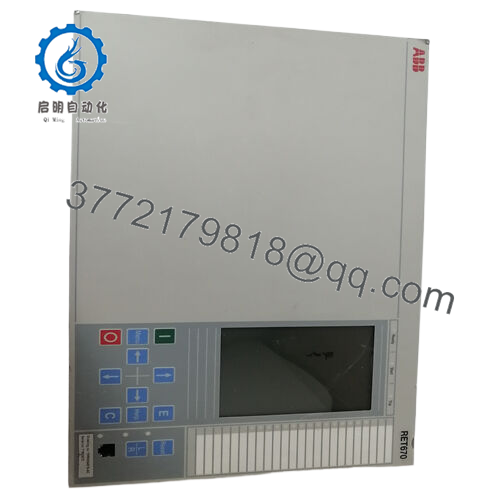
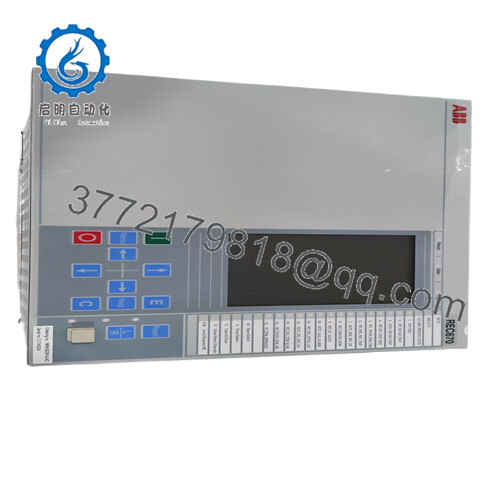
The ABB REG670 is an IED from the Relion 670 series, engineered for protection, control, and monitoring of synchronous generators, prime movers, and generator-transformer units in power plants (hydro, gas, steam, combined cycle, pump-storage).
It covers complete generator protection from stator/rotor faults to excitation issues and system disturbances, with flexible configuration for unit or block setups. Operators favor it for its extensive function library, high I/O density, and IEC 61850 interoperability—ideal for new installations or upgrades where detailed generator monitoring reduces outage risks and supports predictive maintenance.

- REG670
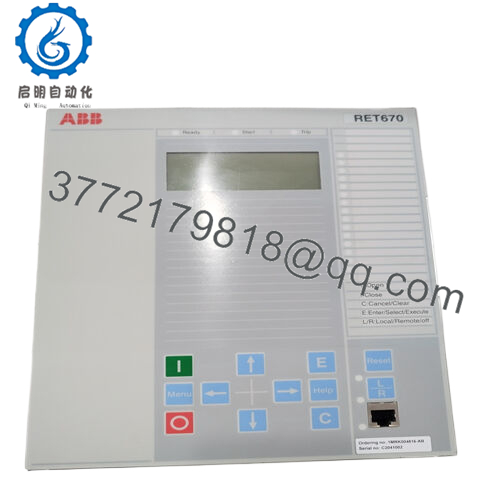
Installation & Configuration Guide
Stage 1: Pre-Installation Preparation (20–40 minutes) ⚠️ Safety First: Coordinate plant outage. Isolate generator, open breakers, ground excitation/field. Lock out/tag out aux power to IED panel. Discharge caps—wait 10 minutes minimum. Tools Required: Grounded ESD strap, PH1/PH2/torque screwdrivers, multimeter, laptop with PCM600, camera/smartphone for photos. Data Backup: Use PCM600 to connect via front port or Ethernet. Export complete project file, parameters, settings groups, disturbance records. Photograph LHMI/HMI screens, module positions, wiring, fiber connections, LED states.
Stage 2: Removing the Old IED (15–25 minutes)
- Access panel/rack, identify REG670 unit.
- Label and disconnect CT/VT circuits (short CTs immediately), binary I/O, comm cables/fibers, aux power (observe polarity).
- Unscrew mounting hardware/clips. Slide unit out straight—protect connectors from strain.
- Inspect case backplane, terminals, fiber ports for dirt, corrosion, bent pins—clean ESD-safe if needed. ⚠️ Note: Retain old IED as reference until new one is fully commissioned and stable.
Stage 3: Installing the New IED (25–35 minutes)
- Apply ESD protection. Confirm order code and hardware config (TRM, IOM, COM modules) match original exactly.
- Configuration Clone (Crucial): Load backup project via PCM600 or mirror settings manually. Critical: match CT/VT ratios, protection zones, comm addresses, GOOSE datasets, function blocking.
- Mount in rack/panel—torque screws per spec (typically 2–4 Nm).
- Reconnect all circuits precisely (CT shorting removed last; check fiber Tx/Rx polarity). Self-Checklist: [ ] Order code/hardware identical, [ ] Settings/project loaded & verified, [ ] Wiring/comm secure, [ ] Mounting torqued.
Stage 4: Power-On & Testing (45–90 minutes) Pre-Power Check: Multimeter confirm no shorts on aux/DC rails, CT loops open. Power-On Steps:
- Apply aux power (keep CT/VT isolated initially).
- Watch LHMI LEDs: Green power/RUN normal; red/alarm/supervision fault (check internal diagnostics).
- Connect PCM600; verify IED online, firmware version, self-supervision clear, comm links active.
- Download config if not auto-loaded; enable protections group by group.
- Offline/online tests: Inject currents/voltages for differential, loss-of-field, overcurrent; check synch-check, trip logic, GOOSE messaging if used. ⚠️ Troubleshooting Note: Supervision alarm or no boot? Firmware mismatch—update via PCM600. Diff restraint fail? Verify CT polarity/ratio. Comm issues? Inspect GOOSE subscriptions, network config.
Frequently Asked Questions (FAQ)
Can the REG670 be hot-swapped? No. De-energize aux power first. Live insertion risks module damage, false operations, or generator trip in active schemes.
Is REG670 obsolete, and is the stock new? Not obsolete—still supported (versions to 2.2+), but many site-specific configs are legacy with phased production. We offer new surplus/original from excess stock; tested rigorously (power-on, function simulation, thermal load >24 hours, insulation Megger >10 MΩ). Full traceability.
What replaces REG670 if unavailable? No exact drop-in; transition to newer Relion 670 series updates or Hitachi Energy equivalents (e.g., REG670 successors in 670 platform). Requires config migration, I/O verification, testing—consult ABB/Hitachi for path.
Will swapping lose protection settings or configurations? No, with PCM600 backup exported beforehand. Non-volatile memory retains short-term if battery good. Export full project file always; reload and verify post-install. Dead battery cases have caused reload needs—check it first.
Why is the price lower than direct from ABB/Hitachi? New surplus from spares overstock, plant expansions, or decommissioned units—no current production markup. We perform complete QC (functional, electrical, comms/load) before shipment.
How to manage firmware or advanced config? PCM600 handles firmware upgrades, parameter setting, disturbance analysis. Document old version—mismatches trigger supervision or block functions. GOOSE/61850 needs matching subscriptions at both ends. Test reports and photos on request.
Photograph every screen, module, and connection before removal—missed details cause most delays. Verify your exact order code, TRM config, and application against the latest ABB/Hitachi datasheet and commissioning manual before powering up.



