
 WhatsApp: +86 16626708626
 Email:
  Phone: +86 16626708626
Description
3. Key Technical Specifications
- Processor Type: 96 MHz (MPC862P or equivalent)
- Memory: 8 MB flash for firmware; sufficient RAM for diverse execution and diagnostics
- Power Supply: Powered via CEX-Bus from processor unit (no separate supply); typ. 160 mA / max 250 mA at 24 V DC (~3.8–6 W dissipation)
- Redundancy Support: Yes (pair two SM811 with redundant PM865; sync link for hot-insert/online upgrade; switchover ≤10 ms)
- Safety Integrity: SIL3 certified (with PM865 in diverse mode); SIL2 monitoring mode; TÜV per IEC 61508
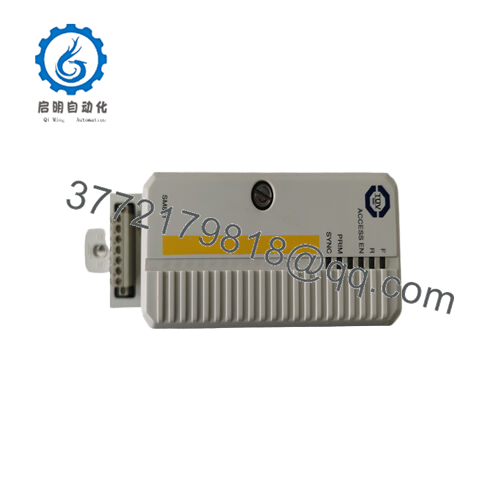
- Digital I/O (Safety-related, non-process): 3 inputs (Reset Forces, Access Enable, Hot Insert); 2 outputs (Force Active, System Alarm)
- Communication: Via CEX-Bus to PM865; no direct fieldbus; diagnostics and monitoring of app execution/I/O scan
- Operating Temperature: +5 to +55 °C (standard AC 800M range)
- Storage Temperature: −40 to +70 °C
- Dimensions (with TP868 base): Width ≈59 mm, Height 185 mm, Depth 127.5 mm
- Weight (kit SM811K01): ≈700 g (1.5 lb)
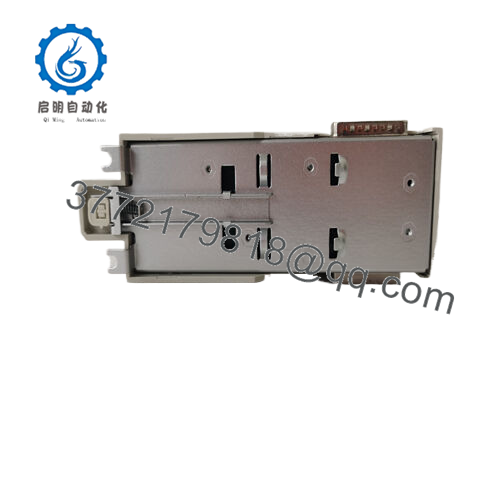
- Mounting: TP868 baseplate on DIN-rail; Alpha code D D lock to prevent mismatch
- Hot Swap: Supported in redundant config (backup unit only)
4. Product Introduction
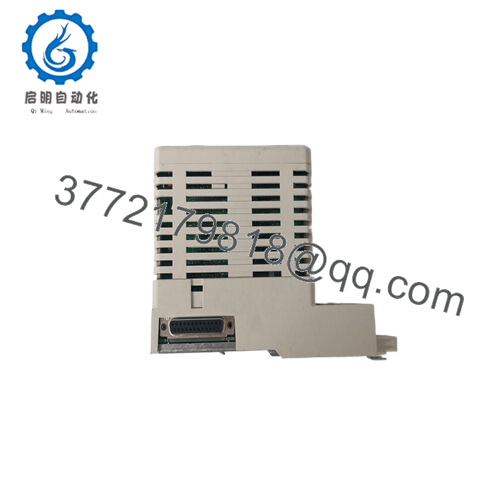
The ABB SM811 (3BSE018173R1) is a safety supervisory module for AC 800M High Integrity controllers, mounting on TP868 baseplate and connecting via CEX-Bus. It works with PM865 to supervise hardware/software execution, provide diagnostics, and enable diverse processing for safety-critical loops up to SIL3.
This module enables integrated safety (non-SIL + SIL1-3 in one controller) with features like watchdog timers, CRC checks, inverted memory, and oscillator supervision. Teams select it for brownfield upgrades or when needing SIL3 without separate safety PLCs—though newer HI controllers use SM812 with PM867/PM863 for higher performance. Always configure per the AC 800M High Integrity Safety Manual.

- SM811 3BSE018173R1
5. Installation & Configuration Guide
Stage 1: Pre-Installation Preparation (15–20 minutes) ⚠️ Safety First: Plan downtime; coordinate SIL loop bypass if required. Lock out/tag out 24 V DC to rack. Wait 5+ minutes for discharge. For SIL3, follow safety manual restrictions on hot-insert. Tools Required: Grounded ESD wrist strap, PH1/PH2 screwdriver, Fluke multimeter, wire labels, smartphone/camera. Data Backup: Use Control Builder M Professional or 800xA Engineering to connect. Export full HI project (including safety apps, SIL templates like AC800M_HighIntegrity_SM811). Photograph CEX-Bus connections, TP868 base, sync link cables (if redundant), and safety I/O wiring (DI/DO terminals).
Stage 2: Removing the Old Module (5–10 minutes)
- Power down rack (critical—no hot removal for primary in SIL3).
- Label all cables (CEX-Bus, sync link if redundant, safety DI/DO).
- Disconnect wiring (torque 0.5–0.8 Nm typical).
- Release DIN-rail clips on TP868; pull unit straight out to protect pins.
- Inspect baseplate for dust/bent pins; clean dry. ⚠️ Note: Keep old module labeled until new runs 24+ hours fault-free, especially in SIL apps.
Stage 3: Installing the New Module (15–20 minutes)
- ESD strap on. Confirm exact match: SM811 3BSE018173R1 (nameplate check).
- Configuration Clone (Crucial): Pre-load HI project/template if possible. Verify firmware matches PM865 (e.g., System 800xA 5.1+). For redundancy, set sync link. Safety apps require specific template (AC800M_HighIntegrity_SM811).
- Mount on DIN-rail: align TP868 (Alpha code D D), snap secure.
- Reconnect cables per photos; torque properly. Wire safety DI/DO if used (Access Enable must be active for downloads). Self-Checklist: [ ] Firmware/project matches, [ ] Sync link verified (redundant), [ ] Safety I/O exact, [ ] Unit seated/locked.
Stage 4: Power-On & Testing (20–40 minutes) Pre-Power Check: Multimeter—no shorts on 24 V, ground continuity. Power-On Steps:
- Energize rack (field I/O isolated initially).
- LEDs: Green Run (after boot); no red ERR; yellow Primary/Sync if redundant.
- Connect Control Builder; verify diagnostics—no faults in supervision. Confirm SIL status.
- Download project; go online. Test safety functions (forces, access enable).
- Redundancy test: Simulate switchover; inject test signals for SIL loops (secondary injection, dry run). ⚠️ Troubleshooting Note: Red ERR = firmware mismatch or self-diagnostic fail—reload. No sync in redundant? Check cable/termination. SIL3 app stop during hot-insert? Acknowledge via Hot Insert DI3. Always verify per Safety Manual.
6. Frequently Asked Questions (FAQ)
Can the SM811 be hot-swapped? In redundant setups, yes for the backup unit only—primary requires power-off in SIL3 to avoid app stop. Acknowledge insert via DI3 on running SM811. I’ve seen skipped acknowledgments cause unnecessary trips.
Is this model obsolete, and are your units genuinely new? Classic lifecycle in 2026 (paired with PM865); still supported but check migration to SM812/PM867. New surplus from OEM excess—verified unused via serial, visual (no rework), 24-hour powered test with diagnostics simulation. Test data/photos on request.
What replaces SM811 if unavailable? Direct successor is SM812 (with PM867/PM863/PM857 for newer HI). Not drop-in—requires hardware/firmware upgrade, re-certification for SIL loops. Match diverse execution needs.
Will swapping SM811 erase safety application logic? No—if you export full HI project first (safety template included) and reload. Settings stored in controller; always back up. Skipping backup has led to major re-engineering time.
Why lower price than ABB new? Surplus avoids channel premiums. Genuine ABB, traced serials, functional burn-in tested—not refurbished/counterfeit. We provide 1-year warranty post-testing; no OEM card.
Handle these safety modules with extra care—double-check Safety Manual compliance and firmware to prevent integrity loss. Verify latest ABB docs before install.



