
 WhatsApp: +86 16626708626
 Email:
  Phone: +86 16626708626
Description
3. Key Technical Specifications
ABB TU831 – Core Technical Parameters
| Parameter | Value |
|---|---|
| Product type | Module Termination Unit (MTU) for S800 I/O 800xahardwareselector.automation. |
| I/O channels | Up to 8 field I/O channels per MTU |
| Maximum rated voltage | 250 V (field side) |
| Maximum rated current | 3 A per channel |
| System family | ABB S800 I/O for System 800xA and related controllers 800xahardwareselector.automation. |
| Function | Distributes ModuleBus, generates module address, terminates field wiring 800xahardwareselector |
| Mounting | Standard DIN rail with mechanical latch for locking/grounding |
| Mechanical keying | Yes, prevents insertion of the wrong I/O module |
| Dimensions (D × H × W) | 64 × 170 × 58.5 mm (typical TU831 data) |
| Weight | Approximately 0.21 kg |
| Termination options | Multiple wiring / terminal connection options for field signals |
Verify exact revision (e.g., TU831, TU831V1) and match it with your S800 I/O hardware selector entry before ordering.800xahardwareselector.automation.
4. Product Introduction
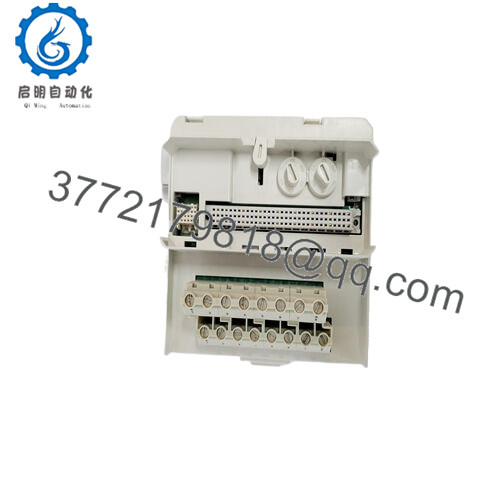
The ABB TU831 is a Module Termination Unit (MTU) in the S800 I/O family used with System 800xA and related ABB controllers to terminate field wiring and distribute the ModuleBus to an associated I/O module. It provides connection for up to eight field I/O channels and handles addressing and bus continuity to the next MTU on the rail.800xahardwareselector.automation.
Engineers choose the TU831 when they need a compact DIN‑rail mounted termination solution with mechanical keying that prevents inserting the wrong S800 I/O module and offers a larger connection area for industrial wiring. In brownfield expansions and maintenance work it is typically ordered as a like‑for‑like replacement, keeping the existing S800 I/O design and ModuleBus layout intact.

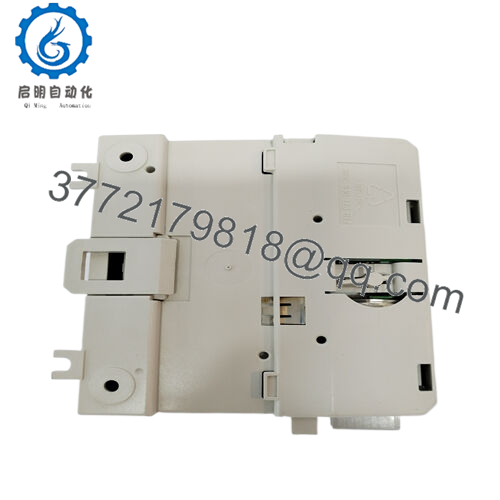
- TU831
5. Troubleshooting Quick Reference
This is for a tech standing in front of an S800 I/O rack with a TU831 and an I/O module plugged on top.
| Symptom | Possible Cause | Relevance to this Part | Quick Check Method | Recommendation |
|---|---|---|---|---|
| No LEDs on the I/O module above TU831 | No ModuleBus power or backplane supply issue | ✅ High | Measure system 24 V DC on the rail and bus connectors feeding the TU831; compare with other working MTUs on the same rail | If other MTUs and modules are powered but this position is dead, swap the TU831 with a known‑good slot to see if the issue follows the MTU before replacing the I/O module |
| I/O module not detected in 800xA / controller | Address not generated correctly or ModuleBus not forwarded | ✅ High | In the engineering tool, check the node list; physically inspect that the TU831 is fully latched on the DIN rail and aligned in the ModuleBus chain | If moving the I/O module to another MTU fixes the issue, the TU831 in the original position is suspect and should be replaced |
| Some channels read open circuit even though field wiring is present | Loose terminals, mis‑landed wires, or damaged MTU terminal block | ✅ Medium | Gently tug each field wire, re‑torque terminals to spec, and compare wiring to the loop diagram for that TU831 position | If wiring is correct and moving the I/O module to another TU8xx restores the channel, the TU831 field terminals may be damaged |
| Intermittent channel faults on multiple points of the same module | Vibration or poor mechanical seating between TU831 and the I/O module | ✅ Medium | De‑energize, remove the I/O module, inspect contacts, then re‑insert firmly until it clicks; verify the mechanical latch on the DIN rail | If reseating solves the problem, note it; if the problem returns and follows the TU831 location, plan to replace that MTU |
| Adjacent I/O modules work fine, only one slot is bad | Localized MTU or module problem rather than rail‑wide issue | ✅ High | Swap the suspect I/O module and TU831 as a pair with a known‑good position, then swap only the module, then only the MTU to isolate | Replace only whichever component the fault follows; in many cases the MTU is at fault when addressing or contact issues are localized |
| Field fuse or external protection trips when wiring to TU831 | Shorted field wiring or mis‑termination on the MTU side | ✅ Medium | With power off, megger or continuity‑check field cores against ground and between terminals according to the loop drawing | Fix field wiring first; only suspect TU831 if isolation tests pass but faults persist only on this termination unit |
| DIN rail section is loose or moves when tugged | Poor rail grounding / mechanical mounting affects contact quality | ✅ Low | Physically try to move the DIN rail; inspect mounting screws and rail bonding strap | Secure the rail and bonding; replace the TU831 only if mechanical fixing does not restore stable operation |
If you are unsure, take clear photos of the TU831, its labeling, the I/O module, and screenshots from the engineering tool (hardware tree and diagnostics) and send them with your support request.
6. Frequently Asked Questions (FAQ)
Q1. What exactly does the ABB TU831 do in an S800 I/O setup?
The TU831 is the termination and interface base that sits on the DIN rail and carries the ModuleBus, field wiring, and addressing for a single S800 I/O module. The I/O electronics plug on top; the TU831 handles the physical connections and address shifting along the rail.800xahardwareselector.automation.
Q2. Is the TU831 specific to certain S800 I/O modules, or can I use it with any card?
Each S800 I/O module type has compatible MTUs; the TU831 is intended for specific module families, and mechanical keying helps prevent putting the wrong card on the wrong base. Always check the ABB hardware selector or product manual to confirm that your I/O module type lists TU831 as an approved MTU before installation.
Q3. Can I hot‑swap the TU831 with the system powered?
You can usually hot‑swap the I/O module itself in a properly designed S800 I/O rack, but pulling the MTU off the DIN rail disrupts the ModuleBus and field terminations and should not be done live. Kill the relevant I/O segment power and follow your plant’s lockout procedure before removing or replacing a TU831.
Q4. How do I know if I should replace the TU831 or the I/O module?
In practice, the electronics module fails more often than the plastic MTU, but bad contacts or damaged terminals on the TU831 cause plenty of headaches. If the fault moves when you swap I/O modules but not when you swap MTUs, the card is bad; if the fault follows the TU831 position, then the MTU is the problem. Use one controlled swap at a time so you do not lose track.
Q5. Is the ABB TU831 obsolete, and is it still safe to buy surplus?
TU831 is part of the S800 I/O family, which is still supported in current 800xA product catalogs, though individual MTU lifecycle status can change over time. Buying New Original / New Surplus is common in brownfield systems; just make sure the exact TU831 revision matches what ABB lists for your controller and firmware level.library.
Q6. Will replacing the TU831 affect my configuration or require re‑engineering in 800xA?
The configuration lives in the controller / engineering database and the I/O module, not in the TU831 plastic base. As long as you replace TU831 with the same type, in the same physical slot, and keep the same I/O module type on top, the controller sees the same address and channel layout and you do not need to re‑engineer. Still, verify hardware layout in the engineering tool after the swap.
Q7. How should I handle and install the TU831 to avoid problems later?
Mount it on a straight, properly grounded DIN rail, snap it fully into place so the latch engages, and torque all field terminals according to ABB’s recommendation. Use ferrules where allowed, avoid over‑tightening, and do not rely on memory for channel mapping; always wire according to the loop drawings and the S800 I/O manual to avoid time‑consuming rework.



