
 WhatsApp: +86 16626708626
 Email:
  Phone: +86 16626708626
Description
Product Core Brief
- Model: UPC090AE01 (HIEE300661R0001)
- Brand: ABB
- Series: Legacy DCS / UNITROL excitation accessories
- Core Function: ARCnet network coupling and binary fieldbus interfacing
- Product Type: Fieldbus coupler card / ARCnet interface module
- Key Specs: Supports ARCnet protocol, binary I/O coupling, DC/AC circuit interfacing, plug-in design for ABB control racks
- Condition: New Original / New Surplus
Key Technical Specifications
| Parameter | Value |
|---|---|
| Ordering number | HIEE300661R0001 |
| Type designation | UPC090AE01 / UPC090AE01 |
| Function | ARCnet coupler / binary field bus coupler |
| Communication protocol | ARCnet (token-passing network) |
| Interface | Binary I/O signals, DC/AC circuit isolation |
| Mounting | Plug-in card for ABB DCS or excitation racks |
| Power supply | Typically 24 V DC (rack-derived) |
| Ambient temperature | -20 to +60 °C operating (typical for series) |
| Country of origin | Switzerland / Finland (ABB legacy) |
| Weight | Approx. 0.3–0.5 kg |
| Customs tariff | 8538 90 91 (control modules) |
| Application | Legacy ABB DCS monitoring, UNITROL excitation interfacing |
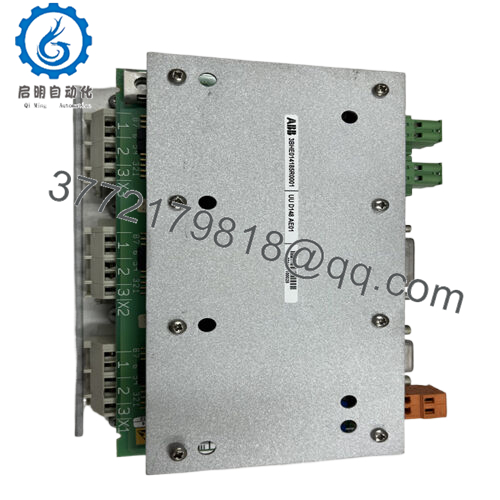
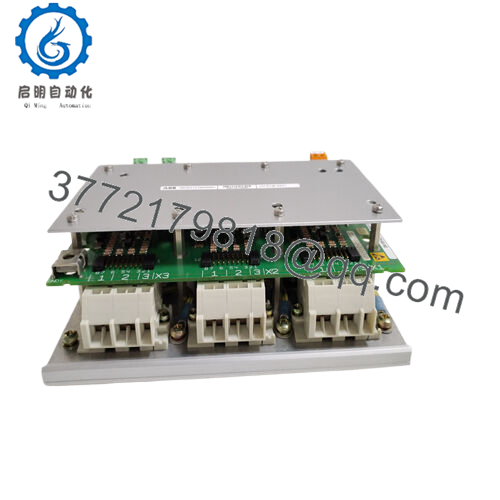
Product Introduction The ABB UPC090AE01 (HIEE300661R0001), labeled UP C090 AE01, is an ARCnet coupler card and binary fieldbus interface module used in older ABB DCS systems and UNITROL excitation setups. It enables reliable ARCnet network connectivity for binary signal exchange and DC/AC circuit coupling in power plant monitoring, generator control, and distributed control applications.
From troubleshooting legacy UNITROL and Advant DCS racks, this board provides essential galvanic isolation and token-based ARCnet communication that keeps field signals synchronized without modern Ethernet overhead. It’s a drop-in component in systems where ARCnet remains the backbone, offering dependable performance in noisy industrial environments despite the protocol’s age.

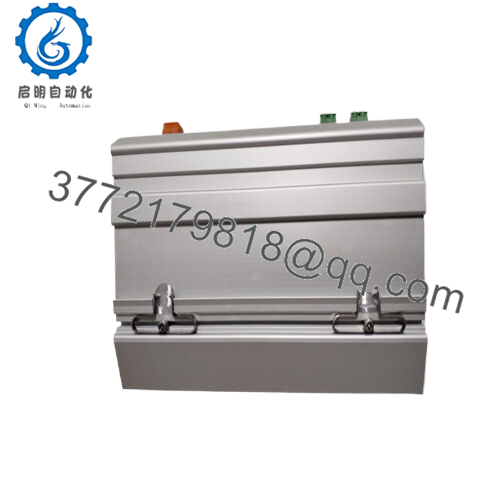
- UPC090AE01
Installation & Configuration Guide
Stage 1: Pre-Installation Preparation (15-25 minutes) ⚠️ Safety First: Isolate power to the rack or cabinet. Lock out/tag out supplies and confirm zero voltage on backplane and terminals. Wait 5-10 minutes for discharge. Tools Required: Grounded ESD wrist strap, PH1/PH2 screwdrivers, digital multimeter, wire labels, camera for photos. Data Backup: Photograph DIP switches (if present), jumper positions, LED status, and cable connections. Document ARCnet node address, baud rate, and network topology from system drawings or software.
Stage 2: Removing the Old Module (10-15 minutes)
- Access the rack slot (often in communication or I/O section of DCS/excitation cabinet).
- Label all connected cables (ARCnet coax/fiber, binary I/O, power links)—take close-up photos.
- Disconnect cables carefully; avoid stressing connectors.
- Release locking tabs/screws and pull module straight out to protect edge contacts.
- Inspect backplane for dust, bent pins, or corrosion. ⚠️ Note: Keep old card labeled and ESD-protected until new one verifies full network operation.
Stage 3: Installing the New Module (15-20 minutes)
- Wear ESD strap. Verify replacement matches HIEE300661R0001 UPC090AE01 exactly.
- Configuration Clone (Critical): Set any DIP switches or jumpers to match photographed positions (node address, termination, mode). ARCnet often requires specific address matching.
- Align with slot guides and insert firmly until seated (click or lock engage). Secure retainers.
- Reconnect cables per photos, ensuring proper ARCnet media (coax RG-62 typical) and torque on terminals. Self-Checklist: [ ] Jumpers/DIPs match, [ ] Cables secure and polarity correct, [ ] Module locked in place, [ ] No bent pins.
Stage 4: Power-On & Testing (20-40 minutes) Pre-Power Check: Verify no shorts on power rails or ARCnet lines with multimeter. Power-On Steps:
- Energize rack power (auxiliary first if segmented).
- Watch LEDs: Power green, ARCnet activity (token pass/flash), no error reds.
- Use system diagnostic tool or HMI to confirm node online, no comms faults.
- Test binary I/O signals end-to-end if possible.
- Monitor network for 1-2 hours under normal operation. ⚠️ Troubleshooting Note: No ARCnet activity? Recheck node address match and cable termination (last node needs terminator). Persistent errors often from dirty contacts—clean edges with isopropyl. Binary faults? Verify isolation integrity and signal levels.
Frequently Asked Questions (FAQ)
Can this coupler card be hot-swapped? No. The UPC090AE01 connects to live backplane and ARCnet bus. Hot insertion risks arcing, corrupting network tokens, or damaging the board. Isolate rack power before handling.
Is the UPC090AE01 obsolete, and is your stock new? Yes, ARCnet-based modules like this are legacy—phased out in favor of Ethernet/Profibus in modern ABB systems. Units we supply are new original surplus from OEM excess stock—verified traceable, with inbound anti-counterfeit checks, 24-hour powered testing (network simulation), and insulation resistance verification. Test photos and reports available on request.
What is the direct replacement if unavailable? No exact drop-in for ARCnet in newer ABB platforms—migration to AC 800M or Symphony Plus requires fieldbus converters or full I/O redesign. Consult ABB for retrofit kits; avoid third-party ARCnet cards due to protocol timing differences.
Will replacing this card disrupt network configuration? Hardware settings (node address, termination) are DIP/jumper-based—clone from old card photos. No onboard non-volatile params beyond that. Re-verify network map post-swap; ARCnet is sensitive to address duplicates.
Why is the price lower than original ABB pricing? Sourced as new surplus from decommissioned or excess inventory, skipping distributor channels. Full QC includes visual inspection, power-on comms test, and burn-in—no refurbished or repaired units. Price reflects availability of legacy parts.
What systems use this module? Primarily legacy ABB Advant/Master DCS for power plants, and some UNITROL excitation systems for binary signal coupling over ARCnet. In field, I’ve seen it in older hydro/thermal generator controls where ARCnet linked controllers reliably over long distances.
Common failure signs? LEDs stuck off or constant error (failed transceiver), intermittent token loss (cable issues or bad termination), or binary signals not passing (isolation breakdown). Vibration and dust accelerate solder joint fatigue—check in high-vibe environments.



