
 WhatsApp: +86 16626708626
 Email:
  Phone: +86 16626708626
Description
In industrial automation and process control environments, operators often struggle with fragmented visibility into machine status, alarms, and control parameters, leading to slower response times, increased risk of errors, and higher training demands for shift personnel. Outdated or non-intuitive interfaces can exacerbate these issues, especially in setups requiring frequent interaction for adjustments, troubleshooting, or data monitoring. This is particularly critical in legacy systems where modern color HMIs aren’t feasible due to cost or compatibility constraints, yet high reliability and clear readability under varying lighting conditions remain essential. The GE GQPI31200E2P addresses these challenges as a rugged, monochromatic operator interface from GE’s QuickPanel series, delivering a high-intensity electroluminescent display that ensures crisp visibility even in harsh plant floor settings. Engineers frequently specify the GE GQPI31200E2P during retrofits of older PLC-based lines, migrations from relay logic, or expansions where seamless integration with existing GE Fanuc or compatible controllers is needed. Its analog resistive touchscreen supports intuitive operation without relying on external keyboards, reducing operator fatigue and errors in continuous process control applications. In environments prioritizing high reliability for I/O signal monitoring, alarm acknowledgment, and parameter tweaks, the GE GQPI31200E2P provides a dependable platform that bridges legacy hardware with practical human-machine interaction.
The GE GQPI31200E2P operates as a dedicated human-machine interface (HMI) panel, positioned at the operator level in the automation stack to visualize data from connected PLCs or controllers via serial communication ports. It downloads application screens developed in GE’s Machine Edition or compatible software, rendering tags, graphics, alarms, and trends on its 640×400 resolution display. In a typical setup, it connects through RS-232/RS-422 ports to GE Series 90 or third-party controllers supporting common protocols like SNP/SNPX, allowing real-time exchange of process data without burdening the controller’s processing. The unit sits panel-mounted on enclosures or machine consoles, providing local control functions such as recipe selection or manual overrides while feeding back operator inputs to the control layer. Unlike basic indicator panels, the GE GQPI31200E2P incorporates onboard flash memory for storing screens and logic, enabling standalone operation for simple sequences if needed. It integrates smoothly into broader systems with multiple nodes, supporting diagnostics through status indicators and facilitating easier fault isolation in distributed I/O architectures.

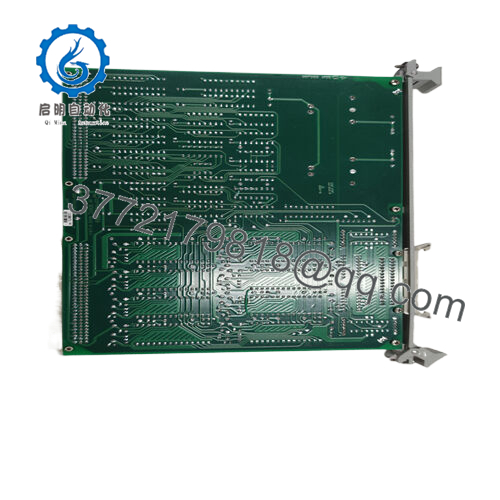
- GQPI31200E2P
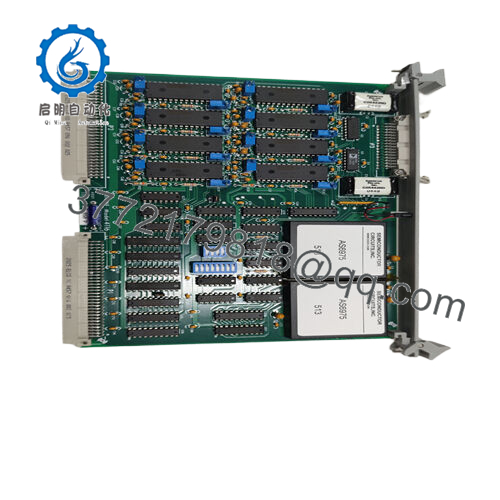
- GQPI31200E2P
| Specification | Details |
|---|---|
| Model Number | GE GQPI31200E2P |
| Brand | GE (General Electric) |
| Type | Operator Interface HMI Panel |
| Input Voltage | 85-132 VAC (nominal 120 VAC, 50/60 Hz) |
| Operating Temp Range | 0°C to +50°C |
| Mounting Style | Panel mount (cutout required) |
| Dimensions | Approx. 274 mm x 216 mm x 49 mm (H x W x D) |
| Weight | Approx. 1.81 kg |
| Interface/Bus | RS-232/RS-422 serial ports |
| Compliance | UL, cUL, CE |
| Supported Protocols | SNP/SNPX, Modbus RTU (via configuration) |
| Typical Power Draw | 50 VA |
Selecting the GE GQPI31200E2P equips your system with a display engineered for long-term performance in demanding industrial settings, where the high-intensity amber electroluminescent backlight maintains excellent contrast and readability over years of operation, even as ambient light varies or dust accumulates. This consistency minimizes operator strain and errors during long shifts, contributing to safer and more efficient process oversight. The robust touchscreen calibration holds up well against repeated use and glove operation, reducing engineering overhead for frequent recalibrations or replacements common with less durable units. Integration benefits from its straightforward serial connectivity, allowing quick deployment in existing cabinets without extensive rewiring or protocol gateways.
Overall, the GE GQPI31200E2P delivers value by ensuring reliable human interaction in control loops, where clear visualization directly impacts uptime and response quality. Its flash-based screen storage supports complex applications without external dependencies, promoting maintenance efficiency through easy updates via download cable.
The GE GQPI31200E2P is commonly deployed in process control environments requiring critical system uptime, such as water treatment facilities monitoring pumps and valves under continuous operation, or pharmaceutical batch processing where precise parameter entry and alarm management prevent deviations. In automotive assembly lines or metalworking plants, it handles harsh conditions like vibration and temperature swings while providing fast access to machine cycles and fault data. These applications often involve legacy PLC integrations in power distribution or material handling systems, emphasizing needs for high reliability in dusty or humid settings with the GE GQPI31200E2P offering the durable visibility essential for uninterrupted oversight.
QPI31200E2P – Nearly identical variant, often interchangeable for most applications
QPI31200C2P – Similar 9-inch monochrome model with minor configuration differences
QPI31200S2P – 10.4-inch upgrade for larger viewing area in same family
QPI21100C2P – Compact 6-inch alternative for space-constrained panels
QPI3D200S2P – Later generation with enhanced memory options
GQPI3D200S2P – Related model for expanded protocol support
QPI2D100L2P – Smaller 7.5-inch option for basic monitoring stations
Prior to mounting the GE GQPI31200E2P, confirm your panel cutout matches the specified dimensions and that enclosure NEMA rating aligns with environmental exposure—allow clearance for rear connectors and ventilation to prevent heat buildup. Verify controller compatibility by checking protocol settings in your programming software and prepare a suitable download cable for initial screen transfer. Ensure power source stability within the AC range, ideally with filtering if plant noise is present. For maintenance, routinely inspect the touchscreen surface for scratches or residue that could affect response, cleaning with approved non-abrasive materials. Check backlight intensity periodically through diagnostic screens, and test communication links during scheduled downtime to catch cable wear early. Firmware updates, if available, involve simple transfers that baseline performance without specialized equipment.



