
 WhatsApp: +86 16626708626
 Email:
  Phone: +86 16626708626
Description
2. Product Core Brief
- Model: IC695ETM001-FS
- Brand: GE Fanuc (Emerson)
- Series: PACSystems RX3i
- Core Function: Provides Ethernet network connectivity for RX3i controller
- Product Type: Ethernet Interface Module
- Key Specs: 2 auto-sensing 10/100 Mbps RJ-45 ports (one MAC/IP address), embedded switch for daisy-chaining, RS-232 Station Manager port, 200 MHz processor
- Condition: New Surplus / New Original (limited spares on this mature part)
3. Key Technical Specifications
- Module Type: Ethernet Interface (with embedded switch)
- Ethernet Ports: 2 x 10/100 Mbps RJ-45 (auto-negotiate, auto-crossover, full/half duplex)
- Network Protocols: SRTP (Service Request Transfer Protocol), Modbus TCP Server/Client, Ethernet Global Data (EGD), Channel API
- IP Addresses: One (shared across both ports)
- Station Manager Port: RS-232 (9-pin D-sub), 1200–115,200 bps
- Processor Speed: 200 MHz
- LED Indicators: Ethernet OK, LAN OK, Log Empty, Port 1A/1B Link/Activity/Speed (10/100)
- Features: Recessed Ethernet Restart pushbutton, hot-swap capable in RX3i racks
- Power Consumption: Supplied from RX3i backplane (low draw, typically <1 A at 5 V)
- Operating Temperature: 0 to 60 °C
- Mounting: Single slot in RX3i universal baseplate
- Status: Mature/obsolete by manufacturer – spares only
4. Product Introduction
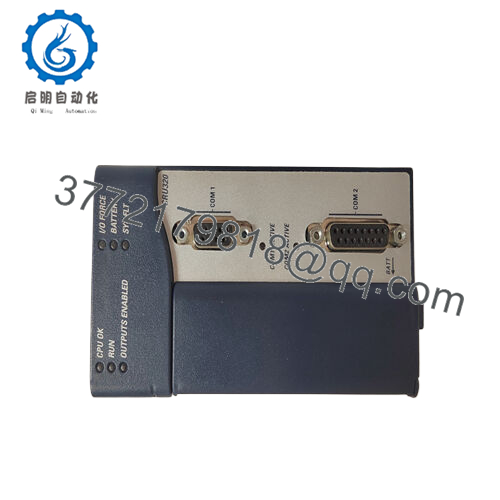
The GE Fanuc IC695ETM001-FS is an Ethernet interface module for PACSystems RX3i controllers. It occupies one slot in the main rack and connects the RX3i to Ethernet networks for programming, HMI/SCADA communication, peer-to-peer data exchange, or Modbus TCP integration in applications like discrete manufacturing, process control, or machine automation.
Its built-in switch lets you daisy-chain devices without extra hardware, and the two RJ-45 ports share one IP/MAC for simple network addressing. Teams use it to add reliable Ethernet to RX3i systems without replacing the CPU—especially where SRTP or EGD is already in play. The Station Manager port gives direct serial access for diagnostics and firmware updates.

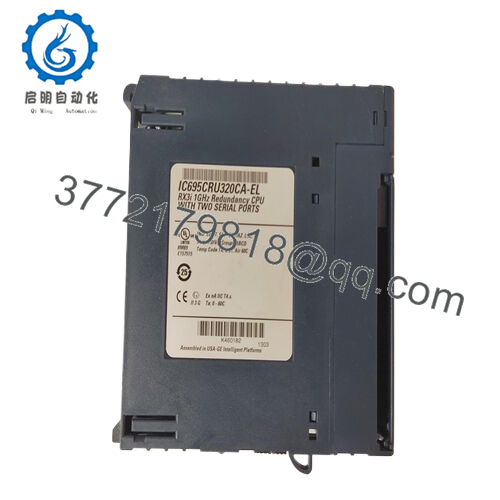
- IC695ETM001-FS
5. Troubleshooting Quick Reference
| Symptom | Possible Cause | Relevance to this Part | Quick Check Method | Recommendation |
|---|---|---|---|---|
| No Ethernet OK / LAN OK LEDs | No backplane power or insertion fault | ✅ High | Measure 5 V at rack backplane; reseat module | Confirm rack power; reseat if LEDs stay off |
| Port Link LEDs off (no activity) | Cable fault, wrong cable type, or speed mismatch | ✅ High | Swap with known good CAT5e cable; test direct connect | Use straight-through or crossover as needed; check switch side |
| Can’t ping module IP | IP conflict, wrong subnet, or not configured | ✅ High | Use Station Manager serial (baud 9600 default) to show ip; ping from PC | Set IP via PME or Station Manager; clear ARP cache |
| Intermittent drops / high latency | Network noise, duplex mismatch, or cable length | ✅ Medium | Check LEDs for 100 Mbps full duplex; use cable tester | Force 100/full if auto-neg fails; shorten cable |
| Station Manager port unresponsive | Baud mismatch or bad cable | ✅ High | Connect via null-modem cable; set terminal to 9600 8N1 | Match baud in tool; test with different PC |
| EGD/SRTP timeouts in logic | Config mismatch or firewall blocking | ✅ Medium | Verify produced/consumed exchanges in PME; check faults | Reload config; disable firewalls temporarily |
| Restart button doesn’t respond | Firmware hang or hardware fault | ✅ Low | Press recessed button 5+ sec; monitor LEDs | Power cycle rack; replace if persistent |
RX3i Ethernet issues usually come from cabling, IP setup, or network config—not the module hardware. Pull Station Manager logs (via serial) and PME fault tables. Send screenshots of LEDs, IP settings, and ping results if you’re stuck.
6. Frequently Asked Questions (FAQ)
What’s the -FS on IC695ETM001-FS? It’s a revision or firmware suffix (e.g., tied to FW 6.21 in some IPIs). No core spec or compatibility changes from standard IC695ETM001—same ports, protocols, and behavior. We’ve swapped FS units into live RX3i racks without reconfiguring anything.
Is the IC695ETM001-FS still made new by Emerson? No, RX3i Ethernet modules like this are mature/obsolete. We source new surplus—unused, sealed or new-old-stock from spares kits. They test identically to factory units but without active OEM support.
Can both RJ-45 ports be used simultaneously? Yes—both connect to the same network (one IP/MAC). The embedded switch handles traffic internally, so you can daisy-chain to another device or connect to separate switches for redundancy. No separate IPs per port.
How do I set the IP address? Use Proficy Machine Edition hardware config (target properties > Ethernet) or Station Manager serial commands (e.g., “set ipaddress”). Default is no IP until assigned. Always set subnet mask and gateway for routed networks.
Will swapping this module disrupt communications? Minimal downtime—hot-swap capable. Power stays on, but comms drop briefly during swap/reboot. Config (IP, protocols) stores in RX3i CPU, so it reloads automatically. Back up config first.
Why surplus pricing vs. new from Emerson? Surplus units have no field hours—no thermal wear or connector fatigue. New production stopped years ago; refurbs often come from failed installs. We test every IC695ETM001-FS: power-up, LED verification, ping both ports, Station Manager access, and firmware read.
What warranty do you offer? 1-year on functionality per specs. Covers defects, not cabling errors, ESD, or misconfig. Test data (LED photos, ping logs, Station Manager output) available on request.



