

 WhatsApp: +86 16626708626
 Email:
  Phone: +86 16626708626
Description
The GE IC754VBI12CTD-HH (a specific hardware revision suffix in the QuickPanel View series, equivalent in core functionality to the base IC754VBI12CTD) is a rugged 12-inch color touchscreen operator interface terminal from GE Fanuc (now Emerson). In industrial automation and process control applications, operators benefit from larger, high-resolution displays that present comprehensive process data, detailed graphics, alarm lists, historical trends, and interactive controls without overwhelming the user or requiring excessive panning. Smaller or older HMIs often limit visibility in multi-variable scenarios, leading to delayed reactions, misinterpretation during upsets, or operator strain in 24/7 environments.
GE IC754VBI12CTD-HH provides this capability through its 12-inch TFT color LCD and industrial-grade resistive touchscreen, supporting glove-friendly operation and clear visuals under varying factory lighting. It becomes particularly valuable in mid-to-large scale panels, central control stations, or OEM equipment upgrades where screen real estate improves situational awareness while maintaining compatibility with existing Proficy projects and connectivity. In situations without a capable HMI like GE IC754VBI12CTD-HH, teams may experience reduced operational efficiency, higher error potential from cluttered interfaces, or increased downtime during fault analysis—issues that undermine high reliability and productivity in industrial automation settings.
GE IC754VBI12CTD-HH functions as a dedicated HMI in the QuickPanel View family, leveraging an embedded processor with Proficy Machine Edition software for application development. It delivers vibrant 800×600 color graphics, multi-state animations, data logging, recipe management, and scripting for custom logic. The resistive touchscreen ensures reliable input in harsh conditions, while integrated ports handle serial (RS-232/422/485) and Ethernet connectivity for direct or networked links to controllers.
In system layouts, GE IC754VBI12CTD-HH typically mounts on cabinet doors or operator stations (with NEMA-rated front protection), powered by 12-24 VDC from plant supplies. It communicates via standard drivers (Modbus RTU/TCP, SNP/SNPX, Ethernet/IP, and others) to pull real-time tags from PLCs like VersaMax, Series 90, or third-party devices, displaying them in custom screens while writing operator commands back. Features include flash storage for applications, battery-backed retentive memory for persistent data (e.g., setpoints, logs), and front LEDs for power, fault, and communication status—supporting standalone use or integration in distributed SCADA/HMI networks with fast tag refresh rates.
| Specification | Details |
|---|---|
| Model Number | IC754VBI12CTD-HH |
| Brand | GE Fanuc / Emerson |
| Type | 12-inch Color TFT Touchscreen HMI |
| Input Voltage | 12–24 VDC (nominal; ~2 A) |
| Operating Temp Range | 0 to +50 °C or +60 °C (typical; revision-specific) |
| Mounting Style | Panel mount (NEMA 4/4X front bezel) |
| Dimensions | Approx. 315 mm W x 240 mm H x 80 mm D (overall; 12″ viewable) |
| Weight | Approx. 2.5–3.5 kg |
| Interface/Bus | Serial RS-232/422/485; Ethernet 10/100 Mbps; USB |
| Compliance | CE, UL, NEMA/IP-rated front |
| Supported Protocols | Modbus RTU/TCP, SNP/SNPX, Ethernet/IP, others via drivers |
| Typical Power Draw | Up to 48 W max |

- IC754VBI12CTD-HH
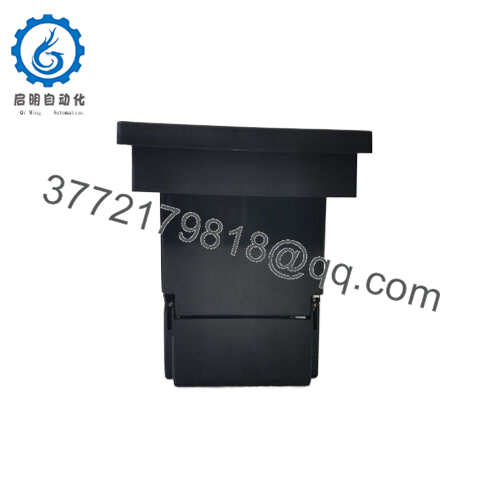
Selecting GE IC754VBI12CTD-HH equips operators with superior visibility and interaction that enhances decision speed and accuracy. The 12-inch color display enables rich, multi-element screens—such as complete process flows, detailed alarm summaries, or overlaid trends—reducing the need for navigation and improving response during critical events.
Built for industrial endurance, the touchscreen and enclosure resist vibration, dust, and incidental contact, while Proficy compatibility streamlines project transfers from prior QuickPanel models, lowering migration effort. Maintenance stays efficient with LED-based health indicators, easy calibration access, and non-volatile storage that retains configurations through power interruptions (battery for retentive elements). In practice, GE IC754VBI12CTD-HH promotes consistent operator performance, simplifies training across similar interfaces, and delivers long-term value in legacy or transitional automation systems.
GE IC754VBI12CTD-HH is frequently installed in discrete manufacturing applications like assembly lines, bottling/packaging, or machining centers, allowing operators to monitor cycles, adjust parameters, and handle faults on a clear, expansive display amid busy production floors. It supports material handling systems such as conveyors, AGVs, or warehousing automation, ensuring critical system uptime with reliable status and alarm views in dusty or high-traffic settings. In process control environments—including food & beverage batching, water treatment skids, or small chemical processes—the HMI facilitates PID oversight, level/flow visualization, and batch sequencing under demanding operational conditions.
Compatible or alternative products include:
IC754VBI12CTD – Standard/base model (core hardware identical; -HH is a revision variant, often with minor hardware, firmware, or certification updates).
IC754VBI12CTD-DG / -EG / -FG – Closely related revisions sharing touchscreen, overlay, and project compatibility for spares or repairs.
IC754VBI10CTD – 10-inch color variant for applications needing a slightly smaller display.
IC754VBI06CTD – Compact 6-inch color option suited to space-constrained panels.
IC755CSS12CDA – Modern Emerson QuickPanel+ replacement with improved processor, resolution, multi-touch, and advanced integration features.
IC754VSI12CTD – Similar 12-inch but potentially monochrome or variant configuration in the series.
IC754VGI12CTD – Graphics-enhanced variant within the QuickPanel View family.
Before installing GE IC754VBI12CTD-HH, ensure the panel cutout aligns with the QuickPanel View standard (~310 mm x 235 mm), provide a regulated 12-24 VDC supply with fusing, and maintain rear clearance for airflow and connections (minimum 4–6 inches). Transfer the application using Proficy Machine Edition, validate communication drivers and tag configurations against your devices, and test serial/Ethernet links prior to final mounting. Proper grounding helps suppress noise affecting touch or data exchange.
Ongoing maintenance involves occasional touchscreen recalibration through the setup menu if alignment drifts, bezel seal checks in washdown areas, and gentle cleaning of the display during shutdowns with suitable materials. Monitor front LEDs for power or communication anomalies during routine inspections, and replace the internal battery every 3–5 years to safeguard retentive memory. The flash storage and solid-state design limit routine tasks to environmental protection and backup management.



