

 WhatsApp: +86 16626708626
 Email:
  Phone: +86 16626708626
Description
The GE IC754VSL06MTD solves a frequent pain point in machine-level industrial automation: providing a compact, cost-effective human-machine interface (HMI) for operators who need clear visualization and touch-based interaction in space-limited control panels or on smaller equipment skids. In process control and discrete manufacturing environments, engineers often grapple with HMIs that are either too bulky for tight enclosures, lack sufficient connectivity for modern networks, or demand excessive power and cooling in harsh settings. Monochrome displays strike a practical balance—offering readable text, simple graphics, and alarm messaging without the higher cost, power draw, or backlight complexity of color TFT units.
This becomes essential when retrofitting legacy machines, integrating into standalone control stations, or deploying in applications where full-color high-resolution isn’t justified but reliable operator input and status monitoring are non-negotiable. The GE IC754VSL06MTD, part of the QuickPanel View series from GE Fanuc (now Emerson), delivers a 6-inch monochrome touchscreen that combines display, touch input, and embedded runtime capabilities in one rugged unit. It supports high reliability through its resistive touch technology, sealed front bezel, and robust serial/Ethernet ports, making it ideal for environments with vibration, dust, or temperature swings where operators require quick access to setpoints, trends, or manual overrides without compromising system integrity or adding separate PCs.
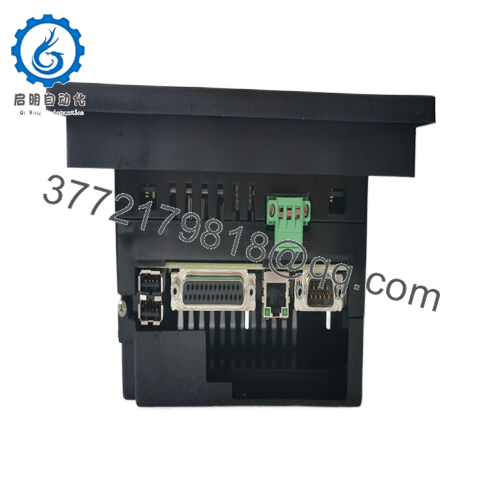
The GE IC754VSL06MTD functions as a standalone or networked operator interface terminal running on Windows CE.NET, with an Intel XScale processor handling the HMI runtime software (typically Proficy Machine Edition or QuickPanel View runtime). It mounts directly into a panel cutout, connecting field devices and controllers via multiple ports: dual serial (RS-232/RS-485), Ethernet 10/100BaseT for TCP/IP networking, and a CompactFlash slot for storage or application loading.
Positioned at the machine or cell level in the automation stack, it communicates directly with PLCs (PACSystems, Series 90, or third-party via drivers), I/O modules, or other controllers using protocols like Modbus, Ethernet/IP, or SRTP over Ethernet. The monochrome STN LCD (320×240 resolution) provides crisp text and basic bitmap graphics, while the resistive touchscreen allows gloved operation for reliable input in industrial gloves. Power is drawn from a nominal 24 VDC supply, keeping consumption low for integration into distributed panels. Diagnostics appear via on-screen indicators or status LEDs, and the unit supports recipe handling, data logging to CF card, and alarm management—making GE IC754VSL06MTD a straightforward bridge between operators and control logic without requiring a full PC-based HMI.
| Specification | Details |
|---|---|
| Model Number | IC754VSL06MTD |
| Brand | GE Fanuc (Emerson) |
| Type | 6-inch Monochrome Touchscreen HMI (QuickPanel View) |
| Input Voltage | 24 V DC (nominal) |
| Operating Temp Range | 0°C to 50°C (32°F to 122°F) typical for series |
| Mounting Style | Panel mount (cutout) |
| Dimensions | Approx. 195 x 148 x 60 mm (bezel/front) |
| Weight | Approx. 1–1.5 kg |
| Interface/Bus | Ethernet 10/100, RS-232/RS-485 serial ports |
| Compliance | CE, UL, typical industrial standards |
| Supported Protocols | Modbus, SRTP, Ethernet/IP, others via drivers |
| Typical Power Draw | Around 15 W |

- IC754VSL06MTD
Selecting the GE IC754VSL06MTD brings operators dependable, no-frills interaction that performs consistently over years of service. Engineered for industrial durability, its monochrome display resists washdown and maintains readability in varying lighting, while the resistive touchscreen tolerates gloves and contaminants better than capacitive alternatives in many plants. This reduces operator errors and training time, as the interface stays simple and focused on essential data like machine status, setpoints, and alarms.
The low power footprint and compact footprint ease integration into existing enclosures or retrofits, cutting panel redesign costs and avoiding added HVAC needs. Maintenance stays minimal—fewer moving parts than color units mean longer backlight life and less frequent replacement, while Ethernet connectivity enables remote access for updates or troubleshooting, lowering engineering overhead and supporting sustained uptime in process control environments.
The GE IC754VSL06MTD is widely used in packaging lines for controlling fillers, sealers, or labelers, where operators monitor cycle times and adjust parameters in real-time under dusty or washdown conditions. In material handling systems like conveyors or automated storage, it provides clear status and manual jog controls in distributed panels. Water treatment or small-scale batch processing facilities deploy it for pump/valve oversight and alarm acknowledgment, emphasizing critical system uptime in continuous or semi-continuous operations with limited space.
Compatible or alternative products in the GE/Emerson QuickPanel ecosystem include:
IC754VSL06MTD – Standard 6″ monochrome touchscreen HMI (View-loaded)
IC754VSI06MTD – Intermediate monochrome version with similar specs but potentially different runtime/load
IC754VSL12CTD – Larger 12″ color touchscreen for applications needing more screen real estate
IC754VBI06MTD – Basic monochrome variant (if available in series) for lighter HMI needs
IC755CSS06RDA – Modern QuickPanel+ 6″ color with enhanced control and IIoT features (upgrade path)
IC754CSL06MTD – Color 6″ alternative for graphics-heavy interfaces
IC754VGI06MTD – Graphics-intensive monochrome option in related series
IC754VCL06MTD – Control-integrated monochrome variant for combined HMI/PLC duties
Before installing the GE IC754VSL06MTD, verify the panel cutout dimensions match the bezel (typically around 172 x 138 mm active area) and ensure 24 VDC power is clean and fused appropriately to handle transients. Confirm Ethernet or serial cabling complies with distance limits and shielding requirements for noise-prone areas. Download the latest runtime firmware or application project from Emerson/Proficy tools, and test touch calibration post-mounting—resistive screens may need occasional recalibration if drift appears from wear or temperature.
For ongoing maintenance, check the front bezel seal integrity during inspections to prevent ingress in washdown zones. Monitor the CompactFlash slot for dust buildup and replace media if corruption occurs. LEDs or on-screen diagnostics help spot power issues or communication faults quickly. Annual functional testing—verifying touch response, port connectivity, and alarm logging—catches aging components early. Keep backups of the project file and a spare unit available, as these legacy QuickPanel models benefit from proactive spares in high-availability setups.



