
 WhatsApp: +86 16626708626
 Email:
  Phone: +86 16626708626
Description
3. Key Technical Specifications
| Parameter | Value |
|---|---|
| Supply Voltage | 24 V DC |
| Power Consumption | ≤ 7 W |
| Communication Protocol | CAMOS NET (proprietary) |
| Function | Network communication interface |
| System Integration | CAMOS control platform |
| Mounting | Rack / backplane slot |
| Data Exchange | Real-time control network communication |
| Operating Temperature | 0 to +60°C |
| Storage Temperature | −20 to +70°C |
| Isolation Rating | 500 V |
| Connector Type | Backplane + network interface port |
| Lifecycle Status | Discontinued (EOL) |
4. Product Introduction & Supply Chain Strategy
The H.M. STEIN SOHN CAMOS NET RCM6 is a communication module designed for CAMOS-based automation systems, enabling real-time network data exchange between controllers, I/O modules, and distributed nodes.
This product is a Brand New Surplus unit. It is not used, not pulled from a decommissioned plant, and not refurbished. Network modules are system-critical; a single failure can isolate entire process segments. Maintaining buffer stock mitigates lead time variability and prevents production interruptions. From a Total Cost of Ownership (TCO) perspective, New Surplus inventory avoids the instability risks associated with refurbished communication hardware.
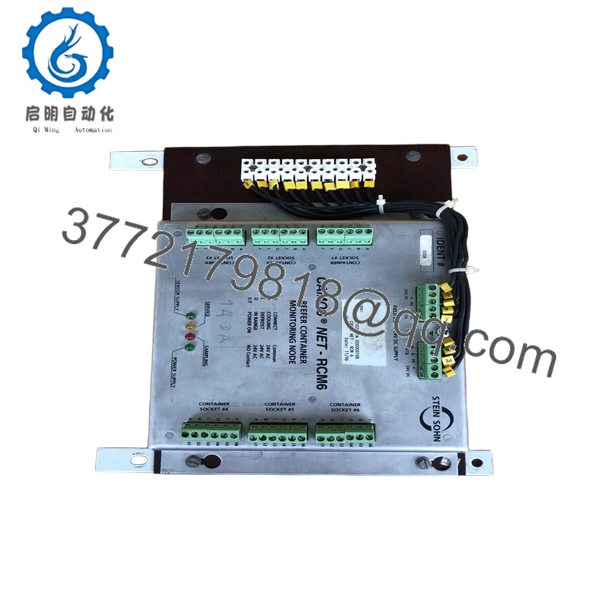
- CAMOS NET RCM6
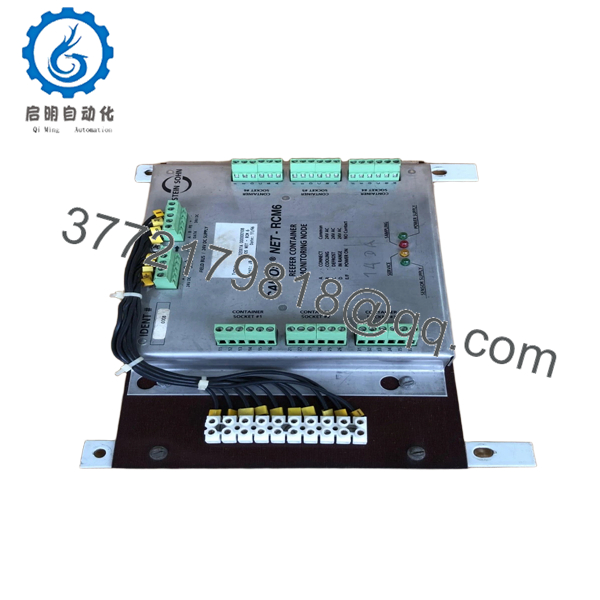
- CAMOS NET RCM6
5. Installation & Configuration Guide
Stage 1: Pre-Installation (Prep & Safety)
- Execute lock-out/tag-out (LOTO) procedures.
- Use an ESD wrist strap and grounded workstation.
- Document network configuration (node ID, baud rate, addressing).
- Photograph wiring and connector layout.
Stage 2: Removal
- Release retaining clips or mounting screws.
- Carefully extract the module straight out.
- Inspect backplane connectors and network ports for damage.
Stage 3: Installation (Clone & Seat)
- Replicate all DIP switch and communication settings exactly.
- Insert module along guide rails into the correct slot.
- Ensure secure seating and proper connector engagement.
Stage 4: Power-On & Testing
- Restore power and verify stable 24 V DC supply.
- Check LED indicators (RUN, COMM, ERR).
- Validate network communication with all connected nodes.
- Perform diagnostic checks and confirm data exchange integrity.
6. Firmware/Software Versions & Upgrade Notes
- Recommended Firmware: Match firmware version of the existing RCM6 module.
- Compatibility Warning:
- Firmware mismatches can disrupt CAMOS NET communication.
- Newer firmware may not support legacy nodes or drivers.
- Upgrade Risk:
- Upgrading firmware during replacement may cause network instability.
- Downgrading may limit compatibility with newer components.
- Best Practice: Maintain firmware parity and document all network parameters before replacement.
7. Frequently Asked Questions (FAQ)
Q1: Is this communication module truly new?
Yes. This is a New Surplus unit with no prior usage, no repairs, and no wear. It undergoes full QC and functional verification.
Q2: Why is this module considered critical?
It manages network communication. Failure can disconnect multiple nodes, leading to system-wide control issues.
Q3: Is this part still manufactured?
No. The CAMOS NET RCM6 is discontinued (EOL). A last-time-buy strategy is recommended.
Q4: What stocking strategy should we follow?
Maintain at least 1–2 units as buffer stock per network segment. For multi-site operations, consider centralized inventory and vendor consolidation to reduce carrying cost.
Q5: Can this module be replaced without shutting down the system?
No. Always power down before replacement to prevent network faults or hardware damage.
Q6: What are the risks of using refurbished communication modules?
Refurbished units may have degraded communication components, leading to intermittent faults and difficult troubleshooting scenarios.
Q7: What warranty and quality checks are included?
Each unit includes a 12 month warranty, full communication testing, electrical verification, and traceable serial documentation to ensure OEM-level reliability.



