
 WhatsApp: +86 16626708626
 Email:
  Phone: +86 16626708626
Description
Key Technical Specifications
- Model: E405.2
- Brand: H.M. Stein Sohn
- Product Type: Electronic card
- Typical Use: Control and signal processing in marine or industrial systems
- Power Rating: Verify against the exact unit label before purchase
- Interface / I/O: Verify site wiring and connector layout
- Revision: Confirm suffix and board marking before replacement
- Condition: Usually sold as surplus or new old stock
- Compatibility: Match to existing cabinet, harness, and firmware revision
- Warranty: Depends on seller and test status
Product Introduction
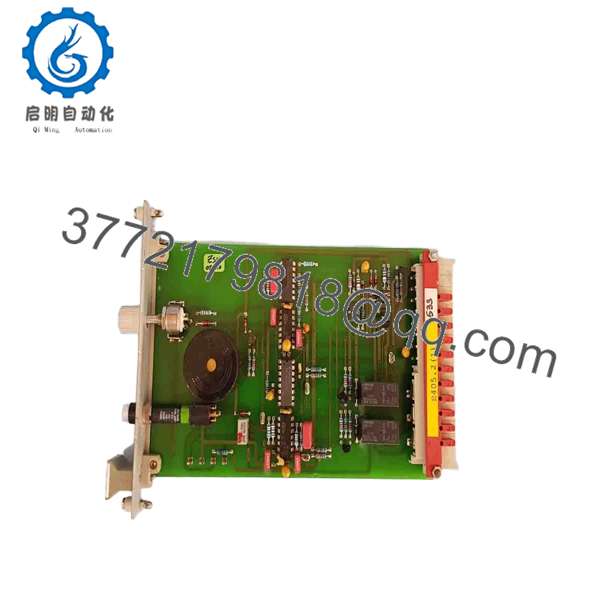
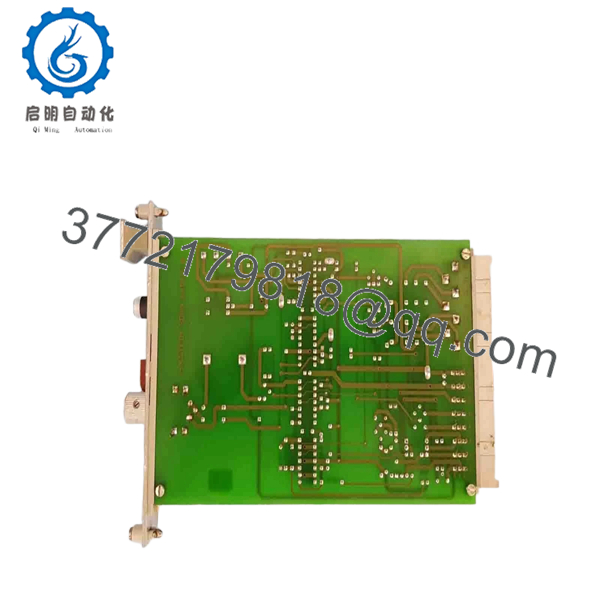
H.M. Stein Sohn E405.2 is an electronic card used in marine and industrial control systems. Buyers usually search this model as a direct replacement for legacy equipment, so the exact board marking, revision, and connector layout matter more than generic part descriptions.
This part is typically chosen when original OEM stock is limited and downtime is expensive. Before installing, verify the label, revision suffix, and wiring against the removed card, because similar boards can look close while still being electrically different.

- E405.2
- E405.2
Troubleshooting Quick Reference
| Symptom | Possible Cause | Relevance to this Part | Quick Check Method | Recommendation |
|---|---|---|---|---|
| No LEDs or no startup activity | Missing supply voltage or blown fuse | High | Measure input voltage at the card terminals and check upstream fuses | Verify power and cabinet wiring before replacing the card |
| Alarm or fault stays active | Board fault, wrong revision, or mismatch with host system | High | Compare board suffix and read the system alarm log | Confirm exact replacement revision before installation |
| Intermittent shutdowns | Loose connector, poor backplane contact, or vibration issue | High | Reseat the card and inspect connector pins for damage | Check mounting, connector alignment, and cabinet vibration |
| Wrong signals or no response | Wiring error or failed field interface | Medium | Trace each terminal against the original wiring photo | Recheck wiring and terminal mapping before blaming the board |
| Overheating | Cabinet cooling issue or internal component failure | Medium | Measure enclosure temperature and inspect airflow | Clean filters, check fans, then retest the unit |
| Works on bench, fails in machine | Compatibility or configuration mismatch | High | Compare settings, jumpers, and site configuration | Match the old board settings exactly before reinstalling |
If you are stuck, send technical support clear photos of the nameplate, board revision, connectors, and fault logs.
Frequently Asked Questions
Q: Is H.M. Stein Sohn E405.2 a direct replacement?
A: It can be, but only if the revision, connector layout, and system compatibility match the removed card. Do not trust the model name alone.
Q: Is this part new or used?
A: Listings for this model are often surplus, new old stock, or tested used units. The exact condition depends on the seller and should be stated clearly before purchase.
Q: Can I swap it live?
A: Usually no. Unless the OEM manual explicitly says it is hot-swappable, kill power first. Pulling a legacy control card live is a good way to damage the backplane.
Q: Why is this cheaper than a factory-new part?
A: Most of the time it is because the part is surplus or used, not sealed OEM stock. Lower price is normal, but test status and warranty should be verified.
Q: What should I check before ordering?
A: Check the full board marking, suffix, revision, connector style, and cabinet wiring. If you skip that step, you may end up with a part that looks right but does not fit electrically.
Q: Will my settings be retained during a swap?
A: Not always. Some systems store configuration in the host, while others keep logic or calibration data on the board itself. Back up anything critical before removal.
Q: What if the new card still faults after install?
A: Stop and compare it against the old unit. Recheck power, wiring, and revision first, then request photos and diagnostics from the seller or service team.



