
 WhatsApp: +86 16626708626
 Email:
  Phone: +86 16626708626
Description
3. Key Technical Specifications
- Application: Industrial control systems (power, rail, infrastructure)
- Board Type: Plug-in control / interface PCB
- Functionality: Signal conditioning, control logic, subsystem interface
- Backplane Interface: Proprietary rack connection
- Power Supply: System-fed (commonly 24 V DC or ±15 V rails depending on design)
- I/O Type: Mixed digital/analog (project-specific wiring)
- Connector Type: Edge connector / terminal interface
- Operating Temperature: 0 to +50 °C typical
- Mounting: Rack or cabinet-based system
- Revision Identifier: P1290
4. Product Introduction
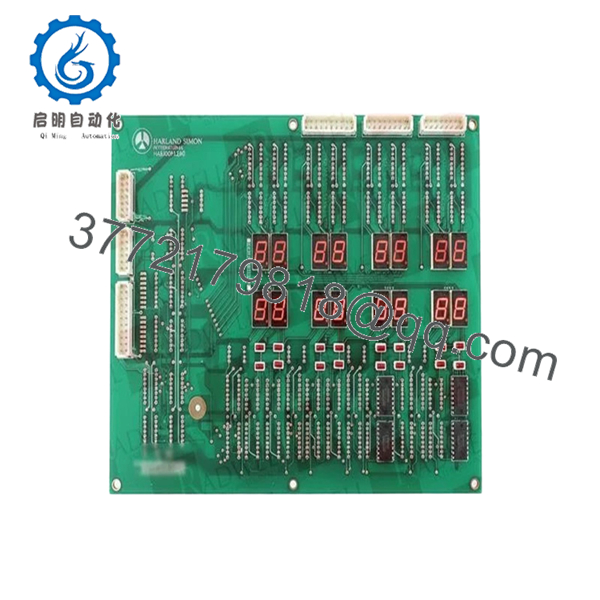
Harland Simon H4890P1290 is a legacy control PCB used in engineered industrial control systems, typically deployed in infrastructure sectors such as power generation, transport systems, and specialized process automation. These boards are not part of standardized PLC families; they are usually tied to project-specific system designs.
In practice, replacing this board is about maintaining system continuity rather than upgrading functionality. Compatibility depends heavily on exact part number matching, wiring layout, and jumper configuration rather than generic specifications.
5. Installation & Configuration Guide
Stage 1: Pre-Installation Preparation (Estimated: 20 minutes)
- ⚠️ Safety First: Ensure system is in a safe state. Lock out all power sources and confirm outputs are de-energized.
- Tools Required: ESD strap, multimeter, screwdriver, labeling tags, smartphone for documentation.
- Data Backup:
- Photograph all wiring and terminal connections
- Record system alarms and status
- Capture jumper/DIP switch configurations
Stage 2: Removing the Old Module (Estimated: 10–15 minutes)
- Identify board location within rack.
- Label all wires clearly — do not rely on memory.
- Disconnect wiring carefully to avoid terminal damage.
- Release retaining clips or screws.
- Pull board straight out along guide rails.
- ⚠️ Note: Retain original board for configuration reference.
Stage 3: Installing the New Module (Estimated: 15 minutes)
- Apply ESD protection. Confirm model H4890P1290 exactly matches.
- Replicate all jumper/DIP settings from original board.
- Insert board evenly into rack guides.
- Secure with mounting hardware.
- Reconnect wiring according to labels and photos.
- Self-Checklist:
- Full model match
- Jumper/DIP settings replicated
- Wiring restored correctly
- Board securely mounted
Stage 4: Power-On & Testing (Estimated: 20–30 minutes)
- Pre-Power Check: Verify no short circuits on supply rails.
- Power-On Steps:
- Restore system power.
- Observe system indicators and alarms.
- Verify module response.
- Test associated I/O signals.
- Confirm stable operation.
- ⚠️ Troubleshooting Note:
- No response → incorrect jumper settings or wrong revision
- Incorrect outputs → wiring mismatch
- Intermittent faults → backplane connection issues

- H4890P1290
6. Frequently Asked Questions (FAQ)
Q1: Is H4890P1290 interchangeable with other H4890 variants?
❗ No.
The P1290 suffix defines the exact hardware configuration. Even small differences can affect signal behavior.
Q2: Is this a standard PLC module?
No. This is part of a custom-engineered control system, not a modular PLC platform compliant with IEC 61131.
Q3: Can this system be upgraded to a modern PLC?
Only through a full system migration:
- I/O remapping
- Control logic redevelopment
- Cabinet redesign
Q4: Why is documentation difficult to find?
These systems were delivered as project-specific solutions. Documentation is usually retained on-site.
Q5: What’s the most common installation issue?
❗ Jumper or wiring mismatch.
Most failures come from incorrect configuration, not faulty hardware.
Q6: Why does pricing vary so much?
Supply is limited:
- Decommissioned systems
- Spare parts inventories
Condition varies — always request testing evidence.
Q7: Can unused boards fail due to age?
Yes. Component aging (especially capacitors) can cause failure even if unused.
SOP Quality Transparency (Inspection & Testing Process)
1. Inbound Inspection & Traceability
- Verified model: H4890P1290
- PCB identifiers and markings checked
- Visual inspection under magnification (no corrosion, no rework marks)
- Connector integrity verified
2. Live Functional Testing
- Tested in compatible rack or simulated environment (if available)
- Power-on behavior verified
- Signal I/O simulation performed where possible
- 24-hour continuous operation test
- Test report generated (available upon request)
3. Electrical Parameter Testing
- Insulation resistance >10 MΩ @ 500 V
- Ground continuity verified
- Power rail stability measured using Fluke 115
4. Firmware & Configuration Verification
- Revision P1290 confirmed
- Jumper/DIP configurations documented
- Photographic records maintained
5. Final QC & Packaging
- QC sign-off with traceability
- ESD-safe sealed packaging
- Shock-protected industrial carton
- QC Passed label with inspection date
Test photos and videos available upon request.
Technical Pitfall & Survival Guide
1. Part Number Confusion
❗ Common mistake.
H4890 looks correct, but wrong suffix (not P1290).
System behaves incorrectly.
Avoidance: Always match full part number.
2. Jumper / DIP Switch Errors
❗ Most frequent issue.
One incorrect setting changes behavior significantly.
Avoidance: Photograph and replicate exactly.
3. Wiring Errors
❗ Especially in older panels with poor labeling.
Miswiring leads to incorrect outputs.
Avoidance: Label everything before removal.
4. Power Supply Instability
Older systems may have degraded voltage rails.
Avoidance: Verify power supply before installation.
5. ESD Damage
❗ Silent failure risk.
Board may fail after installation under load.
Avoidance: Use proper grounding and ESD precautions.



