
 WhatsApp: +86 16626708626
 Email:
  Phone: +86 16626708626
Description
3. Key Technical Specifications
| Parameter | Value |
|---|---|
| Model Code | F503006A XAS02 |
| Internal Reference | 070538 |
| System Type | XAS Control Panel (Engineer Station) |
| Application | Marine automation / engine room control |
| Function Role | Chief engineer interface panel |
| Communication | Proprietary XAS system bus |
| Mounting | Panel-mounted console |
| Weight | Approx. 3 kg |
| Build Type | Industrial/marine-grade enclosure |
| Power Supply | Typically 24 V DC system integration (panel-fed) |
| Lifecycle Status | Discontinued / secondary market only |
| Origin | Germany |
4. Product Introduction & Supply Chain Strategy
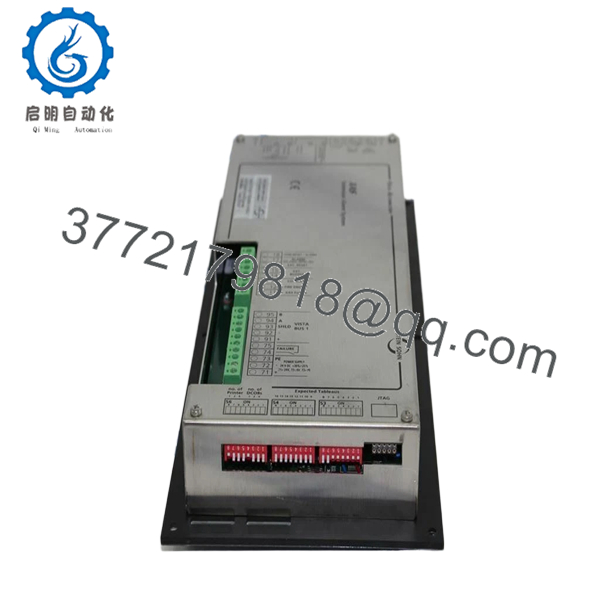
The Stein Sohn 070538 F503006A XAS02 is a dedicated XAS control panel used as a chief engineer interface within marine automation systems. It provides centralized command, alarm acknowledgment, and system monitoring for propulsion and auxiliary subsystems.
From a supply-chain perspective, this is a high-risk legacy HMI/control panel with very limited global availability. Listings are already confined to surplus channels, confirming lifecycle decline. Securing New Surplus units avoids lead time variability and eliminates reliance on refurbished panels with unknown internal wear. A last-time-buy strategy combined with cross-site buffer stock is essential to control Total Cost of Ownership (TCO).

- 070538 F503006A XAS02
5. Installation & Configuration Guide
Stage 1: Pre-Installation (Prep & Safety)
- Execute lock-out/tag-out on the control cabinet or bridge panel.
- Use ESD grounding protection.
- Photograph all panel wiring, connectors, and labeling.
- Document system node ID and communication settings.
- Verify panel supply voltage stability (24 V DC with ≥20% margin).
Stage 2: Removal
- Isolate power completely before removal.
- Disconnect panel connectors carefully—avoid pin deformation.
- Remove mounting screws evenly to prevent panel stress.
Stage 3: Installation (Clone & Seat)
- Install the replacement panel into the same cutout and mounting points.
- Reconnect all harnesses exactly as documented.
- Confirm grounding integrity and shielding continuity.
Stage 4: Power-On & Testing
- Restore power and monitor panel initialization.
- Verify display/indicator functionality and communication handshake.
- Test alarm acknowledgment and control commands.
- Validate integration with the XAS automation network.
6. Firmware/Software Versions & Upgrade Notes
- Recommended Firmware: Match existing XAS system firmware (typically legacy V1.x–V2.x range).
- Compatibility Risk:
- XAS02 panels are not interchangeable with later XAS04/XAS05 revisions without system-level validation.
- Firmware mismatch can result in loss of operator interface or alarm visibility.
- Upgrade Warning:
- Avoid firmware upgrades during panel replacement.
- Maintain identical firmware to prevent communication conflicts.
- Best Practice: Extract and document firmware version and configuration before decommissioning the original unit.
7. Frequently Asked Questions (FAQ)
Q1: Is this panel truly new or just “open box”?
This product is a Brand New Surplus unit. It is not used, not removed from active service, and not refurbished. It maintains original OEM integrity with no wear on connectors or internal components.
Q2: Why are most market listings labeled “new other”?
Because OEM production has stopped, most available units come from surplus stock. These are typically unused but stored inventory. We validate them through full QC testing before supply.
Q3: Is this part officially discontinued?
Yes. Availability is limited to secondary markets, and lead time variability is increasing. This is a clear candidate for last-time-buy planning.
Q4: What is the recommended stocking strategy?
- Minimum 1 unit per critical vessel/system
- 2 units for high-availability operations
- Use cross-site sharing to reduce capital lock-up
- Consider vendor consolidation to stabilize sourcing
Q5: Can I replace XAS02 with XAS04 or XAS05 panels?
Not directly. These revisions have hardware and firmware differences. Substitution requires system-wide compatibility validation and potential reconfiguration.
Q6: What are the risks of refurbished panels?
Hidden internal degradation (displays, capacitors, connectors) can lead to sudden interface failure. In marine systems, this can escalate into loss of control visibility and emergency shutdown events.
Q7: What warranty is provided?
12 months warranty with full QC traceability, including functional testing, electrical verification, and inspection sign-off prior to shipment.



