
 WhatsApp: +86 16626708626
 Email:
  Phone: +86 16626708626
Description
Key Technical Specifications
| Parameter | Value |
| Manufacturer | Stein Sohn (Germany) |
| Part Number | 991443 |
| Logic Identifier | F503001a |
| Hardware Series | XAS07 |
| Mounting Format | Eurocard Plug-in Module |
| Connector Type | DIN 41612 High-Density Edge Connector |
| Application | Marine Engine Alarm & Monitoring Systems (AMS) |
| Operating Voltage | 24 V DC (Typical Backplane Power) |
| Status Indicators | On-board Diagnostic LEDs |
| Compatibility | Legacy XAS Control Racks |
Product Introduction
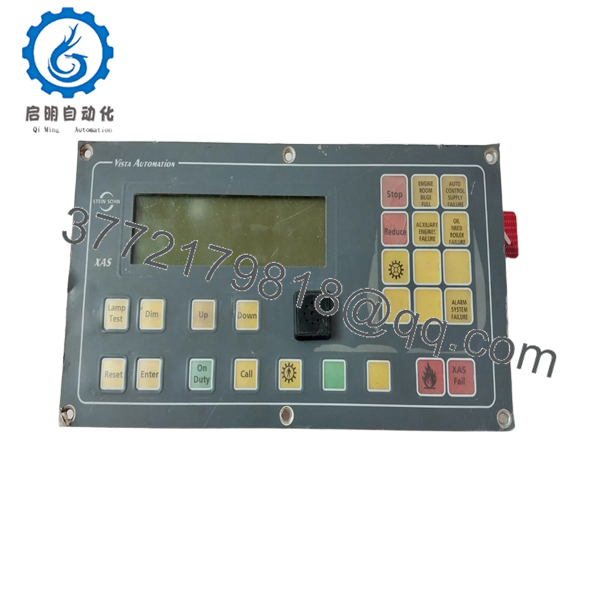
The Stein Sohn 991443 F503001a (XAS07) is a critical interface and logic processing module found in specialized marine automation and alarm monitoring systems. Engineered for the rigors of engine room environments, the XAS07 hardware platform manages complex signal conditioning and data bus communication between field sensors and the central monitoring station.
This specific F503001a logic variant is optimized for high-speed signal processing and reliability in mission-critical maritime applications. As these modules are no longer in active production, maintaining a “New Original” or verified “New Surplus” unit is the most cost-effective strategy for avoiding expensive system-wide upgrades on aging vessels.

- 991443 F503001a XAS07
Installation & Configuration Guide
Stage 1: Pre-Installation Preparation (Estimated Time: 15 mins)
- ⚠️ Safety First: Power down the entire control rack. Ensure the vessel’s automation system is in “Manual” or “Override” to prevent false alarms or unintended shutdowns during the swap.
- Tools Required: ESD wrist strap (mandatory), small flat-head screwdriver, and a smartphone for reference photos.
- Data Backup: Document the exact slot position of the board. Note any specific hardware markings or custom labels on the faceplate of the old unit.
Stage 2: Removing the Old Module
- Attach your ESD strap to a grounded point on the cabinet frame.
- Loosen the top and bottom captive screws on the module faceplate.
- Use the integrated pull-handles to gently unseat the board from the backplane. Pull straight out to avoid damaging the high-density DIN 41612 pins.
- Inspect the backplane for any signs of “arcing” or dust buildup that could interfere with the new connection.
Stage 3: Installing the New 991443 F503001a
- Model Verification: Confirm that both the 991443 part number and the F503001a logic code match your existing unit. Variations in the “F” suffix can indicate different firmware that may be incompatible with your system software.
- Align the PCB edges with the rack card guides.
- Slide the board into the slot until you feel the connector engage the backplane pins. Apply firm, even pressure until the faceplate is flush with the rack.
- Secure the captive screws to ensure the board remains seated during shipboard vibration.
- Self-Checklist: [ ] Part numbers match, [ ] Pins aligned, [ ] Screws torqued.
Stage 4: Power-On & Testing (Estimated Time: 20 mins)
- Restore 24V DC power to the rack.
- Monitor the boot-up sequence. Check for the “System Ready” or “RUN” LED on the XAS07 faceplate.
- Verify that the Alarm Monitoring System (AMS) recognizes the module and that all associated sensor points are reporting “Normal” status.
- ⚠️ Troubleshooting Note: If the board shows a “Fault” LED or communication fails, verify that no other modules in the rack were jarred loose during installation. If the issue persists, the backplane may require a continuity check.
Frequently Asked Questions (FAQ)
What does the “F503001a” code signify?
In Stein Sohn systems, this code typically identifies the specific logic or firmware revision pre-loaded onto the board. Even if the hardware (XAS07) is the same, an incorrect “F” code can lead to communication timeouts or incorrect sensor scaling. Always match this code exactly.
Can I repair my existing 991443 board instead of buying surplus?
While component-level repair is possible for some boards, marine class societies often require certified replacement parts for critical monitoring systems. Using a verified “New Surplus” module is generally faster and safer for ensuring compliance and system uptime.
Is this module compatible with other XAS versions?
The XAS07 hardware revision is generally not cross-compatible with older XAS05 or XAS06 backplanes due to changes in pin assignments and bus speed. You must stay within the XAS07 family for a successful replacement.
Why is my “Fault” LED flickering after installation?
A flickering “Fault” or “ERR” LED often indicates a bus collision or a grounding issue. Check that the board is fully seated and that the rack’s earthing connection hasn’t been compromised. Also, ensure no other device on the communication loop has a conflicting ID.
Does this part come with a warranty?
Yes, all our Stein Sohn surplus modules carry a 1-year functional warranty. We understand that these are legacy parts, so we perform a full visual and power-on inspection before shipping to ensure they are ready for immediate field deployment.



