
 WhatsApp: +86 16626708626
 Email:
  Phone: +86 16626708626
Description
3. Key Technical Specifications
| Parameter | Value |
| Input Channels | 8-Channel Analog (Configurable) |
| Signal Types | 4-20 mA, 0-10 V, or RTD (PT100) |
| Supply Voltage | 24 V DC (±15%) |
| Power Consumption | Approx. 150 mA at 24 V |
| A/D Resolution | 12-bit |
| Isolation | Galvanic isolation between power and logic |
| Mounting | 35mm DIN Rail |
| Operating Temp | -10 to +70 °C (Marine Grade) |
| Enclosure Rating | IP20 |
| Certification | Type Approved (DNV, GL, LR) |

- F101003A
- F101003A
4. Product Introduction
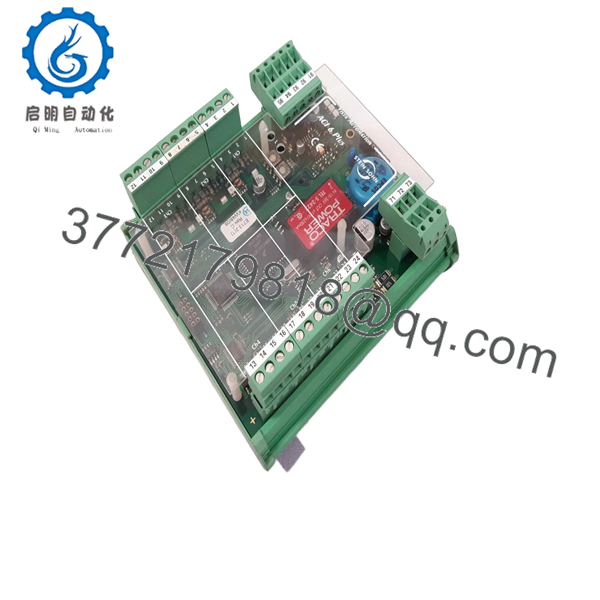
The Stein Sohn F101003A is a high-precision analog input module specifically engineered for the rigors of marine automation and engine room monitoring systems. As a core component of legacy Stein Sohn data acquisition architectures, it serves as the bridge between field sensors—such as pressure transducers and temperature probes—and the central monitoring workstation.
Engineers choose the F101003A for its exceptional stability in high-vibration environments and its proven long-term reliability on commercial vessels and offshore platforms. Unlike generic industrial modules, this unit is built to withstand the thermal cycling and electromagnetic interference common in maritime electrical plants, ensuring accurate sensor data reaches your alarm and monitoring system (AMS) without signal degradation.
5. Installation & Configuration Guide
Stage 1: Pre-Installation Preparation (Estimated Time: 10 mins)
- ⚠️ Safety First: Ensure the monitoring system is in “Bypass” or “Maintenance Mode” to prevent false alarms. Power down the specific 24 V DC rail feeding the module rack.
- Tools Required: Small flat-head screwdriver (2.5mm), ESD wrist strap, and a digital multimeter (Fluke 115 or equivalent).
- Data Backup: Since these modules are often “dumb” I/O, the logic resides in the master controller. However, you must document the specific wiring sequence for each of the 8 channels.
Stage 2: Removing the Old Module
- Disconnect the terminal headers. If the wires are not numbered, label them immediately using the channel designations (AI1+, AI1-, etc.).
- Inspect the wiring for signs of “wicking” or corrosion—common in salt-air environments.
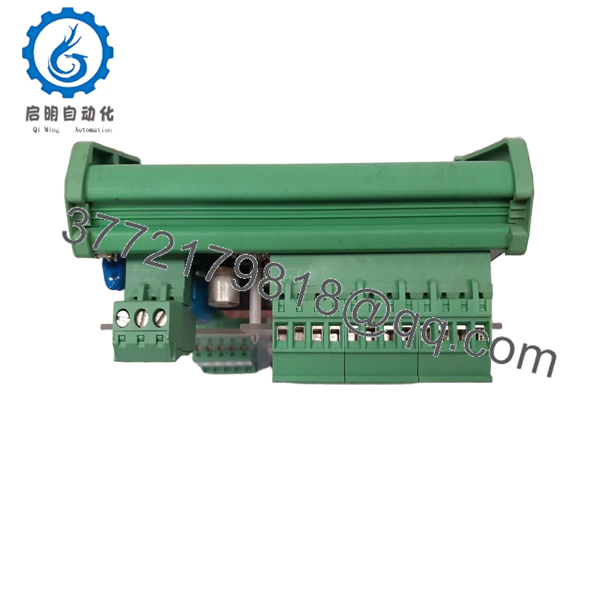
- Use a screwdriver to release the bottom DIN rail tension clip.
- Pull the module forward. ⚠️ Note: Do not twist the unit; you risk snapping the plastic DIN housing.
Stage 3: Installing the New Module (Estimated Time: 15 mins)
- ESD Prep: Ground yourself before touching the new F101003A.
- Configuration Clone: Check the side of the module for any physical DIP switches or jumpers. Stein Sohn modules often use these for selecting between 4-20mA and PT100 modes. Match the old module exactly.
- Snap the unit onto the DIN rail until the click is audible.
- Reconnect terminal blocks. Ensure no stray wire strands are touching adjacent terminals.
- Self-Checklist: [ ] Jumpers verified, [ ] 24 V polarity checked, [ ] DIN clip locked.
Stage 4: Power-On & Testing
- Apply 24 V DC power.
- Observe LEDs: The Power LED should be steady. If a “Fault” or “Status” LED flashes, it usually indicates an open loop on one of the input channels.
- Verify live readings on the HMI/AMS workstation. Compare the digital value to a physical reading taken at the sensor with your multimeter.
- ⚠️ Troubleshooting: If the reading is “Under-range” or “4mA Fail,” verify that the loop power (if provided by the module) is reaching the sensor.
6. Frequently Asked Questions (FAQ)
Q: Is the F101003A hot-swappable?
A: No. While it might survive a hot-swap, I’ve seen backplane spikes trip the entire 24 V bus on these older racks, potentially taking down the whole monitoring system. Always kill the local power before pulling the module.
Q: This model is listed as obsolete by the OEM. Is this unit genuinely new?
A: Yes. This is “New Surplus.” It has never been commissioned or installed in a rack. We source these from cancelled projects or vessel spare-part kits. It is tested for “live” functionality before we ship it to you.
Q: Can I use this to replace an F101003 (without the ‘A’ suffix)?
A: Generally, the ‘A’ suffix denotes a minor hardware revision or a component update for RoHS compliance. In my experience, they are backward compatible, but you should verify the specific pinout on your vessel’s drawings, as some ‘A’ versions have slightly different terminal assignments for shielding.
Q: Will I lose my alarm setpoints when I swap this module?
A: No. Alarm setpoints and scaling factors (e.g., 4mA = 0 Bar) are stored in the central processing unit or the software database, not on the F101003A module itself. Once the signal is restored, the system will resume monitoring using existing parameters.
Q: Why is your price lower than the official maritime supplier list?
A: We don’t have the massive overhead of a global marine service network. You’re paying for the hardware and our rigorous QC process, not the “marine service” brand markup. You get the same genuine part, just at a surplus market price.



