
 WhatsApp: +86 16626708626
 Email:
  Phone: +86 16626708626
Description
3. Key Technical Specifications
| Parameter | Value |
|---|---|
| Brand | ABB |
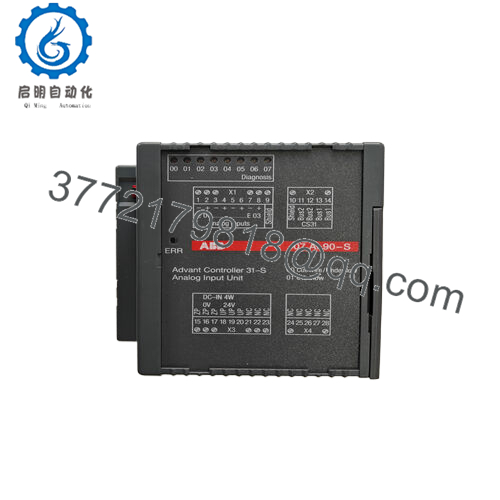
| Model | BCU05 07KT98 GJR5253100R1260 |
| System family | Advant Controller 31 / Advant OCS |
| Controller role | Basic unit / central controller module |
| Supported I/O capacity | Up to 256 digital I/O, 64 analog I/O via expansion modules (typ.) |
| I/O response time | Approx. 1 ms digital, 5 ms analog (typical spec) |
| Power supply (system rack) | External 24 V DC, supplied via associated rack/backplane |
| Approx. module dimensions | 150 mm × 100 mm × 30 mm (module body) |
| Approx. shipping size | 25.4 cm × 15.2 cm × 10.2 cm (boxed) |
| Approx. weight (module) | 0.3–0.5 kg (module vs. packed) |
| Mounting | Rack-mounted in ABB Advant Controller 31 / OCS chassis |
| Typical communication options | Integration via system buses, protocols such as Modbus supported by associated interface modules |
| Protection features (system) | Overcurrent, overvoltage, short circuit, thermal (via drive/system) |
| Operating environment | Follows Advant/RTU-class specs, typically industrial temperature range and humidity per ABB datasheet |

- BCU05 GJR5253100R1260
4. Product Introduction
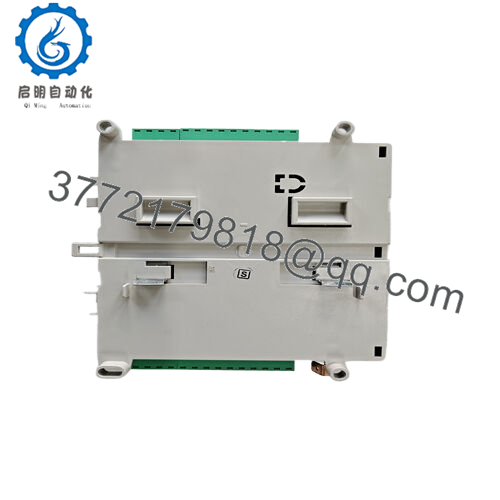
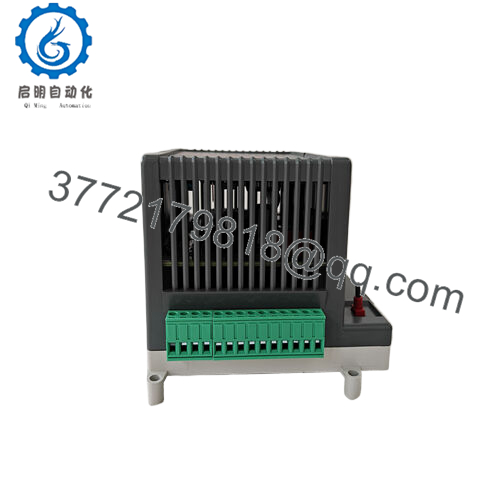
The ABB BCU05 07KT98 (GJR5253100R1260) is a basic controller unit for Advant Controller 31 and Advant OCS systems, used as the central CPU platform in small to mid-size process and factory automation applications. You typically see it in packaging, plastics, and general industrial plants where legacy Advant architectures are still in service and uptime is critical.
Engineers choose the BCU05 when they need a direct-form-fit replacement that supports existing I/O expansions and field wiring without redesigning the control system. Its compact footprint, expansion capacity, and support for standard communication interfaces through option modules make it practical for keeping mature ABB installations running without a costly migration
5. Troubleshooting Quick Reference
Use this as a field sanity check before you blame the BCU05.
| Symptom | Possible Cause | Relevance to this Part | Quick Check Method | Recommendation |
|---|---|---|---|---|
| No LEDs on after power-up | No 24 V DC on rack, blown fuse, loose connector | ✅ High | Measure 24 V DC at rack supply terminals and backplane feed with a multimeter | If rack supply is missing, fix PSU/fusing first; replace BCU05 only if supply is correct and still no life. |
| LEDs flicker or reset repeatedly | Undersized or unstable power supply | ✅ High | Log voltage on 24 V DC under load; look for dips when I/O switches | If voltage drops below spec, upgrade or repair PSU before suspecting the controller. |
| CPU not communicating with I/O | Bus cable issue, expansion module failure | ⚠️ Medium | Check bus status indicators on I/O cards; reseat bus connectors | Swap or reseat I/O modules and bus connectors; replace BCU05 only after fieldbus is verified. |
| PLC not seen by HMI/SCADA | Comms module fault, wrong port settings | ⚠️ Medium | Verify protocol settings (Modbus, etc.) in engineering tool and port wiring | Confirm comms card and configuration first; BCU05 is rarely the root cause here. |
| Random process trips or glitches | Loose cards, backplane oxidation, power noise | ⚠️ Medium | Inspect and reseat controller and I/O; check grounding and shields | Clean and reseat hardware, check panel bonding; replace BCU05 only if errors follow the unit. |
| Battery low / memory fault alarms | Dead NVRAM battery or corrupted program | ✅ High | Check system diagnostics; read battery status and memory error logs | Backup program if possible, replace battery and re-test; replace BCU05 if memory faults persist. |
| I/O points dead but CPU healthy | Local I/O card failure or blown field fuse | ❌ Low | Check status LEDs on I/O modules, field fuses, and sensor supply voltages | Treat this as an I/O rack or field wiring issue, not a BCU05 failure. |
If you are still unsure, capture photos of the rack, LED states, and export diagnostic logs from the engineering tool, then share them with technical support for a second opinion.
6. Frequently Asked Questions (FAQ)
Q1: Is the ABB BCU05 GJR5253100R1260 a direct replacement for my existing 07KT98 basic unit?
Yes, the BCU05 07KT98 with part number GJR5253100R1260 is designed as the Advant Controller 31 basic unit, so in an Advant OCS/31 rack it is typically a direct form-fit-function replacement for the same model, assuming matching firmware ranges and identical option modules. Always read out the existing unit’s firmware and configuration first, then confirm compatibility against ABB’s official documentation before you swap hardware.
Q2: Can I hot-swap this module with the rack powered on?
No, treat this as a non–hot-swappable controller; pulling or inserting the BCU05 with the system energized risks backplane damage and undefined process states. Kill the 24 V DC supply to the rack, wait for LEDs to go dark, discharge yourself with an ESD strap, then change the unit.
Q3: What happens to my program and settings when I replace the BCU05?
Program and configuration retention depends on the battery and storage arrangement in your specific Advant setup, not just the bare BCU05 hardware. Before removal, back up the application from the engineering station, document all node addresses and parameters, and expect to reload or verify the application after installing the replacement controller.
Q4: Is this model obsolete, and how is availability affected?
The Advant Controller 31 family is considered a legacy platform in many plants, so the BCU05 GJR5253100R1260 is effectively an obsolete or “classic” part with limited global stock. That is exactly why keeping a verified spare on the shelf matters; always confirm real-time availability and lead time before scheduling a shutdown.
Q5: Why is a refurbished BCU05 cheaper than a new original unit?
Refurbished units are typically recovered from decommissioned systems, cleaned, tested, and resold with a limited warranty, which keeps the price well below new OEM stock while still meeting functional needs. A new original or new surplus unit usually carries OEM-level pricing and may come with longer warranty and clearer traceability, which some sites require for critical SIL or regulated processes.
Q6: What testing should I expect on a refurbished or surplus BCU05?
For a controller at this level, you should expect at least a powered rack test, basic I/O simulation through the backplane, and a soak run under load, plus visual checks for corrosion or repairs. Ask the supplier for a test report, photos of the actual unit, and confirmation of firmware version so you know exactly what you are installing.
Q7: What are the most common mistakes when replacing this unit?
The big ones are skipping the firmware/version check, forgetting to back up the application, and assuming the power supply and grounding are “good enough” when they are actually marginal. Keep these checks in mind and you will avoid most rework on legacy Advant controller swaps.



