
 WhatsApp: +86 16626708626
 Email:
  Phone: +86 16626708626
Description
2. Product Core Brief
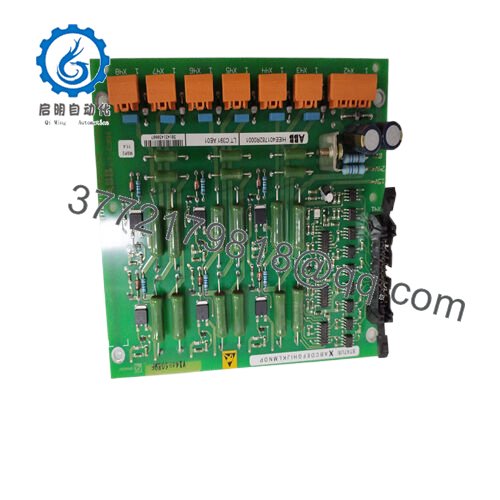
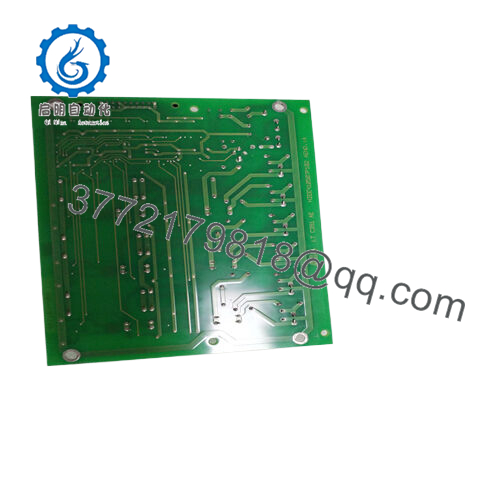
- Model: LTC391AE01 (HIEE401782R0001)
- Brand: ABB
- Series: ABB Turbine Control / Industrial Drive Control Boards
- Core Function: Turbine control signal processing
- Product Type: Control Module / PCB Board
- Key Specs: Control I/O interface board; Industrial control PCB; Rack-mounted controller board
- Condition: New Original / New Surplus
3. Key Technical Specifications
| Parameter | Value |
|---|---|
| Manufacturer | ABB |
| Model | LTC391AE01 |
| Part Number | HIEE401782R0001 |
| Product Type | Industrial Control Board |
| Application | Turbine / Power Generation Control Systems |
| Mounting Method | Rack / Control cabinet PCB installation |
| Operating Voltage | Typically 24 V DC control environment |
| Communication Interface | Internal system bus / control backplane |
| Operating Temperature | 0 to +55 °C (typical cabinet environment) |
| Storage Temperature | −20 to +70 °C |
| Dimensions | Approx. PCB format for ABB control racks |
| Condition | New Original (New Surplus) |
Verify exact electrical ratings against the official ABB documentation before installation. Turbine control systems often include configuration-specific firmware.
4. Product Introduction
The ABB LTC391AE01 (HIEE401782R0001) is an industrial control board used in ABB turbine and power generation control systems. It operates as a signal processing and interface module within a control rack, handling communication between internal control logic and turbine subsystem signals.
In field deployments, these boards are typically installed inside ABB control cabinets used in gas or steam turbine automation. Engineers choose this module when maintaining legacy ABB turbine control systems where compatibility with existing racks and firmware is critical.
5. Installation & Configuration Guide
Estimated time for experienced technicians: 20–30 minutes
Stage 1: Pre-Installation Preparation (5–10 minutes)
⚠️ Safety First
- Notify operations of the maintenance window.
- Place the turbine or process unit in a safe state.
- Perform lockout/tagout (LOTO) on the cabinet power supply.
- Wait at least 5 minutes for internal power supply capacitors to discharge.
Tools Required
- ESD wrist strap
- PH1 screwdriver
- Multimeter (Fluke 115 or equivalent)
- Wire labels
- Smartphone for reference photos
Data Backup
- Export the controller configuration from the control workstation.
- Record rack slot numbers and board layout.
- Take clear photos of cable connectors and wiring orientation.
Stage 2: Removing the Old Module (5 minutes)
- Open the control cabinet and remove the rack front cover if installed.
- Label all cables connected to the board.
- Disconnect connectors carefully. Do not pull by the wires.
- Release rack retention clips or screws.
- Pull the board straight out to avoid damaging backplane connectors.
⚠️ Important:
Keep the old board nearby until the replacement runs normally. It is the best reference if troubleshooting becomes necessary.
Stage 3: Installing the New Module (5–10 minutes)
- Wear an ESD strap and verify grounding.
- Confirm the model number LTC391AE01 / HIEE401782R0001 matches the removed unit.
- Inspect the backplane connectors for bent pins or dust.
- Slide the board into the rack rails and press evenly until fully seated.
- Secure with retention screws or locking tabs.
- Reconnect cables exactly as documented.
Self-Checklist
- Correct model verified
- Connectors seated fully
- Retention screws tightened
- No loose wiring in cabinet

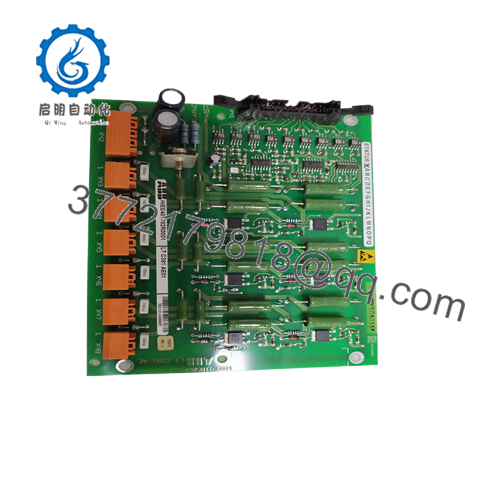
- LTC391AE01
Stage 4: Power-On & Testing (10 minutes)
Pre-Power Check
- Use a multimeter to confirm no short between 24 V and ground on the control rail.
Power-On Steps
- Restore cabinet power.
- Observe module indicator LEDs (if present).
- Monitor controller diagnostics from the engineering workstation.
- Confirm system communication and rack recognition.
- Perform a dry-run signal test before returning the turbine to service.
⚠️ Troubleshooting Note
- No communication with the controller often indicates rack connection or firmware mismatch.
- Always verify module compatibility with the system controller firmware.
6. Frequently Asked Questions (FAQ)
Q1: Can this module be hot-swapped while the system is powered?
No. This type of control board is not designed for hot swapping. Pulling it under power can damage the backplane or corrupt the control system. Shut down cabinet power before removal.
Q2: Is the LTC391AE01 obsolete?
Many ABB turbine control boards from this generation are no longer in active factory production. Availability usually comes from new surplus or carefully tested inventory. Stock can change quickly.
Q3: Is your unit truly new or refurbished?
This listing refers to New Original (New Surplus) inventory. That typically means:
- Factory-manufactured ABB hardware
- Never installed in production
- Stored as spare parts from project surplus
Each unit undergoes inspection before shipment.
Q4: Will I lose the control logic if I remove the board?
Normally no. Turbine logic is stored in the main controller or engineering workstation database, not on interface boards like this one. Still, always export a backup before any hardware swap.
Q5: Why is the price lower than ordering directly from ABB?
OEM manufacturers price spare parts based on long-term service contracts and inventory guarantees. Surplus inventory from integrators or project overstock can be sold lower while still being genuine hardware.
Q6: Do you perform functional testing on the board before shipping?
Yes. The standard inspection process includes:
- Visual inspection for PCB damage or corrosion.
- ESD-safe handling procedures.
- Power verification in a control rack test environment when applicable.
- Electrical parameter checks including insulation testing.
Test photos and reports can be provided on request.



