
 WhatsApp: +86 16626708626
 Email:
  Phone: +86 16626708626
Description
2. Product Core Brief
- Model: PCD2000
- Brand: ABB
- Series: ABB Generator Excitation / Power Control Devices
- Core Function: Generator excitation and voltage regulation control
- Product Type: Excitation Controller / Power Control Device
- Key Specs: Microprocessor control; generator excitation regulation; communication for SCADA integration
- Condition: New Original / New Surplus
3. Key Technical Specifications
| Parameter | Value |
|---|---|
| Manufacturer | ABB |
| Model | PCD2000 |
| Product Type | Generator Excitation Controller |
| Application | Power plant generator excitation systems |
| Core Function | Control and regulate generator excitation current |
| Input Voltage | Typically 24 V DC control environment |
| Output Capability | Up to 2 A per output channel (typical configuration) |
| I/O Channels | Approx. 16 digital inputs / 8–12 digital outputs depending on configuration |
| Communication | Modbus RTU, Modbus ASCII, DNP3 or similar utility protocols |
| Processor | Embedded microprocessor controller |
| Operating Temperature | −10 to +60 °C typical |
| Mounting | Control cabinet or rack-mounted module |
| Protection Functions | Overvoltage, overcurrent, generator protection logic |
Specifications vary by configuration and revision. Confirm exact part numbers and system compatibility before installation.

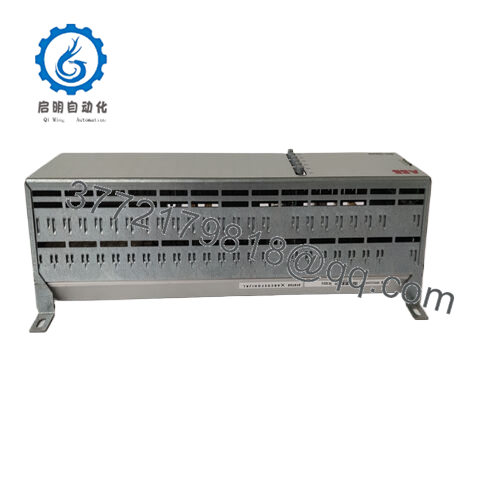
- PCD2000
4. Product Introduction
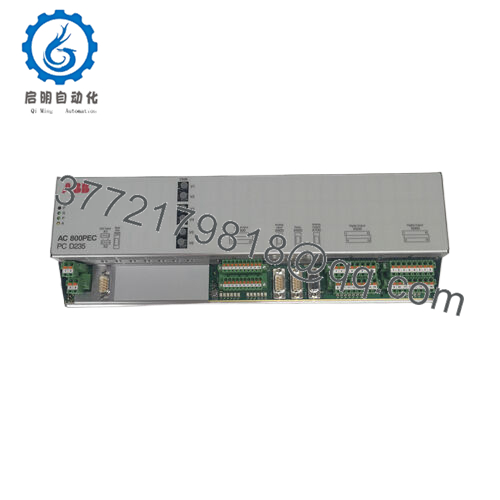
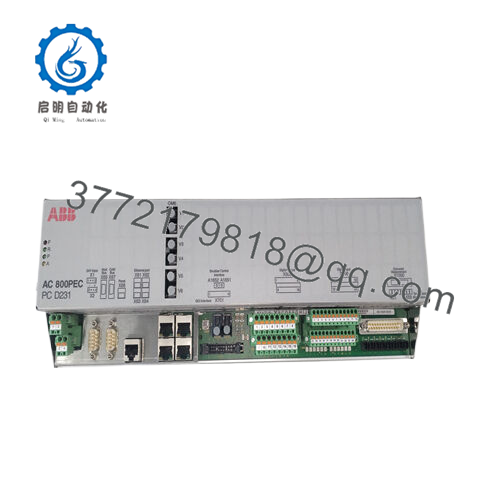
The ABB PCD2000 is a microprocessor-based power control device used in generator excitation and feeder automation systems. It regulates excitation current to maintain generator output voltage and power factor while providing integrated protection and monitoring functions.
Utilities and power plants use the PCD2000 in excitation systems and automated recloser control cabinets. It integrates protection, metering, and communications functions, allowing remote operation and diagnostics through SCADA networks.
5. Installation & Configuration Guide
Estimated installation time for an experienced technician: 25–30 minutes
Stage 1: Pre-Installation Preparation (10 minutes)
⚠️ Safety First
- Notify the control room before beginning work.
- Place the generator or feeder system in maintenance mode.
- Perform lockout/tagout (LOTO) on the excitation cabinet supply.
- Wait at least 5 minutes for capacitor discharge in the excitation system.
Tools Required
- ESD wrist strap
- PH1 screwdriver
- Multimeter (Fluke 115 or equivalent)
- Wire labels
- Smartphone (for reference photos)
Data Backup
- Export excitation controller parameters from the HMI or engineering workstation.
- Record communication settings (Modbus address, baud rate).
- Photograph all terminal wiring and DIP switch configurations.
Stage 2: Removing the Old Module (5 minutes)
- Open the excitation control cabinet.
- Identify the PCD2000 controller slot and disconnect all terminal wiring.
- Label cables clearly — especially CT/PT signal wiring.
- Release rack mounting screws or locking tabs.
- Pull the module straight out to avoid damaging the backplane connector.
⚠️ Important:
Keep the old module available until the replacement unit passes all tests.
Stage 3: Installing the New Module (5–10 minutes)
- Attach your ESD grounding strap before handling the module.
- Confirm the replacement is ABB PCD2000 with the correct revision.
- Inspect rack connectors for bent pins or contamination.
- Slide the module firmly into the rack guides until fully seated.
- Secure mounting screws.
- Reconnect all field wiring according to the documented layout.
Self-Checklist
- Model verified
- Wiring matches original layout
- Communication port connected
- Grounding secure
Stage 4: Power-On & Testing (10 minutes)
Pre-Power Check
- Verify 24 V DC control supply polarity and absence of shorts using a multimeter.
Power-On Steps
- Restore cabinet power.
- Observe front panel status LEDs.
- Verify controller boot sequence and HMI display.
- Connect engineering software or SCADA interface.
- Confirm communication via Modbus or DNP3.
- Perform a dry-run excitation test before connecting the generator field circuit.
⚠️ Troubleshooting Note
- If communications fail, check node address and serial configuration.
- If excitation current does not respond, inspect CT/PT feedback wiring.
Technical Pitfalls & Survival Guide
From field experience working on generator control cabinets.
❗ Firmware Revision Mismatch
Older excitation systems sometimes expect a specific firmware revision.
I’ve seen a hydro plant lose two days because a replacement controller shipped with newer firmware and the SCADA driver rejected it. Always document the firmware before removing the old unit.
❗ DIP Switch / Address Configuration
Communication settings often use DIP switches.
Take a photo of the original module before removal. Node address and termination settings are easy to forget.
This mistake happens constantly during emergency repairs.
❗ CT/PT Wiring Confusion
Excitation controllers rely on current transformer (CT) and potential transformer (PT) feedback signals.
Mix those wires up and the controller thinks the generator is unstable. I’ve watched units trip instantly because phase wiring was swapped.
Always follow the wiring diagram — never trust memory.
❗ Power Supply Capacity
Excitation cabinets sometimes run tight power budgets.
Add extra communication cards or monitoring modules and suddenly the 24 V DC supply runs near its limit. Leave at least 20% headroom.
❗ Electrostatic Discharge (ESD)
Excitation control boards contain sensitive DSP and A/D converters.
Handle them only with a grounded wrist strap. Static damage often doesn’t show until the unit heats up during operation.
I’ve seen a new controller fail within minutes because it was installed without ESD protection.
Keep these checks in mind and you will avoid most of the troubleshooting headaches during generator excitation controller replacements.
6. Frequently Asked Questions (FAQ)
Q1: Can the ABB PCD2000 be hot-swapped?
No. This controller is not designed for hot swapping. Removing it under power can damage the rack backplane and excitation circuitry.
Shut down cabinet power before replacement.
Q2: What systems typically use the PCD2000?
You’ll see this controller in:
- Generator excitation systems
- Utility feeder automation cabinets
- Recloser control systems
- Substation automation panels
It combines protection, control, and communication functions in one device.
Q3: Is the PCD2000 still manufactured?
Many installations still run these units, but availability depends on revision and region. In most cases they are supplied as surplus inventory or spare parts stock.
For long-term upgrades, utilities often migrate to newer ABB excitation controllers.
Q4: Will removing the controller erase generator settings?
Normally no. Settings are typically stored in internal memory and can also be backed up through the engineering interface.
Still, always export configuration files before hardware replacement.
Q5: Why do surplus suppliers sometimes sell these cheaper than OEM channels?
OEM pricing often includes:
- long-term service contracts
- guaranteed inventory
- certified installation services
Surplus units usually come from project overstock or decommissioned systems, which reduces the price.
Q6: What communication protocols does the PCD2000 support?
Depending on configuration, the controller may support:
- Modbus RTU / ASCII
- DNP3
- Serial or modem communications for SCADA integration.



