
 WhatsApp: +86 16626708626
 Email:
  Phone: +86 16626708626
Description
2. Product Core Brief
- Model: PP875 (3BSE092977R1)
- Brand: ABB
- Series: Panel 800 (Standard range)
- Core Function: Touchscreen HMI for process monitoring and control
- Product Type: Operator Panel / HMI
- Key Specs: 7″ TFT widescreen (800 × 480 pixels, 16:9), resistive touchscreen, multi-protocol connectivity (including PROFIBUS, Ethernet variants), 24 V DC supply
- Condition: New Original / New Surplus
3. Key Technical Specifications
- Display Type: 7″ TFT-LCD, color widescreen
- Display Resolution: 800 × 480 pixels (16:9)
- Brightness: 350 cd/m²
- Touchscreen: Resistive analog
- Processor: ARM-based (performance suited for Panel Builder apps)
- Memory / Storage: 2 GB SSD total, ~1.5 GB free for applications
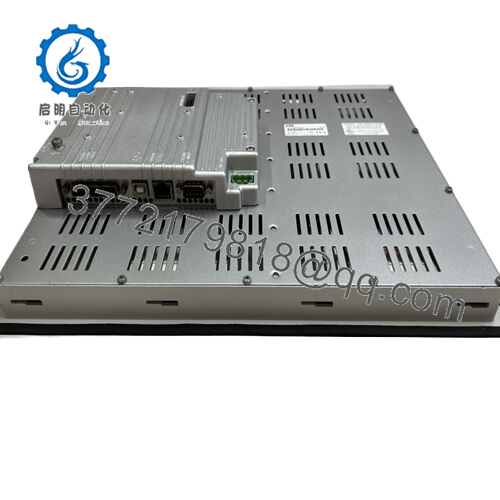
- Communication Interfaces: Multi-protocol (Ethernet, PROFIBUS DP, Modbus, etc., depending on config/driver)
- Power Supply Voltage: 24 V DC (18–32 V range)
- Power Consumption: Approx. 7–12 W (typical 0.3–0.5 A)
- Operating Temperature: 0 to +50 °C (some sources note extended to -10 °C)
- Storage Temperature: –20 to +70 °C
- Mounting: Panel cutout / flush mount, IP65/IP66 front when installed
- Dimensions (W × H × D): Approx. 204 × 143 × 50 mm (housing)
- Protection Class: IP65/IP66 front, IP20 rear
- Weight: Approx. 1.0–1.5 kg
4. Product Introduction
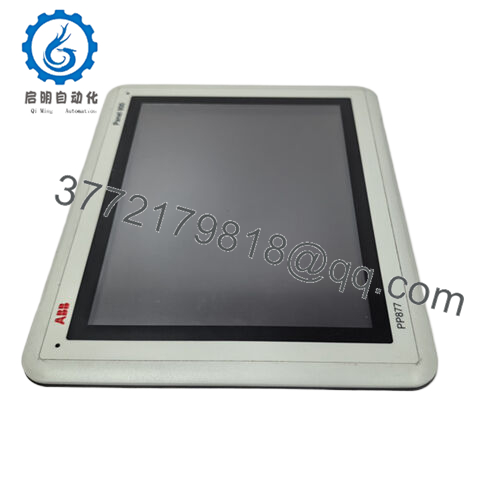
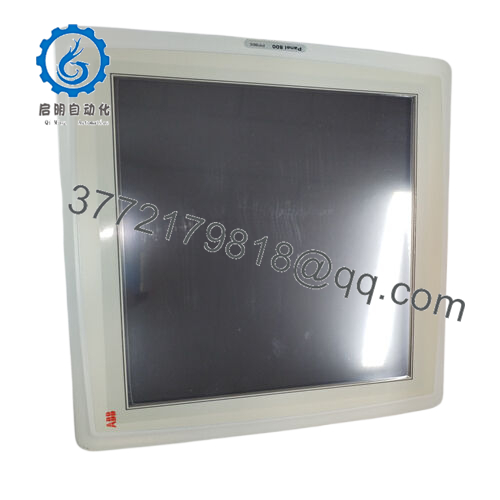
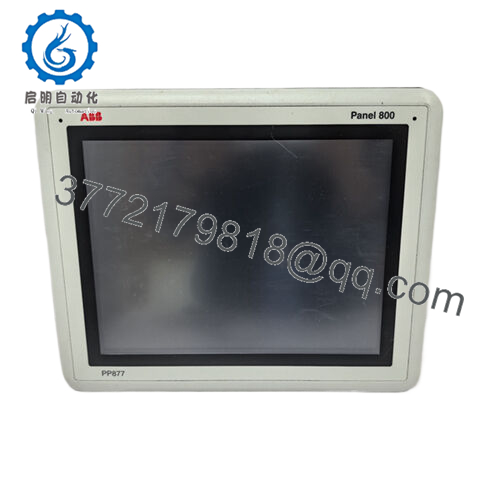
The ABB PP875 (3BSE092977R1) is a 7″ widescreen operator panel in the Panel 800 Standard series, built as an HMI for ABB control systems like Compact 800, AC 800M, or System 800xA. It offers a resistive touchscreen for operator interaction, displaying trends, alarms, process graphics, and controls in plants handling chemicals, utilities, manufacturing, or discrete processes.
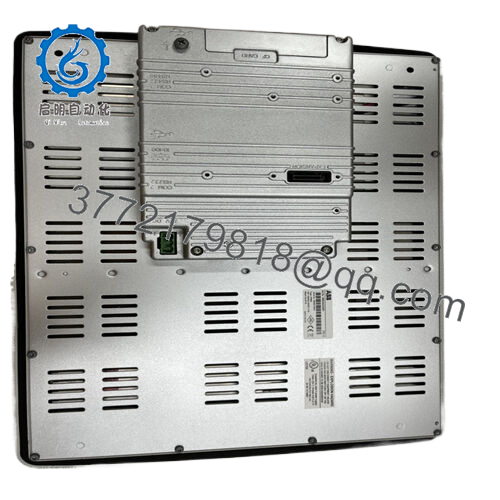
It provides clear visibility with 800 × 480 resolution, supports Panel Builder 800 for project configuration, and connects via multiple protocols for direct integration with controllers. Operators favor it for its compact aluminum housing that handles dust, moisture, and industrial abuse while keeping footprint small in control rooms or field cabinets.
5. Troubleshooting Quick Reference
| Symptom | Possible Cause | Relevance to this Part | Quick Check Method | Recommendation |
|---|---|---|---|---|
| Blank screen / no power LEDs | 24 V DC supply or fuse failure | ❌ Low | Measure voltage at power terminals (18–32 V) | Confirm PSU, wiring, and fuses first |
| Touch unresponsive | Calibration lost or screen damage | ✅ Medium | Enter calibration menu via Panel Builder tool | Recalibrate; clean surface; check for cracks |
| No communication to controller | Protocol/address mismatch | ✅ High | Verify comm LEDs; check status in project | Confirm driver settings, node address, cables |
| Dim/flickering display | Backlight aging or loose power | ✅ High | Adjust brightness in settings; inspect connections | Increase brightness; backlight service if needed |
| Keys/touch intermittent | Membrane or touchscreen wear | ✅ Medium | Test in diagnostics mode | Clean; if fails, likely hardware degradation |
| Project fails to load / errors | Corrupt file or storage issue | ✅ High | Check USB/SD download; error codes on boot | Reload project via Panel Builder; backup first |
Power supply, cabling, and project config cause the majority of downtime—the display and touchscreen are robust but wear over years of use. If power/comm checks pass but interaction fails, the panel is frequently the issue. Photograph screen messages, wiring, and LEDs before support contact.

- PP875
6. Frequently Asked Questions (FAQ)
Is the PP875 hot-swappable or live-editable? No for hardware swap—power down to prevent PROFIBUS/Ethernet drops. For edits, use Panel Builder over USB/Ethernet; some changes apply live but validate offline to avoid disrupting operators.
What software builds screens for this panel? Panel Builder 800 (version 6.2 or matching firmware). Download projects via USB, Ethernet, or SD (if supported). Ensure driver matches your controller (e.g., 800xA OPC or direct).
What protocols does the PP875 support? Multi-protocol driver set including PROFIBUS DP, Modbus TCP/RTU, Ethernet/IP, and ABB-specific drivers. Exact support depends on firmware and project config—check ABB library for your controller.
Why surplus/new original vs. ABB current pricing? Genuine ABB stock from factory excess or spares—never field-used beyond testing. We power-up test display, touchscreen calibration, key response, comm ping, and thermal stability on Panel 800 setups. No refurb; verified at better cost.
Will my project load directly on a replacement unit? Yes, if firmware aligns—transfer the .ceb file via Panel Builder. Recalibrate touchscreen and verify network params post-install. Photograph current settings before removal.
How to determine if the panel is bad vs. external wiring/controller? Swap with a tested spare. Issue follows? Panel faulty. Stays? Check 24 V stability, comm cables/terminators, or reload project. Ground yourself with ESD strap—static damages touchscreen electronics.
Stock status, lead time, and warranty? Limited on this Panel 800 model—ships same/next day from inventory. 1-year warranty on functional operation under normal use. Test reports/photos available on request for install verification.



