
 WhatsApp: +86 16626708626
 Email:
  Phone: +86 16626708626
Description
3. Key Technical Specifications
| Parameter | Value |
|---|---|
| Display type | 7″ TFT/LED touchscreen, 800 x 480 pixels (16:9) 800xahardwareselector.automation. |
| Brightness | 500 cd/m² |
| Processor | ARM9 1 GHz |
| Main memory | 512 MB 800xahardwareselector.automation. |
| Power supply | 24 V DC (18–32 V DC), 14.4 W consumption 800xahardwareselector.automation. |
| Dimensions (W × H × D) | 204 × 143 × 50 mm 800xahardwareselector.automation. |
| Cut-out dimensions (W × H) | 189 × 128 mm 800xahardwareselector.automation. |
| Mounting depth | 43 mm (143 mm with clearance) 800xahardwareselector.automation. |
| Operating temperature | -10 °C to +60 °C 800xahardwareselector.automation. |
| Protection rating | Front IP65, NEMA 4X/12, UL Type 4X/12; Rear IP20 |
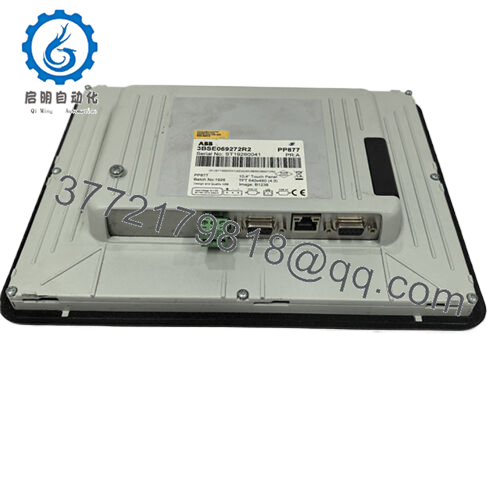
| Interfaces | 1× Ethernet 10/100, 1× USB 2.0 (500 mA max), 3× serial (RS232, RS422/485, RS485) |
| Weight | 0.8 kg |
| Vibration/shock | 1 G / 15 G |
| Certifications | CE, UL 61010-2-201, Marine (DNV, KR, GL, LR, ABS, CCS), RoHS, WEEE |
4. Product Introduction
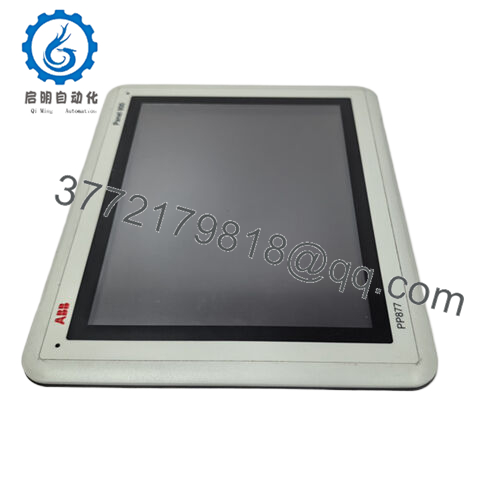
The ABB PP875M is a 7-inch touchscreen HMI from the Panel 800 Black range, designed for operator interaction in ABB System 800xA, Compact Product Suite, or multi-vendor control systems. It mounts in control room panels or local cabinets and connects via Ethernet or serial to PLCs and DCS for process visualization and control.800xahardwareselector.automation.
Maintenance teams select the PP875M for its marine-grade durability, wide temperature range, and .NET-based openness that supports custom applications alongside standard Panel Builder graphics. In upgrades it replaces older Panel 800 units while keeping the same cutout and mounting footprint.
This shows a typical Panel 800 HMI in an industrial setting, with the characteristic black bezel and touchscreen interface matching the PP875M design.
5. Troubleshooting Quick Reference
| Symptom | Possible Cause | Relevance to this Part | Quick Check Method | Recommendation |
|---|---|---|---|---|
| Screen completely black, no response | No 24 V DC supply or blown panel fuse | ✅ High | Measure 24 V DC at power terminals (18–32 V range); check inline fuse/MCB | Fix power first; if voltage is good and screen stays dark, replace the HMI |
| Touch unresponsive but screen lit | Touch calibration lost or resistive layer damaged | ✅ High | Test touch in Windows calibration utility; check for physical damage/scratches on screen | Recalibrate first; if touch dead zones persist or calibration fails, the panel is faulty |
| Boots to wrong OS or freezes on startup | Corrupted SD card image or firmware mismatch | ✅ Medium | Verify loaded Panel Builder image version matches controller; reseat SD card | Reload correct firmware image from SD; if boot loop continues, replace unit |
| Ethernet not linking to controller | Cable issue, wrong IP settings, or port failure | ✅ Medium | Ping the panel IP from engineering station; swap Ethernet cable/port | Fix network first; if port shows no link lights with known-good cable, panel Ethernet is suspect |
| USB devices not recognized | Power draw exceeded or USB hardware fault | ✅ Medium | Test with low-power USB device (mouse); check total USB current <500 mA | Limit USB load; if no devices work even at low power, USB circuitry may be bad |
| Serial comms dropping (RS232/485) | Baud/parity mismatch, noise, or port failure | ✅ Low–Medium | Loopback test each serial port; verify settings match controller | Correct config and shielding; if loopback fails on specific port, that channel is damaged |
| Random reboots under load | Power supply noise or overheating | ✅ Medium | Monitor supply ripple with scope (<500 mV); check panel ventilation and temp | Clean supply and cooling; if reboots continue with stable 24 V and low temp, internal power/PSU fault |
| Dim screen in bright environment | Backlight failure or dimming circuit issue | ✅ High | Manually set brightness to max in settings; check if dimming stuck at 0.5 cd/m² | If max brightness too low, backlight or display driver failed; replace HMI |

- PP875M
6. Frequently Asked Questions (FAQ)
Q1. What control systems does the ABB PP875M work with?
The PP875M integrates with ABB System 800xA, Compact Product Suite, and Freelance via Panel Builder, plus third-party PLCs through .NET drivers, OPC, or serial/Ethernet protocols. Confirm your application image includes the right connectivity pack before loading.800xahardwareselector.automation.
Q2. Can I upgrade the firmware or memory on PP875M myself?
You load new Panel Builder images via SD card, but hardware like RAM (512 MB fixed) or processor (ARM9) cannot be upgraded. Always use ABB-approved images matching your software version to avoid boot failures.
Q3. Is PP875M hot-swappable in a live control room panel?
No. Disconnect 24 V DC power to the HMI segment, follow lockout/tagout, then swap. Live insertion risks arcing on power terminals or corrupting the running application.
Q4. Why buy surplus PP875M instead of new from ABB?
New Surplus units come from overstock or canceled projects, unused in original packaging. They save cost without compromising the IP65 front or marine certifications, as long as the supplier powers up and tests the display/touch before shipping.new
Q5. Does PP875M retain settings or applications during power loss?
Runtime applications run from RAM; projects and OS image live on the SD card. It has a real-time clock with battery backup for timestamps, but always backup your Panel Builder project file externally before any maintenance.
Q6. What is the difference between PP875M (black) and standard PP875?
PP875M is the marine-optimized Black range with enhanced dimming (down to 0.5 cd/m²), black powder-coated frame, and broader certifications (DNV, ABS). Both share the 7″ display and interfaces, but M version suits harsher environments.
Q7. How do I mount and wire the PP875M without issues?
Use the 189 × 128 mm cutout, torque mounting screws evenly, and seal the IP65 gasket. Run 24 V DC with 18–22 AWG twisted pair, separate signal cables from power to avoid noise, and ground the panel chassis properly. Test all ports post-install before going live.



