
 WhatsApp: +86 16626708626
 Email:
  Phone: +86 16626708626
Description
- Product Core Brief
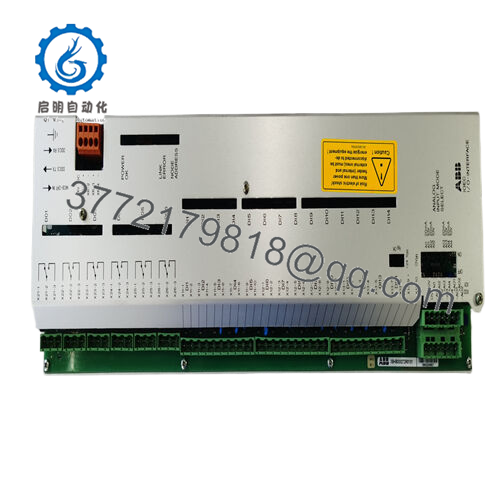
- Model: UFC719AE 3BHB003041R0101
- Brand: ABB
- Series: UF C719 / IOEC platform
- Core Function: I/O control and interface board for ABB drive/control systems
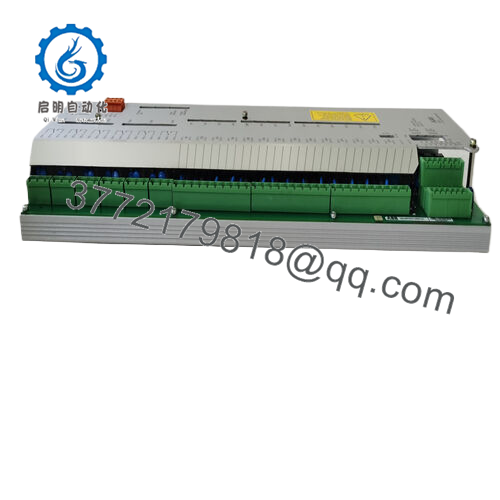
- Product Type: I/O control board / I/O interface module (PCB)
- Key Specs: Approx. 0.71 kg PCB; IOEC I/O control board; used in ABB industrial automation and drive systems
- ⚠️ Obsolete Model – Limited Stock Available
- Condition: New Original / New Surplus (also commonly available as Used/Refurbished; confirm per offer)
- Key Technical Specifications
- OEM type designation: UF C719 AE (often listed as UFC719AE01 / UFC719AE101)
- Catalog / description: IOEC I/O control board, I/O interface module for ABB automation / drive systems
- Main function: Central I/O control and signal interface between field I/O, main controller, and related subsystems
- Product ID: 3BHB003041R0101 (replaces older IDs such as HB003041R0101 and 3BHB003041R0001 in many listings)
- Product weight: Approximately 0.71 kg bare board (PCB assembly)
- Typical application: Industrial I/O control in ABB power/drive/Unitrol or similar control panels (verify against your panel BOM)
- Country of origin (typical): Slovakia (SK) for many production batches
- Tariff classification: Often listed under 8537/8504-based control board customs codes (verify with your logistics team)
- Mounting: Rack or panel-mounted PCB inside OEM control cabinet; uses dedicated card guides and connectors
- Obsolescence status: Discontinued by OEM; available via surplus/independent industrial spare parts channels
- Warranty (typical from surplus suppliers): 12–24 months on New Original units; shorter on used/refurbished (confirm per supplier)
- Product Introduction
The ABB UFC719AE 3BHB003041R0101 is an IOEC I/O control board used as a core interface module in ABB industrial control and drive systems, handling I/O signal management between the controller and connected field devices. It sits inside the OEM cabinet as a modular PCB and is part of the UF C719 AE family used for automation control and protection tasks.
Maintenance teams and system integrators use this board as a direct replacement when an existing UF C719 AE I/O control board fails or shows intermittent behavior, rather than redesigning the entire control section. Because the part is discontinued by the manufacturer and often only available as New Surplus or used stock, buyers typically secure at least one spare for critical systems to reduce downtime exposure.
- Troubleshooting Quick Reference
| Symptom | Possible Cause | Relevance to this Part | Quick Check Method | Recommendation |
|---|---|---|---|---|
| Controller reports loss of I/O or IOEC fault | Failed I/O control board or backplane connection | ✅ High | Power down, reseat the UFC719AE board, inspect edge connectors for contamination or bent pins | If reseating does not clear the fault and other cards are healthy, plan a UFC719AE swap during a controlled shutdown |
| Random I/O dropouts across multiple channels | Aging UFC719AE board or thermal issues | ✅ High | Check panel temperature, inspect board for discoloration, bulged components, or cracked solder joints | If symptoms move with the board (swap into a non-critical rack slot where possible), treat the UFC719AE as suspect and replace |
| Single I/O card misbehaving while others are stable | Local I/O card or field wiring issue | ❌ Low | Swap the suspect I/O card with a known-good one in the same slot; observe if fault follows the card | Focus on the specific I/O card or wiring; the UFC719AE is unlikely the root cause in a single-card failure |
| No communication to higher-level controller or HMI | Network or main CPU problem, not the IOEC board | ❌ Low | Check main controller status, communication module LEDs, and network switches first | Only involve the UFC719AE if I/O-side faults are also present; otherwise troubleshoot the controller or network stack |
| Board does not power up (no activity LEDs where present) | Missing control power or backplane power | ✅ Medium | Measure the control supply on the backplane connector (per cabinet drawings) and verify fuses feeding the rack | Restore power or fix upstream supply; replace the UFC719AE only after confirming correct voltages and a non-responsive board |
| Persistent I/O checksum/configuration errors after download | Firmware or configuration mismatch; possible board memory fault | ✅ Medium | Reload the correct configuration from engineering tools, verify firmware compatibility notes, then test again | If correct firmware/config still throws errors and swapping boards resolves it, retire the old UFC719AE as defective |
| Smell of burnt electronics or visible damage on PCB | Overvoltage, short circuit, or catastrophic board failure | ✅ High | With power isolated, visually inspect for burnt areas, cracked ICs, or soot on the board | Do not re-energize this board; replace it and investigate root-cause (overvoltage, miswiring, or surge) before restoring power |
If you cannot confidently decide, gather sharp photos of both sides of the UFC719AE, the rack it plugs into, and any controller diagnostics or alarm lists, then share them with your technical support contact so they can correlate symptoms with your installed configuration and history.

- UFC719AE
- Frequently Asked Questions (FAQ)
Q1: What exactly is the ABB UFC719AE 3BHB003041R0101 used for?
It is an I/O control / interface board in ABB systems, often labeled as IOEC, that manages I/O communication between the controller and field modules or subsystems inside an ABB drive or control panel. In other words, if this board is out, a big chunk of your I/O can go blind or stop responding.
Q2: Is this model obsolete, and should I be worried about future availability?
Yes, this part number is listed as discontinued by the manufacturer, which is why you see it mainly via surplus and independent industrial suppliers now. That means if your plant still relies on a UFC719AE-based platform, it is smart to hold at least one or two spares on-site for critical units so a single card failure does not keep you down for days.
Q3: Is UFC719AE 3BHB003041R0101 a direct replacement for my existing UF C719 AE board?
If your installed board carries the same type designation (UF C719 AE / UFC719AExx) and the same 3BHB003041R0101 code, it is normally a one-for-one replacement. Still, before you shut the system down, take a clear photo of the existing nameplate, note any suffix (like AE01 vs AE101), and match both the type code and the full part number so you do not introduce a subtle hardware revision mismatch.
Q4: Will I lose configuration or logic if I replace this board?
Configuration handling depends on how your system is designed. In many ABB systems, key logic and configuration sit in a higher-level controller or in nonvolatile memory modules, not solely on this board. That said, before pulling the card, back up the current project from your engineering workstation and document any DIP switch or jumper positions so you can bring the replacement up in the same state.
Q5: Can I hot-swap the UFC719AE, or do I need a full shutdown?
Treat this one carefully. On most installed bases, the UFC719AE is not something you casually hot-swap, because it sits in the middle of the I/O chain and can drop a lot of signals at once. Plan a controlled shutdown, follow your plant’s LOTO, and only pull or insert the board with control power safely off unless your specific system documentation explicitly says otherwise.
Q6: Why are some units sold as “New Original” while others are Used, and why is pricing all over the place?
New Original or New Surplus units typically come from canceled projects or unused spares that never left the storeroom, while used units have actually seen service in a panel. Because ABB no longer makes this board, price mainly depends on scarcity and condition, not just age; New Surplus with a real test report and warranty will cost more than a used pull with minimal documentation.
Q7: Any common mistakes to avoid when swapping a UFC719AE?
The usual traps are rushing the job: not backing up the current configuration, not grounding yourself for ESD, and forcing the board into the rack and bending pins. Take photos before you touch anything, wear an ESD strap, check that the guides and connectors line up, and do a careful visual inspection of the new board before you power up; those simple steps avoid most painful repeat outages after a swap.



