
 WhatsApp: +86 16626708626
 Email:
  Phone: +86 16626708626
Description
3. Key Technical Specifications
- Module Type: EDFA (Erbium-Doped Fiber Amplifier)
- Function: Optical signal amplification for DWDM systems
- Gain Type: Switched Gain (ASG architecture)
- Application: Long-haul / metro optical transmission
- Platform Integration: Alcatel-Lucent optical transport shelves
- Optical Interface: Fiber-based input/output (single-mode typical)
- Control Interface: Backplane-managed module
- Part Identification: WOGUA62UTB ASG variant
- Form Factor: Plug-in telecom module (shelf-based system)
- Lifecycle Status: Discontinued / legacy optical network hardware
4. Product Introduction
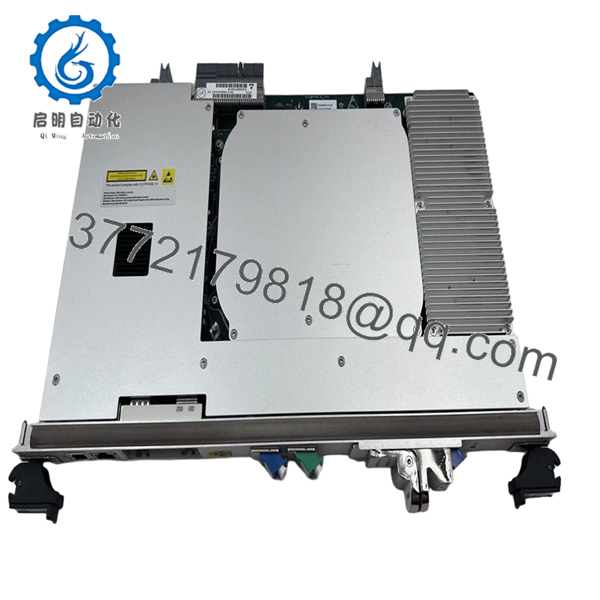
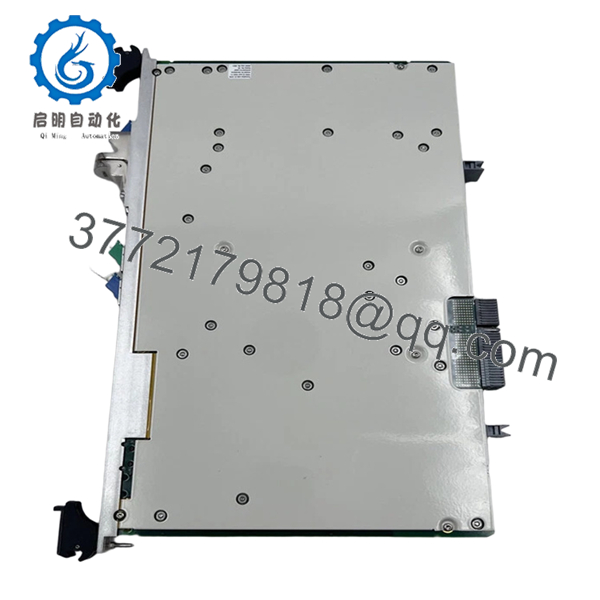
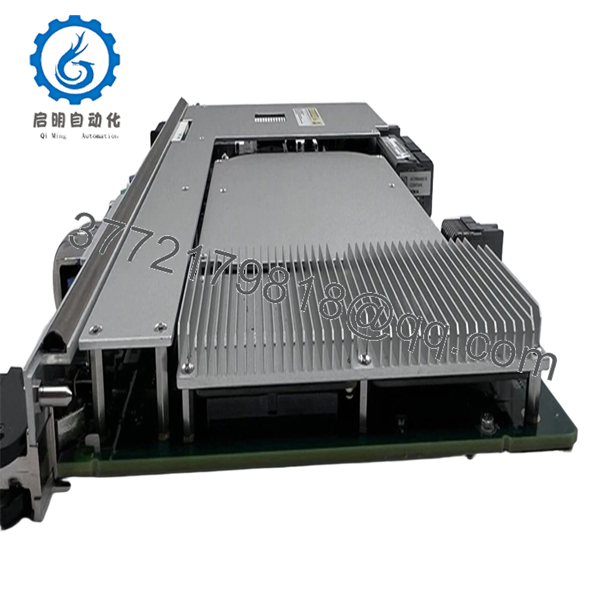
The Alcatel-Lucent 3KC70693AA 02 is an EDFA optical amplifier module used in DWDM transmission systems to boost optical signal levels across long-haul or metro fiber networks. It is part of Alcatel’s optical transport portfolio, typically deployed in multi-slot transmission shelves.
In live carrier environments, this module sits inline with fiber paths to compensate for attenuation over distance and passive components. The switched gain (ASG) design allows controlled amplification levels, which is critical when balancing multiple wavelengths in DWDM systems. Replacement usually requires exact model matching due to optical power calibration dependencies.
5. Installation & Configuration Guide
Stage 1: Pre-Installation Preparation (Estimated: 15–20 minutes)
- ⚠️ Safety First:
Notify NOC. Disable affected optical channels. Turn off laser output if required. Follow LOTO procedures. - Tools Required:
ESD strap, fiber cleaning kit, optical power meter, inspection scope - Data Backup:
- Record optical power levels (Tx/Rx dBm)
- Document channel plan (DWDM wavelengths)
- Capture slot assignment and alarm logs
Stage 2: Removing the Old Module (Estimated: 10 minutes)
- Disable amplifier via NMS/CLI
- Disconnect fiber jumpers (label IN/OUT clearly)
- Use dust caps immediately on fiber ends
- Release ejector levers
- Pull module straight out
- ⚠️ Critical: Never leave fiber ends exposed—contamination will degrade signal quality
Stage 3: Installing the New Module (Estimated: 10 minutes)
- Wear ESD protection
- Confirm exact P/N: 3KC70693AA 02
- Insert module into correct slot (fully seated)
- Lock ejectors
- Clean fiber connectors (IPA + lint-free wipes)
- Reconnect fibers (verify polarity and labeling)
- Self-Checklist:
- Fiber cleaned
- IN/OUT correct
- Module seated
Stage 4: Power-On & Testing (Estimated: 15–25 minutes)
- Pre-Power Check:
Verify no fiber damage, confirm attenuation path - Power-On Steps:
- Enable module via NMS
- Check alarms (LOS, LOF, gain faults)
- Measure output power levels
- Validate channel balance across wavelengths
- Perform BER or traffic validation
- ⚠️ Troubleshooting Note:
- High noise / low OSNR → suspect dirty connectors
- Uneven channel gain → calibration mismatch
6. Frequently Asked Questions (FAQ)
Q1: Can I hot-swap this EDFA module?
In most Alcatel optical platforms, yes—but only after disabling the optical channel.
Pulling it live without disabling can trigger alarms or disrupt adjacent channels.
Q2: Is this module still in production?
No.
This belongs to legacy DWDM systems. Current stock is typically surplus or open-box inventory.
Q3: Do I need to match the exact suffix “02”?
Yes.
Suffix differences often reflect calibration profiles or hardware revisions. Mismatch can cause incorrect gain behavior.
Q4: What happens if gain settings don’t match?
You’ll see uneven channel power.
I’ve seen systems where one wavelength was overdriven while others dropped below threshold—caused purely by incorrect module revision.
Q5: Why is fiber cleaning emphasized so much?
Because it’s the #1 failure cause.
A dirty connector can introduce 1–3 dB loss, which is enough to break a marginal DWDM link.
Q6: Why is pricing so variable?
Supply is limited.
These modules come from decommissioned telecom networks. Pricing depends heavily on condition and tested status.

- 3KC70693AA 02
- 3KC70693AA 02
- 3KC70693AA 02
SOP Quality Transparency (Inspection & Testing Process)
1. Inbound Inspection & Traceability
- Verified P/N: 3KC70693AA 02 and variant markings
- Optical ports inspected under fiber scope (no scratches/contamination)
- Housing and connectors checked for wear
- Supplier documentation cross-verified
2. Live Functional Testing
- Installed in optical transmission shelf (Alcatel-compatible rack)
- Laser activation and gain control verified
- Optical signal simulation (DWDM channels)
- 24-hour continuous run with monitored output stability
- Test reports, optical power logs, and video available upon request
3. Electrical Parameter Testing
- Insulation resistance: >10 MΩ @ 500 V
- Backplane power rails verified
- Ground continuity confirmed
4. Firmware & Configuration Verification
- Hardware revision documented
- Gain profile verified against expected parameters
- Compatibility checked with host optical system
5. Final QC & Packaging
- Optical ports capped and sealed
- ESD-safe packaging
- Shock-protected industrial carton
- QC Passed label with traceable ID
Technical Pitfalls & Survival Guide
1. Gain Profile Mismatch
❗ Most common field issue.
I’ve seen engineers install a similar EDFA module and spend hours troubleshooting optical imbalance.
Avoidance: Match exact part number and suffix.
2. Dirty Fiber Connectors
❗ Causes silent degradation.
System may work—but with reduced margin.
Avoidance: Always clean and inspect connectors before insertion.
3. Incorrect Fiber Routing
Mixing IN/OUT is more common than you think.
Avoidance: Label before removal and double-check polarity.
4. Optical Power Budget Overlooked
Replacing a module can shift system balance.
Avoidance: Measure input/output power before and after installation.
5. ESD + Laser Safety
❗ Dual risk: hardware damage + eye hazard.
I’ve seen both happen on the same job.
Avoidance: Use ESD protection and never look into live fiber.



