
 WhatsApp: +86 16626708626
 Email:
  Phone: +86 16626708626
Description
3. Key Technical Specifications
(Variant identified as 10×10G muxponder class based on platform data and field listings — confirm exact sub-variant before deployment.)
- Platform Compatibility: Alcatel-Lucent 1830 PSS (PSS-8 / PSS-16 / PSS-32)
- Function Type: Muxponder (10×10G aggregation to 100G line)
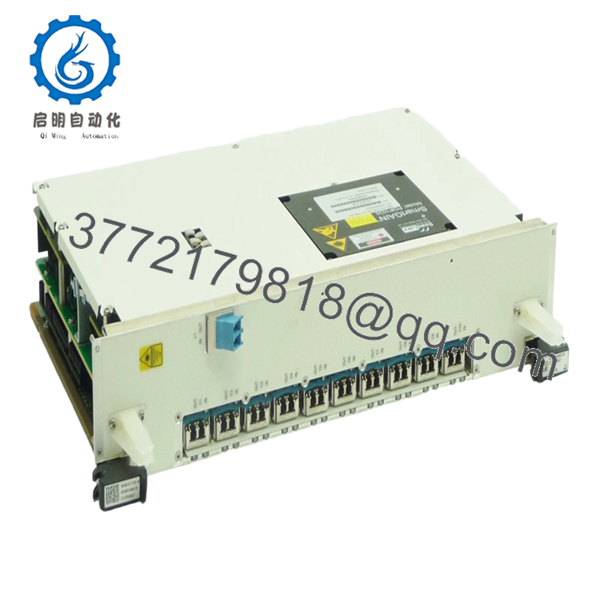
- Client Interfaces: 10 × 10GE / OTU2 (SFP+ based, variant dependent)
- Line Interface: 100G coherent DWDM
- Optical Band: C-band / extended band (depends on optic configuration)
- Switching Layer: OTN (ODU2 → ODU4 mapping)
- Backplane Interface: High-speed OTN fabric
- Power Consumption: ~200–250 W per slot (typical muxponder class)
- Cooling Requirement: Forced air via chassis fan tray
- Operating Temperature: −5 to +55 °C (central office)
- Management: 5620 SAM (SNMP / TL1 / CLI)
- Revision: 02 (hardware revision control)
4. Product Introduction
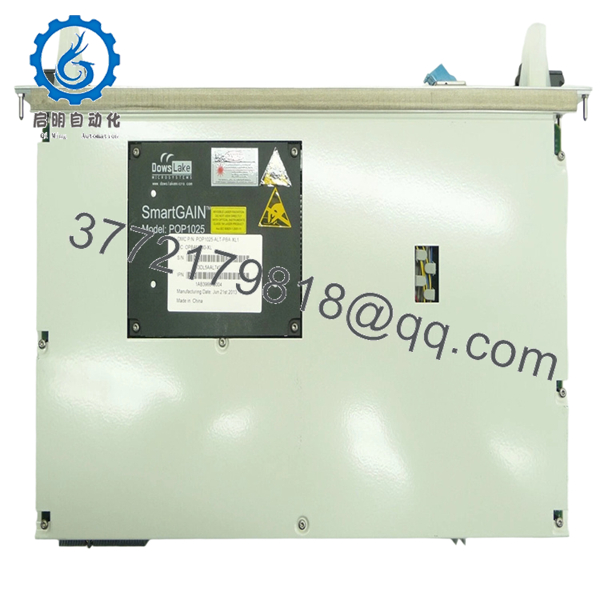
Alcatel-Lucent 8DG60740AA 02 is a 10×10G muxponder line card for the 1830 PSS optical transport platform. It aggregates multiple 10G client signals into a single 100G DWDM wavelength, enabling efficient fiber utilization in metro and long-haul networks.
In real deployments, this card is commonly used in aggregation nodes where multiple 10GE services need to be transported over a single wavelength. It’s still widely retained in legacy networks because replacing it with newer 100G/200G architectures often requires redesigning the optical layer, not just swapping hardware.
5. Installation & Configuration Guide
Stage 1: Pre-Installation Preparation (Estimated: 15 minutes)
- ⚠️ Safety First: Notify NOC, drain traffic from affected services, disable wavelengths. DWDM systems carry live traffic — plan outages carefully.
- Tools Required: ESD strap, optical power meter, fiber cleaning kit, inspection scope, multimeter, smartphone.
- Data Backup: Export node config from 5620 SAM, record service mappings (10G → 100G), capture optical levels.
Stage 2: Removing the Old Module (Estimated: 10 minutes)
- Disable all associated client and line ports.
- Label and disconnect all SFP+ and DWDM fibers.
- Release ejector levers evenly.
- Pull card straight out to protect backplane connectors.
- Inspect slot and airflow path.
- ⚠️ Note: Keep the old card for mapping reference — especially client port assignments.
Stage 3: Installing the New Module (Estimated: 10–15 minutes)
- Wear ESD protection. Confirm exact model and revision (8DG60740AA 02).
- Insert along guide rails; ensure smooth engagement.
- Lock ejector levers firmly.
- Reinstall optics and reconnect fiber.
- Self-Checklist:
- Correct slot type
- Client ports mapped correctly
- Fiber polarity verified
- Card fully seated
Stage 4: Power-On & Testing (Estimated: 20–30 minutes)
- Pre-Power Check: Inspect fiber cleanliness and verify no excessive attenuation.
- Power-On Steps:
- Enable slot via 5620 SAM or CLI.
- Confirm card recognition and inventory status.
- Verify all 10G client ports are detected.
- Check OTN mapping (ODU2 grouping into ODU4).
- Validate optical metrics (Tx/Rx, OSNR).
- Run traffic test or BER validation.
- ⚠️ Troubleshooting Note:
- Client ports down → SFP+ compatibility or port config issue
- No DWDM signal → wavelength provisioning mismatch
- High BER → OSNR or fiber contamination
6. Frequently Asked Questions (FAQ)
Q1: Can this card be hot-swapped?
Yes, the 1830 PSS platform supports hot-swapping. Still, I recommend draining traffic first — I’ve seen transient hits during insertion.
Q2: Is this model obsolete?
Yes. After Alcatel-Lucent was absorbed into Nokia, newer platforms moved to higher-density optics. This card is now mainly available as surplus.
Q3: What’s the difference between this and a transponder card?
A muxponder aggregates multiple client signals (10×10G → 100G).
A transponder typically maps fewer or single services directly to a wavelength.
Mixing them incorrectly will break your service design.
Q4: Why are my 10G ports not coming up?
Common causes:
- Unsupported SFP+ modules
- Incorrect OTN mapping
- Port not provisioned in 5620 SAM
I’ve seen engineers assume ports auto-enable — they don’t.
Q5: Will I lose configuration during replacement?
No. Configuration is stored at the node level. However, service mapping must match the card type exactly, or it won’t come up cleanly.
Q6: Why is pricing inconsistent across suppliers?
Supply comes from:
- Carrier decommissioning
- Network upgrades (10G → 100G/200G)
Condition varies widely. Always request test reports and optical performance data.
Q7: What’s the most common installation mistake?
❗ Incorrect client-to-line mapping.
I’ve seen teams wire everything correctly but forget OTN grouping — result: no traffic, hours lost.

- 8DG60740AA 02
SOP Quality Transparency (Inspection & Testing Process)
1. Inbound Inspection & Traceability
- Verified against carrier decommission records
- Serial number and labeling validated
- Optical ports inspected under scope (no scratches/contamination)
- PCB checked for oxidation or rework
2. Live Functional Testing
- Installed in a genuine 1830 PSS shelf
- Power-on diagnostics verified (LED sequence)
- All 10 client ports tested with SFP+ optics
- 100G DWDM link established in loopback
- 24-hour BER test under load
- Test report generated (available upon request)
3. Electrical Parameter Testing
- Insulation resistance >10 MΩ @ 500 V Megger
- Ground continuity verified
- Power draw measured using Fluke 115
4. Firmware & Configuration Verification
- Hardware revision confirmed (02)
- Compatibility checked with 5620 SAM release
- Port mapping validated
5. Final QC & Packaging
- QC sign-off with traceability record
- ESD-safe sealed packaging
- Shock-protected industrial carton
- QC Passed label with inspection date
Test photos and videos available upon request.



