
 WhatsApp: +86 16626708626
 Email:
  Phone: +86 16626708626
Description
3. Key Technical Specifications
| Parameter | Value |
| Total Slots | 9 (2 dedicated for CMM, 7 for Network Interfaces) |
| Chassis Height | 11U (Standard 19-inch Rack Mount) |
| Switching Fabric | Distributed Architecture via CMM Modules |
| Max Port Density | Supports up to 336 x 10/100/1000 ports or 56 x 10GbE ports |
| Power Supply Slots | 4 x Hot-Swappable Bays (AC or DC) |
| Cooling | 2 x High-Volume Redundant Fan Trays |
| Backplane Capacity | High-Bandwidth Passive Backplane |
| Management | Dual CMM Support for 1+1 Redundancy |
| Dimensions | 19.0 x 19.2 x 17.5 inches (W x H x D) |
4. Product Introduction & Supply Chain Strategy
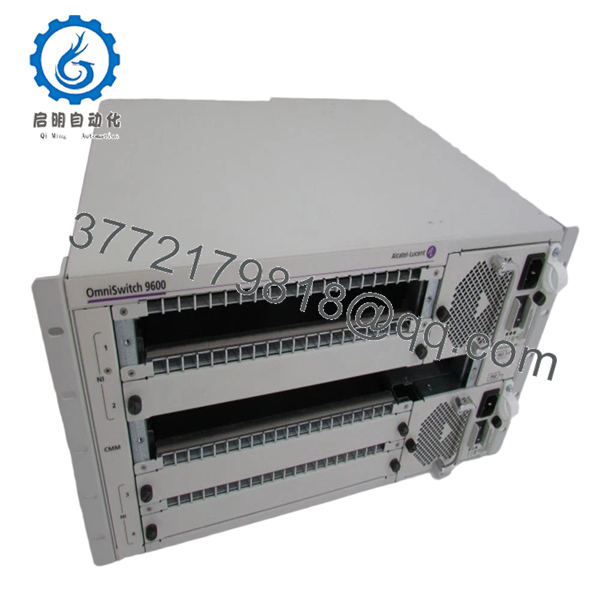
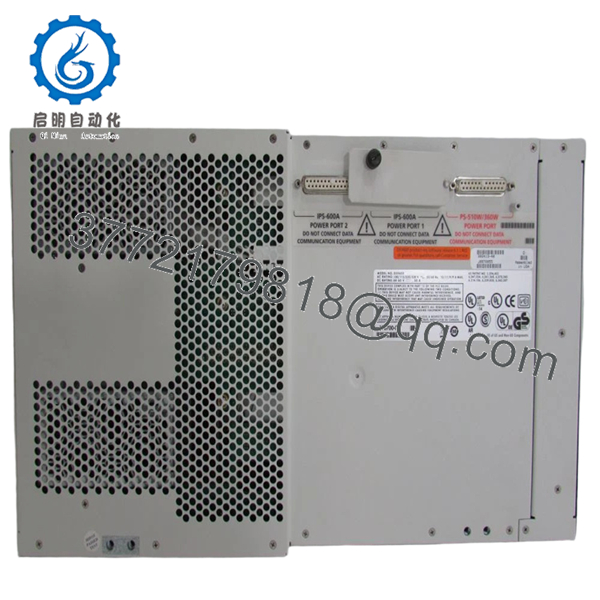
The Alcatel-Lucent OS9600-CHASSIS is the structural and electrical heart of the OmniSwitch 9600 series. Designed for high-reliability enterprise environments, this 9-slot chassis provides the physical backplane and cooling required to aggregate high-density Gigabit and 10GbE traffic. It is engineered for the “non-stop” networking era, featuring a passive backplane to minimize failure points and supporting fully redundant management and power systems.
Strategically, the OS9600-CHASSIS is a critical component for lifecycle extension of existing OS9000-based networks. As this series reaches maturity, the availability of New Surplus chassis becomes the primary bottleneck for disaster recovery. Choosing a New Surplus unit over a refurbished one is a vital risk-mitigation step; refurbished chassis often suffer from bent pins in the high-density backplane or fatigue in the internal power distribution bus. A New Surplus chassis ensures a clean, factory-validated foundation, lowering the Total Cost of Ownership (TCO) by preventing intermittent hardware-level “glitches” that are notoriously difficult to troubleshoot in used modular equipment.

- 9600-CHASSIS
- 9600-CHASSIS
5. Installation & Configuration Guide
Stage 1: Pre-Installation (Prep & Safety)
The OS9600 is a heavy-duty unit; always use a rack lift or two-person team for mounting. Ensure the rack is properly grounded to the building’s common ground point. Mandatory: Use a grounded ESD wrist strap whenever handling the backplane or inserting CMM/NI cards to protect the CMOS-based switching circuitry.
Stage 2: Removal
If replacing a failed chassis, label every fiber and copper run according to its Slot/Port position. Remove all Power Supplies, Fan Trays, and line cards to reduce the weight of the chassis to its bare frame before unbolting it from the rack.
Stage 3: Installation (Clone & Seat)
Install the empty New Surplus OS9600-CHASSIS into the rack and tighten the mounting screws. Slide the fan trays into the rear and the power supplies into the front bays. Carefully re-insert the CMM modules into slots 1 and 2, then populate the Network Interface (NI) cards into slots 3 through 9.
Stage 4: Power-On & Testing
Apply power to the redundant PSUs. Monitor the CMM LEDs to ensure a successful “boot-up” and synchronization between the primary and secondary management cards. Use the CLI command show microcode and show ni to verify the new chassis backplane is correctly communicating with all installed hardware modules.
6. Firmware/Software Versions & Upgrade Notes
The OS9600-CHASSIS supports various AOS (Alcatel Operating System) releases. For optimal performance with high-density NI cards, AOS Release 6.3.4 or higher is generally recommended.
Technical Warning: When moving existing cards to a new chassis, verify that the CMMs have identical firmware versions. A mismatch can prevent the secondary CMM from taking over during a failover. Also, ensure the power supplies provide sufficient wattage for the specific NI card configuration, as 10GbE modules significantly increase the chassis power draw compared to standard copper modules.
7. Frequently Asked Questions (FAQ)
How do I know this chassis is “New Surplus” and not used?
We perform a rigorous inspection of the passive backplane. In a New Surplus unit, the female pin receptors show zero wear, and the chassis frame is free of “rack rash” (scratches on the mounting ears). This ensures the electrical integrity is identical to a unit fresh from the factory.
Does this chassis come with the CMM or NI cards?
This part number, OS9600-CHASSIS, refers to the physical frame including the fan trays. CMM (Management) and NI (Line Cards) modules, as well as Power Supplies, must be ordered separately or migrated from your existing system.
Can I mix AC and DC power supplies in this frame?
No. To maintain consistent power regulation and redundancy logic, the OS9600 must be populated with either all AC or all DC power modules.
Is it safe to hot-swap cards in the OS9600?
Yes, the OmniSwitch 9600 supports hot-swapping of NI cards and CMMs. However, it is a best practice to administratively disable the slot via the CLI before physical removal to ensure a clean data-plane transition.
What is the warranty period for this unit?
We provide a 12-month replacement warranty on the OS9600-CHASSIS. This provides an extra layer of security for your core network infrastructure, far exceeding the standard “dead-on-arrival” guarantees typical of used equipment brokers.



