
 WhatsApp: +86 16626708626
 Email:
  Phone: +86 16626708626
Description
Key Technical Specifications
| Parameter | Value |
|---|---|
| Manufacturer | Bently Nevada |
| Part Number | 106M1079-01-Y |
| Base Part Number | 106M1079-01 |
| Series | 3500/15 |
| Product Type | Universal AC Power Supply |
| Input Voltage | 85–264 VAC |
| Input Frequency | 47–63 Hz |
| Rated Output Power | 150 W continuous |
| Output Rails | +5 V, +15 V, −15 V |
| Module Format | Half-height rack module |
| Dimensions | 120.7 × 50.8 × 251.5 mm |
| Weight | Approximately 1.39 kg |
| Manual Reference | 141530 |
| Rack Position | Designated 3500/15 power-supply slot |
| Redundant Configuration | Supports one or two power supplies in the rack |
| Hot-Swap Capability | Supported when a second power supply is installed |
| Application | 3500 machinery condition monitoring system |
The published specifications identify the 106M1079-01 as a 3500/15 Universal AC Power Supply, with 85–264 VAC input, 47–63 Hz operation, and a 150 W continuous rating. The module dimensions and weight are also documented in available product information.
Compatibility warning: The 3500/15 power-supply documentation distinguishes the Universal AC Power Supply from legacy power-supply/PIM configurations. Do not substitute a visually similar power module without checking the rack configuration and exact part number.
Product Introduction
The Bently Nevada 106M1079-01-Y is a Universal AC Power Supply associated with the 3500/15 machinery condition monitoring system. It installs in the power-supply section of the 3500 rack and converts the incoming AC supply into regulated DC rails required by the monitoring modules. Available documentation identifies the base 106M1079-01 as a half-height module.
The 3500/15 rack can accommodate one or two power supplies, allowing redundant power configurations. When a second compatible supply is installed, the documented design permits removal or insertion of a power supply without interrupting rack operation.
Installation & Configuration Guide
Stage 1: Pre-Installation Preparation — Approximately 10 Minutes
⚠️ Safety First: Confirm the 3500 rack configuration and follow the plant’s electrical isolation procedure. If the rack does not have a redundant power supply installed, do not treat the module as hot-swappable.
Tools Required:
- ESD wrist strap
- Digital multimeter
- Appropriate screwdriver
- Camera or smartphone
- Replacement-module identification record
- Bently Nevada 3500/15 documentation
Data Backup:
- Record the existing power-supply part number.
- Photograph the installed module and rack position.
- Record whether the rack contains one or two power supplies.
- Record the incoming AC supply characteristics.
- Check the rack for active power-supply alarms.
- Verify that the replacement marking corresponds to 106M1079-01-Y.
⚠️ Do not remove the only installed power supply from an energized rack unless the applicable Bently Nevada procedure explicitly permits the operation.
Stage 2: Removing the Old Module — Approximately 5 Minutes
- Confirm the rack’s power configuration.
- If redundant operation is not available, shut down and isolate the applicable power source.
- Establish ESD protection.
- Identify the power-supply slot before removal.
- Release the module retaining hardware.
- Remove the module carefully from the rack.
- Inspect the rack connector and mating contacts.
- Check for contamination, bent contacts, overheating, or physical damage.
- Compare the removed module’s identification label with the replacement.
⚠️ Retain the original module until the replacement has completed functional testing.
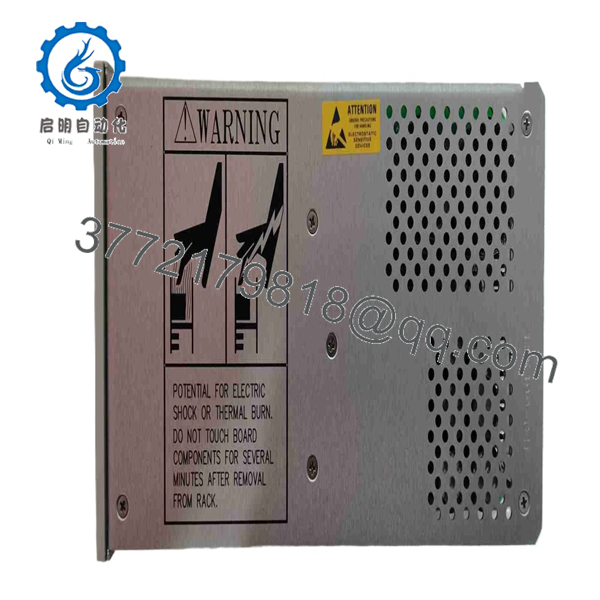
106M1079-01-Y
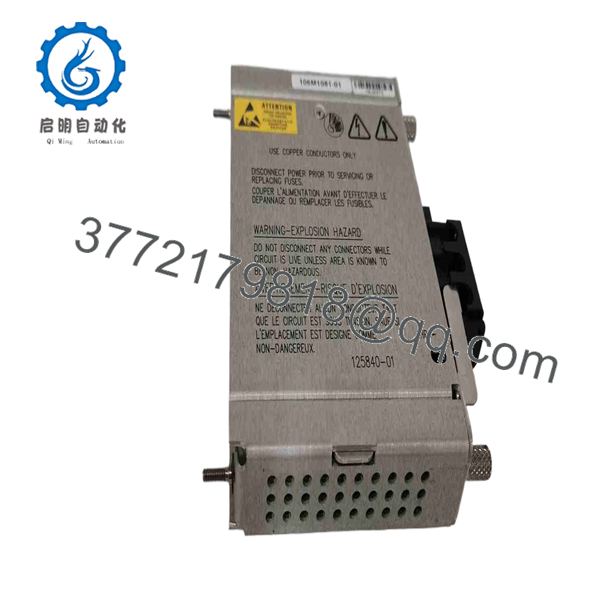
106M1079-01-Y
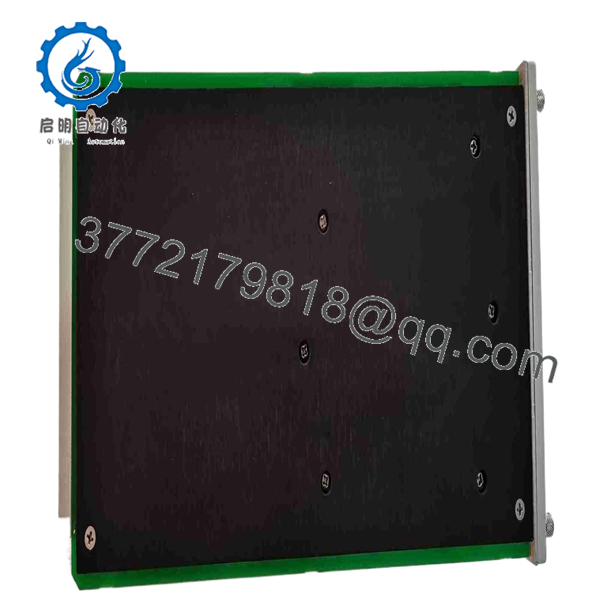
106M1079-01-Y
Stage 3: Installing the New Module — Approximately 5 Minutes
- Verify the replacement label: 106M1079-01-Y.
- Confirm that the module is intended for the applicable 3500/15 configuration.
- Inspect the connector and module housing.
- Use ESD protection when handling the module.
- Align the module with the designated power-supply slot.
- Insert the module straight into the rack.
- Ensure that the module is fully seated against the backplane.
- Tighten the retaining hardware.
- Confirm that the module does not interfere with adjacent rack components.
Installation Checklist:
- Correct part number
- Correct 3500/15 rack
- Correct power-supply position
- Connector inspected
- Module fully seated
- Retaining hardware secured
- Rack configuration verified
Stage 4: Power-On & Testing — Approximately 10 Minutes
- Verify that the incoming AC supply is within the applicable range.
- Confirm that no tools or foreign objects remain in the rack.
- Energize the supply according to the approved procedure.
- Observe the module’s front-panel status indications.
- Verify that the 3500 rack completes its normal startup sequence.
- Check the rack configuration for power-supply status.
- Confirm that connected monitoring modules remain operational.
- Review the system for newly generated power or rack alarms.
- Check redundant power status where applicable.
- Record the replacement date and module part number in the maintenance record.
⚠️ Troubleshooting Note: If the replacement does not power the rack correctly, check the incoming AC voltage, module seating, rack slot, connector condition, and power-supply compatibility before assuming the replacement module has failed.
Frequently Asked Questions (FAQ)
Can the 106M1079-01-Y be hot-swapped?
The documented 3500/15 configuration permits removal or insertion of a power supply without interrupting rack operation when a second power supply is installed. Do not apply this procedure to a rack operating with only one power supply.
What is the 106M1079-01-Y used for?
It is a Universal AC Power Supply for the Bently Nevada 3500/15 machinery monitoring rack. Its job is to provide the regulated DC power required by the rack’s monitoring modules.
What AC input does this power supply accept?
Available specifications identify a universal 85–264 VAC input range at 47–63 Hz.
How much power can the module provide?
Published specifications identify a 150 W continuous output rating. The listed regulated output rails are +5 V, +15 V, and −15 V for the rack backplane.
Is 106M1079-01-Y compatible with every 3500 power-supply configuration?
No. The 3500 documentation distinguishes this Universal AC Power Supply from legacy AC/DC power-supply and PIM configurations. Verify the exact rack architecture and existing power-supply type before ordering.
What is the difference between 106M1079-01-Y and 106M1079-01?
Available product records identify 106M1079-01 as the underlying Universal AC Power Supply part number, while the requested 106M1079-01-Y is a specific ordering designation. The exact significance of the -Y suffix should be confirmed against the OEM label or purchasing documentation rather than assumed from the base part number.
Does replacing the power supply erase the 3500 rack configuration?
The power-supply module’s primary role is rack power conversion, not storage of the complete monitoring configuration. Nevertheless, maintenance personnel should record the existing rack condition and alarm status before replacement. If the rack is redundant, use the documented redundant-supply replacement procedure rather than unnecessarily shutting down the monitoring system.



