
 WhatsApp: +86 16626708626
 Email:
  Phone: +86 16626708626
Description
3. Key Technical Specifications
| Parameter | Value |
|---|---|
| Display Size | 21.5″ TFT, PCT multi-touch |
| Resolution | 1920 × 1080 (Full HD) |
| CPU | 1.65 GHz industrial processor |
| Memory | 4 GB RAM |
| Operating System | Windows Embedded Standard 7 |
| Power Supply | 24 V DC (18–36 V DC range) |
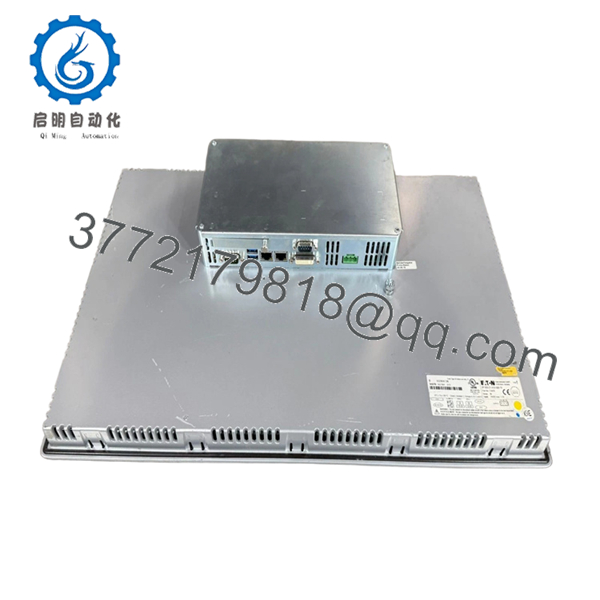
| Ethernet | 2 × Ethernet ports |
| Serial Interfaces | RS-232, RS-485, USB |
| Protection Rating | Front IP65 / NEMA 12 |
| Mounting | Flush panel mounting |
| Operating Temperature | 0 to +50°C |
| Certifications | UL 508, CE, EN 61131-2 |
4. Product Introduction
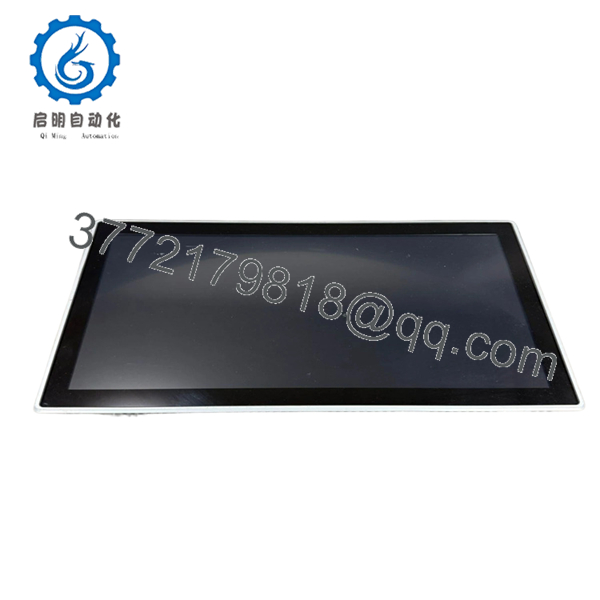
The Eaton XP-503-21-A10-A00-1V is a 21.5-inch industrial panel PC from the XP500 series, designed for HMI visualization and supervisory control tasks in industrial automation systems. It runs Windows Embedded Standard 7 and supports multi-touch operation.
In field use, this unit typically acts as the operator interface layer—running SCADA/HMI software such as Galileo or third-party runtime environments. Compared to PLC-integrated HMIs, this is a full PC architecture, meaning flexibility is high, but OS lifecycle and software maintenance become your responsibility.
5. Installation & Configuration Guide
Stage 1: Pre-Installation Preparation (Estimated: 10–15 minutes)
- ⚠️ Safety First:
Isolate panel power (24 V DC). Lock out/tag out supply. Confirm zero voltage. - Tools Required:
ESD strap, torque screwdriver, multimeter, panel cutout template, smartphone - Data Backup:
- Full disk image or OS backup (critical for Windows-based systems)
- Export HMI/SCADA project files
- Record IP address, subnet, gateway
Stage 2: Removing the Old Unit (Estimated: 10–15 minutes)
- Power down and disconnect 24 V DC supply.
- Label Ethernet, serial, and USB connections.
- Remove panel mounting clamps.
- Carefully extract unit from panel cutout.
- Inspect gasket and panel opening for damage.
- ⚠️ Note: Keep storage media (CF/SSD) from old unit if data recovery is needed.
Stage 3: Installing the New Unit (Estimated: 15 minutes)
- Wear ESD protection.
- Verify model and screen size compatibility (21.5″).
- Insert into panel cutout and align gasket.
- Secure mounting clamps evenly to maintain IP65 seal.
- Reconnect power and communication cables.
- Self-Checklist:
- Panel seal intact
- Ethernet connected
- Power polarity correct
- Mounting secure
Stage 4: Power-On & Commissioning (Estimated: 15–30 minutes)
- Pre-Power Check:
Verify 24 V DC supply stability (±5%). - Power-On Steps:
- Power up unit and allow Windows Embedded to boot
- Verify touchscreen calibration
- Check network connectivity (ping PLC/SCADA server)
- Launch HMI runtime software
- Validate tag communication (Modbus, EtherNet/IP, etc.)
- ⚠️ Troubleshooting Note:
- No boot → storage or OS corruption
- No comms → IP mismatch or firewall
- Touch issues → recalibrate PCT screen

- XP-503-21-A10-A00-1V
- XP-503-21-A10-A00-1V
6. Frequently Asked Questions (FAQ)
Q1: Is this a PLC or just an HMI?
It’s a full industrial PC, not a PLC. It runs HMI/SCADA software and communicates with PLCs over protocols like Modbus or EtherNet/IP.
Q2: Can I clone the hard drive from the old unit?
Yes—and you should. In practice, cloning the storage is the fastest way to restore operation. Without it, you’ll be rebuilding the HMI environment from scratch.
Q3: Is Windows Embedded 7 still supported?
No. It’s end-of-life. You need to manage security and backups carefully. Many plants isolate these systems on internal networks for that reason.
Q4: Can this replace a newer XV or XP series panel?
Not directly. XP500 is PC-based, while XV series units may be PLC/HMI hybrids (CoDeSys-based). Architecture matters—don’t assume interchangeability.
Q5: Why is boot time slower than a PLC HMI?
Because it’s a full OS. Expect 30–90 seconds boot time depending on configuration. That’s normal.
Q6: Is this model still in production?
Availability is limited. Some variants are discontinued or replaced by newer Eaton HMI/IPC platforms. Stock is often surplus or project-based.
SOP Quality Transparency
1. Inbound Inspection & Traceability
- Verified Eaton OEM labeling and catalog number
- Checked touchscreen surface, connectors, and housing
- No scratches, no oxidation, no port damage
2. Live Functional Testing
- Tested with 24 V DC industrial PSU (Mean Well / Phoenix Contact equivalent)
- Verified Windows boot sequence and touchscreen response
- Ethernet communication test (ping + Modbus TCP simulation)
- 24-hour continuous runtime with thermal monitoring
- Test report available upon request
3. Electrical Parameter Testing
- Insulation resistance >10 MΩ (500 V Megger)
- Ground continuity verified
- Power consumption measured under load (~1.7 A typical)
4. Firmware & Configuration Verification
- OS version confirmed (Windows Embedded Standard 7)
- BIOS access tested
- Storage integrity checked
5. Final QC & Packaging
- QC sign-off with serial traceability
- Anti-static packaging
- Reinforced carton with foam protection
Technical Pitfall & Survival Guide
❗ 1. OS Dependency (Biggest Risk)
- Issue: Replacement unit boots, but HMI software missing
- Avoidance: Clone the original drive before removal
- Reality: I’ve seen plants down for hours because nobody backed up the OS
❗ 2. IP Address Conflicts
- Issue: Duplicate IP causes network failure
- Avoidance: Document IP settings before swap
- Common in multi-HMI systems
❗ 3. Touchscreen Calibration Drift
- Issue: Operators complain about inaccurate touch
- Avoidance: Run calibration tool after install
- Happens often after long storage
❗ 4. Power Supply Margins
- Issue: Undersized 24 V supply causes random reboots
- Avoidance: Ensure stable supply (1.7 A+ with 20% margin)
❗ 5. Software Licensing Loss
- Issue: Galileo / runtime license tied to hardware
- Avoidance: Verify license transfer before replacement
- This one catches even experienced engineers



