
 WhatsApp: +86 16626708626
 Email:
  Phone: +86 16626708626
Description
Key Technical Specifications
| Parameter | Specification / Value |
| Manufacturer | Emerson Automation Solutions (formerly Westinghouse) |
| Part Number | 5X00241G02 |
| Module Type | Digital/Contact Input Electronics Module |
| Channel Capacity | 16 Input Channels |
| Input Signal Types | Dry Contacts, Wet Contacts, Proximity Switches |
| Sensing Voltage | 24 V DC or 125 V DC (Configured via matching personality module) |
| Isolation | Channel-to-Backplane Optically Isolated (1500 V RMS) |
| Power Consumption | Max 2.5 W via Ovation Backplane |
| Operating Temperature | 0°C to +60°C (32°F to 140°F) |
| Diagnostics | Individual Channel Status LEDs, Module Error LED, Communication Handshake |
| Compliance | CE, CSA, UL Industrial Control Equipment Standards |
Product Introduction & Supply Chain Strategy
The Emerson Westinghouse 5X00241G02 is a 16-channel digital input electronics module designed for the Ovation Distributed Control System (DCS). It converts discrete field signals—such as limit switch trip points, breaker statuses, motor contacts, and pushbuttons—into real-time digital states for the host controller.
Keeping 5X00241G02 units as New Surplus inventory prevents costly trip events on critical turbine, boiler, and balance-of-plant systems. Securing genuine New Surplus modules ensures zero thermal aging in optocouplers and backplane components without paying full OEM emergency list prices. Avoiding refurbished cards eliminates the risk of intermittent input dropouts and micro-fissures in internal traces caused by previous operating stress.
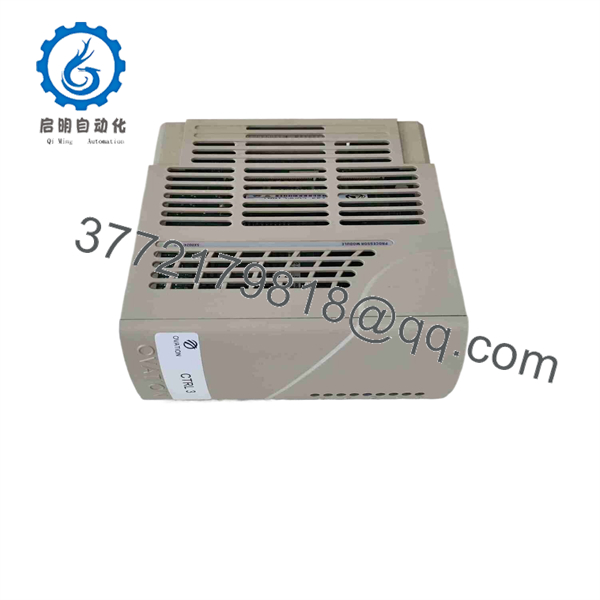
5X00241G02
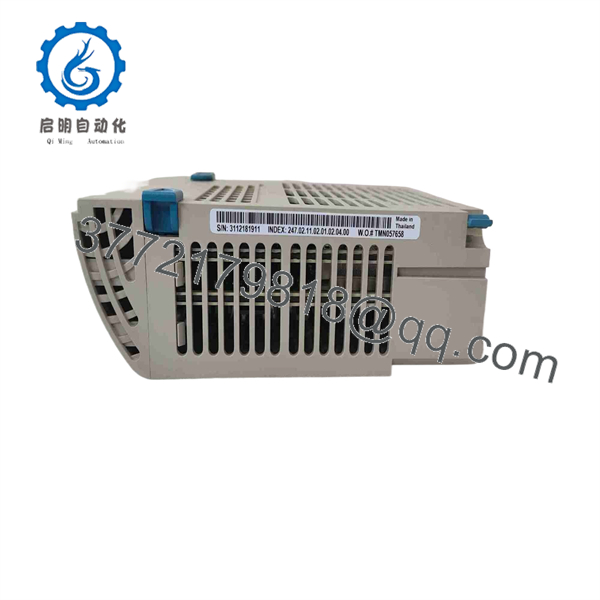
5X00241G02
Installation & Configuration Guide
- Stage 1: Pre-Installation (Prep & Safety)
- Execute Lock-Out/Tag-Out (LOTO) on the associated I/O rack power feed and field contact sensing loops.
- Put on a grounded ESD wrist strap before unboxing or handling the 5X00241G02 card.
- Photograph the existing module front panel indicators, DIP switches (if equipped on baseplate assembly), and terminal wire tags.
- Stage 2: Removal
- Release the top and bottom blue locking tabs on the front face of the module.
- Pull the module straight out from the baseplate guide rails to disengage backplane pins cleanly without side-torquing.
- Stage 3: Installation (Clone & Seat)
- Align the rear connectors of the 5X00241G02 module with the baseplate slots.
- Slide the card into the guide tracks until the backplane connectors seat firmly.
- Snap the top and bottom retention latches shut to secure the card against vibration.
- Stage 4: Power-On & Testing
- Restore power to the baseplate and observe the LED startup sequence.
- Verify that the power/run indicator illuminates solid green and no fault lights appear.
- Cycle a known field contact (e.g., test a dry contact switch) and confirm that the corresponding channel LED toggles state in tandem with the Ovation graphics workstation.
Firmware/Software Versions & Upgrade Notes
- Recommended Firmware: Compatible with Ovation System Software Releases 2.4 through 3.8 and all standard Ovation Controller platforms (OCC200, OCR1100).
- Compatibility Restrictions: Ensure the host I/O driver configured in the Developer Studio matches the 16-channel digital input profile. Installing this card in place of an analog or pulse-accumulator hardware assignment will trigger a baseplate configuration fault.
- Swap Warning: Do not attempt firmware modifications while the I/O baseplate is online. Firmware updates must occur offline in a benchtop test rack to prevent bus communication lockups and unexpected plant trips.
Frequently Asked Questions (FAQ)
Q: Is this 5X00241G02 module genuine New Surplus or pulled from a used plant panel?
A: This product is 100% New Surplus / Original New stock. It has never been deployed in an active plant, pulled from decommissioned cabinets, or refurbished. It ships in ESD-safe packaging and undergoes functional verification prior to delivery.
Q: Why is New Surplus a better procurement strategy than refurbished parts for digital input cards?
A: Digital input modules rely on optical isolators and precision resistors that degrade under high thermal cycles. Refurbished boards often harbor invisible component degradation, causing false trip signals or intermittent channel drops. New Surplus delivers genuine OEM longevity and total reliability at a significantly lower cost than factory-direct orders.
Q: Can I hot-swap the 5X00241G02 module while the Ovation rack is powered?
A: Yes, Ovation I/O baseplates support hot-swapping under live power. However, pulling the module will instantly set all 16 digital input points to their default failsafe states in the controller. Ensure associated interlocks or trip logic are placed in Manual or bypassed prior to removal.
Q: Does the 5X00241G02 require firmware downloading after installation?
A: No software or firmware download is required during replacement. The module automatically syncs with the parent baseplate and controller on boot, pulling its channel configuration directly from the Ovation database.
Q: What warranty is provided with this New Surplus card?
A: We provide a full 1-Year replacement warranty on this 5X00241G02 module. Should any hardware defect or channel fault occur under normal operating conditions within 12 months, we replace the unit immediately from our stock.



