
 WhatsApp: +86 16626708626
 Email:
  Phone: +86 16626708626
Description
3. Key Technical Specifications
| Parameter | Value |
|---|---|
| Processor | Intel 80196 microprocessor |
| Memory | Multiple PROM modules (firmware storage) |
| Product Type | TC2000 Analog I/O Board |
| Series | GE Mark V Speedtronic |
| Connectors | 2 × 50-pin (JCC, JDD) |
| Input Signals | 4–20 mA, voltage, RTD inputs |
| Power Supply | +5 V DC via backplane |
| Power Consumption | ~12 W |
| Operating Temperature | −20 to +60°C |
| Isolation Voltage | Up to 1,500 Vrms |
| Indicators | 1 onboard LED status indicator |
| Mounting | Installed in Mark V I/O core rack (R1–R3) |
4. Product Introduction
The GE DS200TCCAG1BAA is a TC2000 analog I/O board used in the Mark V Speedtronic turbine control system. It handles analog signal acquisition (4–20 mA, RTD, voltage) and exchanges data with the main controllers via the Mark V backplane.
In real turbine control systems—gas, steam, or combined cycle—this board sits in the I/O core rack and feeds process variables to the control processors. Engineers typically replace it to maintain legacy Mark V systems where full migration to Mark VI or newer platforms is not feasible due to downtime and revalidation constraints.
5. Installation & Configuration Guide
Stage 1: Pre-Installation Preparation (Estimated Time: 15 min)
- ⚠️ Safety First: Notify control room, bring turbine/system to safe shutdown, lock out/tag out, wait 5–10 minutes for discharge.
- Tools Required: ESD strap, small flat screwdriver (for PROM handling), PH1 screwdriver, multimeter, labels, smartphone.
- Data Backup:
- Critical: Photograph PROM module orientation and labels.
- Document jumper settings (J1–J8).
- Record rack slot location (R1/R2/R3).
Stage 2: Removing the Old Module (Estimated Time: 10 min)
- Open Mark V cabinet and locate TCCA board.
- Label all connected cables (JCC, JDD, etc.).
- Disconnect connectors carefully—these 50-pin headers are fragile.
- Release retention clips and pull the board straight out.
- Inspect rack slot and backplane connectors.
- ⚠️ Note: Do NOT discard the old board yet—you’ll need the PROM chips.
Stage 3: Installing the New Module (Estimated Time: 10–15 min)
- Wear ESD protection before touching PROMs.
- PROM Transfer (Crucial):
- Remove PROM chips from old board using a flat tool.
- Install them in the exact same orientation on the new board.
- Replicate jumper settings (J1–J8).
- Insert board firmly into rack until fully seated.
- Reconnect all cables.
- Self-Checklist:
- PROMs transferred correctly
- Jumpers match original
- Connectors fully seated
Stage 4: Power-On & Testing (Estimated Time: 15–20 min)
- Pre-Power Check:
- Verify no bent pins or loose connectors.
- Measure backplane supply (~5 V DC).
- Power-On Steps:
- Energize control rack (not full turbine yet).
- Check LED status.
- Verify communication with controller.
- Validate analog inputs (simulate 4–20 mA if possible).
- Bring system back to operation gradually.
- ⚠️ Troubleshooting Note:
- No response → PROM not seated correctly.
- Incorrect readings → jumper mismatch or wiring issue.
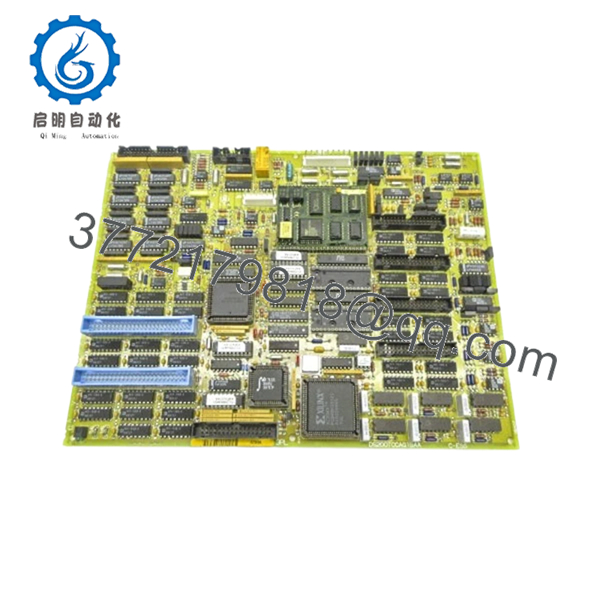
- DS200TCCAG1BAA
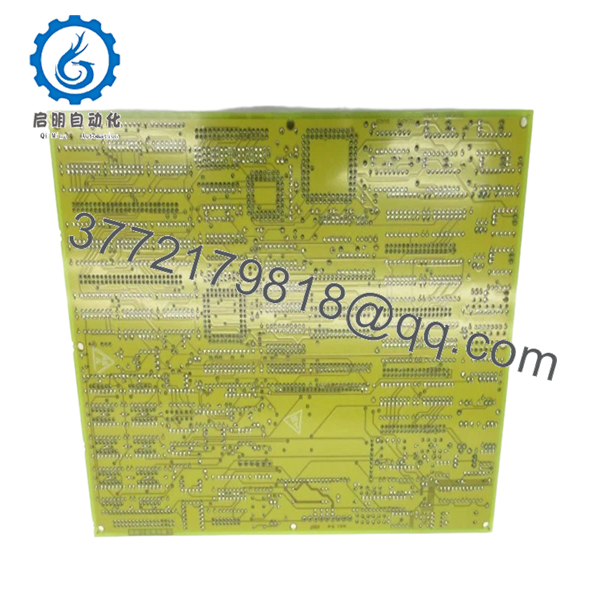
- DS200TCCAG1BAA
6. Frequently Asked Questions (FAQ)
Q1: Can I replace DS200TCCAG1BAA without moving the PROM chips?
No. The PROMs contain firmware and configuration. If you skip this, the board will not behave correctly. I’ve seen systems boot but produce completely wrong analog values.
Q2: Is this board obsolete? Can I still get new units?
Yes, Mark V is obsolete. Most available units are New Surplus or refurbished. True factory-sealed units are rare and priced accordingly.
Q3: Can this be hot-swapped in a running turbine system?
Absolutely not. Mark V hardware is not designed for hot-swapping. You risk damaging the backplane and possibly tripping the turbine.
Q4: What is the direct upgrade path?
There is no drop-in upgrade. Migration typically goes to GE Mark VI or Mark VIe, which requires full system re-engineering, I/O mapping, and logic conversion.
Q5: Why is PROM handling emphasized so much?
Because that’s where your configuration lives.
I’ve seen engineers install a new board without transferring PROMs—the system powered up, but every analog channel read zero. That’s hours of troubleshooting avoided with one careful step.
Q6: Are there jumper configuration risks?
❗ Yes. Misconfigured jumpers can change current ranges (e.g., 20 mA vs 200 mA) or disable features.
Take a photo before removal. This is one of the most common field mistakes.
Q7: What typically fails on this board?
From field experience:
- Aging capacitors
- PROM socket contact issues
- Signal conditioning circuits drifting
Keep these in mind and you’ll avoid most unnecessary replacements.



