
 WhatsApp: +86 16626708626
 Email:
  Phone: +86 16626708626
Description
3. Key Technical Specifications
| Parameter | Value |
| Part Number | DS215SDCCG3AZZ01B |
| Manufacturer | General Electric (GE) |
| Series | Speedtronic Mark V |
| Microprocessors | Dual/Triple Processor Architecture (Application dependent) |
| Communication | DLAN / ARCNET via SLCC Daughterboard |
| I/O Capacity | Digital and Analog Interface Capabilities |
| Programming | EPROM-based Application Software |
| Operating Temp | 0 to 60 °C (32 to 140 °F) |
| Mounting | Internal Control Rack |
4. Product Introduction & Supply Chain Strategy
The GE DS215SDCCG3AZZ01B is the central control hub for GE Mark V drive systems. As an SDCC (Standard Drive Control Card), it manages all high-level logic, including speed and torque regulation, sequencing, and fault monitoring. It often hosts auxiliary boards (like the SLCC) to expand its communication and I/O capabilities.
In terms of supply chain strategy, the SDCC is the single most important spare to keep in a “New Surplus” state. Because this board executes the core control algorithms, any instability due to component aging—common in refurbished or used units—can lead to erratic drive behavior or catastrophic equipment failure. By utilizing New Surplus stock, maintenance teams ensure original factory timing and logic execution, effectively resetting the reliability clock of the drive system and avoiding the prohibitive costs of a total control upgrade.
5. Installation & Configuration Guide
Stage 1: Pre-Installation (Prep & Safety)
Disconnect all power sources and wait for the bus to discharge. Wear an ESD wrist strap. This board is software-heavy; before removal, use your terminal or HMI to back up all drive parameters. Note the version numbers on the EPROM chips located in sockets U6, U7, and others.
Stage 2: Removal
The SDCC is a large board with multiple ribbon cable connections and potentially stacked daughterboards. Disconnect all cables carefully. Remove the mounting screws. If daughterboards are attached, decide whether to move the entire stack or separate them; we recommend replacing the SDCC as a standalone unit while migrating your known-good daughterboards.
Stage 3: Installation (Clone & Seat)
Inspect the New Surplus DS215SDCCG3AZZ01B. Ensure all jumpers match the original board configuration. If the new board does not include your site-specific firmware, carefully migrate the EPROMs from the old board to the new one, observing correct orientation. Seat the board in the rack and secure the mounting hardware.
Stage 4: Power-On & Testing
Apply control power first (before main power). Observe the onboard diagnostic display. If the board boots to a “Ready” state, proceed to check communication with the HMI. Verify that parameters have been retained or re-download the backup. Test the drive at low speed/no-load before returning to full production.
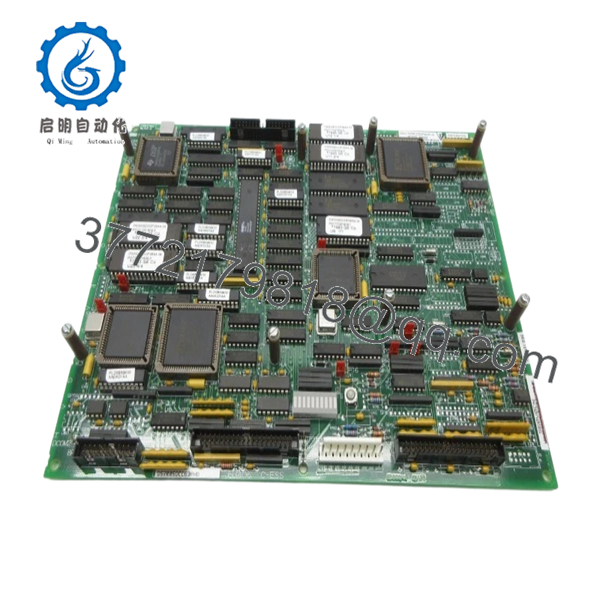
- DS215SDCCG3AZZ01B
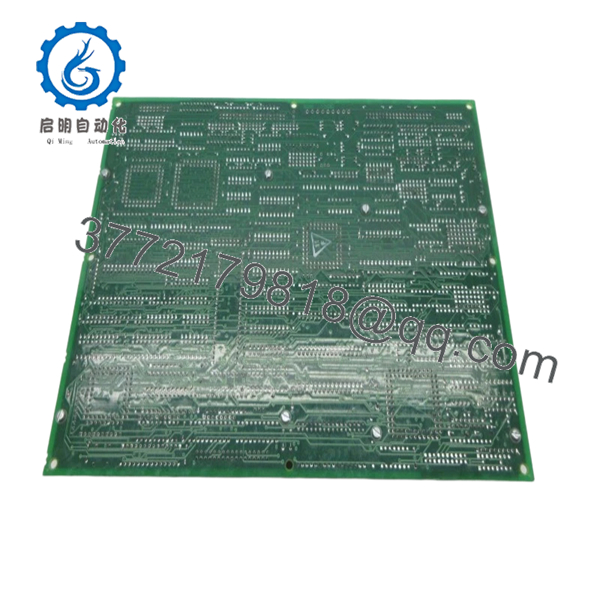
- DS215SDCCG3AZZ01B
6. Firmware/Software Versions & Upgrade Notes
- Revision Logic: The “G3AZZ01B” suffix indicates a specific hardware and software baseline. It is critical to match this version if you are performing a “hot spare” swap without re-commissioning.
- EPROM Migration: The SDCC relies on chips for its operating system and application logic. If you are moving chips from a failed board, check for bent pins or signs of overheating on the old chips.
- Compatibility: This version (G3) includes specific fixes for high-speed calculation overflows found in earlier G1 revisions. It is generally backward compatible, provided the firmware supports the G3 architecture.
7. Frequently Asked Questions (FAQ)
Q: Does this board arrive “Ready to Run”?
A: It is “Hardware Ready.” However, because every industrial application is unique, you must either move your existing firmware EPROMs to this board or download your specific drive configuration via the GE software tool.
Q: My drive is showing a “Control Processor Fault.” Is the SDCC the problem?
A: Often, yes. The SDCC handles the main processing. If the board cannot pass its power-on self-test (POST) or the display remains blank, the SDCC likely has a hardware failure and needs replacement.
Q: Can I use this board in a Mark V Turbine Control system?
A: While the Mark V Turbine Control and Mark V Drive systems share similar architecture, the DS215SDCC is specifically optimized for drive applications. Ensure your part number matches exactly.
Q: Is there a risk of data loss when I swap this board?
A: The drive parameters are typically stored in non-volatile memory or on the EPROMs. However, we always recommend a full parameter backup before any hardware swap as a standard safety protocol.
Q: Why is New Surplus better than a professional repair?
A: A repair usually only fixes the component that failed. New Surplus boards have zero hours on all components—including capacitors and processors that haven’t failed yet but are nearing the end of their service life on your old board.



