
 WhatsApp: +86 16626708626
 Email:
  Phone: +86 16626708626
Description
3. Key Technical Specifications
| Parameter | Value |
| Product ID | DS3800HVDB1K1G |
| System Series | Speedtronic Mark IV |
| Board Acronym | HVDB |
| Revision Suffix | 1K1G |
| Display Support | Monochrome or Color CRT (Configuration Dependent) |
| Bus Interface | Mark IV Internal Video Bus |
| Operating Temp | 0 to 55°C (32 to 131°F) |
| Cooling | Passive (Requires cabinet airflow) |
| Dimensions | 10.5 in x 7.25 in |
4. Product Introduction
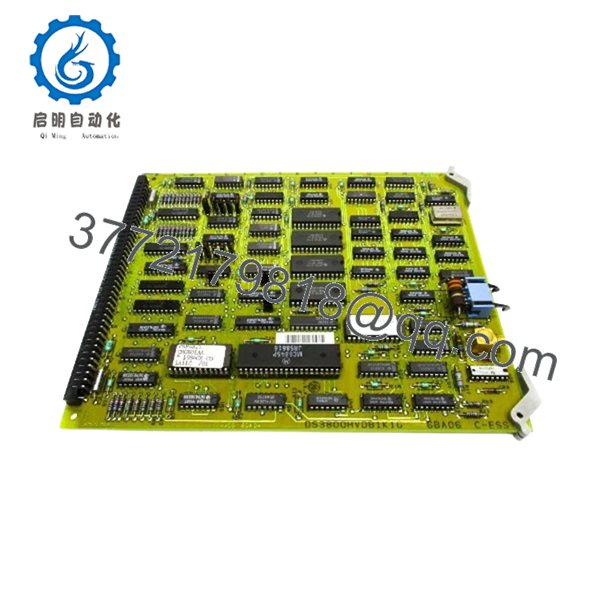
The GE DS3800HVDB1K1G is a specialized Video Driver Board designed for the Speedtronic Mark IV turbine control system. This board is the primary hardware link between the control processors and the operator’s display terminal, converting raw system data into the graphical and alphanumeric characters used for monitoring turbine health and performance.
Engineers maintaining legacy Mark IV systems rely on the HVDB board to ensure visibility into critical operations. A failure in this board typically results in a “Black Screen” at the operator interface, leaving the plant blind to real-time data even if the turbine continues to run. The “1K1G” revision indicates a mature hardware design, optimized for high-intensity display environments common in power generation facilities.

- DS3800HVDB1K1G
5. Installation & Configuration Guide
Stage 1: Pre-Installation Preparation (Estimated Time: 15 mins)
- ⚠️ Safety First: Losing the operator display while the unit is online can be dangerous. Only perform this swap during a planned outage or if the system has redundant operator stations. Ensure the display terminal power is isolated.
- Tools Required: ESD wrist strap, small flat-head screwdriver, digital multimeter.
- Data Backup: Since this board handles display output, there is no “logic” to back up, but you must document the specific DIP switch settings that control screen resolution and refresh rates.
Stage 2: Removing the Old Module (Estimated Time: 10 mins)
- Ground yourself to the cabinet chassis.
- Disconnect the video output cable (usually a multi-pin D-sub or ribbon cable) from the front or rear of the board.
- Loosen the retention screws at the top and bottom of the card.
- Carefully slide the board out of the rack guides.
- ⚠️ Note: These boards often run hot. Check the backplane connector for any signs of heat-related discoloration.
Stage 3: Installing the New Module (Estimated Time: 10 mins)
- Configuration Clone: Locate the DIP switches and jumpers on the new DS3800HVDB1K1G. Match them exactly to the old board. Incorrect settings can result in a garbled display or “Out of Range” sync errors on the monitor.
- Slide the new board into the slot, ensuring it engages the backplane firmly.
- Tighten the retention screws to ensure a solid ground path through the rack.
- Reconnect the video interface cables.
Stage 4: Power-On & Testing (Estimated Time: 10 mins)
- Power up the display terminal and the control rack.
- Observe the boot sequence. You should see the Mark IV initialization text appear within seconds.
- Verify that all screen colors (if using a color CRT) and character alignments are correct.
- ⚠️ Troubleshooting Note: If the screen remains blank but the “Card Active” LED is lit, check the brightness/contrast settings on the monitor itself before pulling the board again.
6. Frequently Asked Questions (FAQ)
Q: My screen is blank, but the turbine is running. Is the HVDB board definitely the problem?
A: Not necessarily. In Mark IV systems, a blank screen can be the HVDB board, the monitor itself, or the video cable. Try swapping the monitor with a known working unit first. If the problem persists across different monitors, the DS3800HVDB1K1G is your primary suspect.
Q: Can I use this board to upgrade my monochrome display to color?
A: The HVDB board supports the signals, but the transition from monochrome to color in a Mark IV requires changes to the software configuration and the monitor hardware. Simply plugging in this board won’t “unlock” color if the rest of the system isn’t set up for it.
Q: Is the “1K1G” version compatible with older “1A1A” versions?
A: Generally, yes. The “1K1G” is a later revision that addresses component obsolescence and improves thermal stability. I’ve successfully used them as direct replacements for older versions many times. Just ensure your jumper settings are meticulously copied.
Q: Why does this board feel so warm during operation?
A: Video processing in the 1980s and 90s was power-intensive. These boards generate significant heat. If your cabinet fans are failing, these boards are usually the first to fry. Always check your cooling filters when replacing an HVDB.
Q: Does “New Surplus” mean it’s been sitting in a box since the 90s?
A: Yes. These are genuine, unused parts that have been stored in climate-controlled environments. While the components are aged, they have zero operating hours, making them much more reliable than a “tested” board that has been baked in a cabinet for 25 years.



