
 WhatsApp: +86 16626708626
 Email:
  Phone: +86 16626708626
Description
3. Key Technical Specifications
- System: GE Speedtronic Mark IV Turbine Control
- Component Type: Interface/Control Board
- PCB Revision: HXRB1B (Group IC)
- Connectivity: Multi-pin connector for backplane integration
- Environment: Designed for industrial control cabinets
- Mounting: Standard Mark IV rack slot
- Storage Temperature: -40 to 85 °C
- Reliability: Built for continuous 24/7 turbine operation
4. Product Introduction
The GE DS3800HXRB1BIC is a dedicated interface control board specifically engineered for the GE Speedtronic Mark IV turbine control system. This module manages critical I/O signals and communication within the turbine control rack, ensuring that the main processor receives accurate field data while maintaining precise control outputs.
This board is a vital component for sustaining legacy Mark IV systems. When sourcing replacements, technical verification is essential, as the Mark IV series relies on specific board revisions to maintain compatibility with the existing rack backplane and firmware logic.
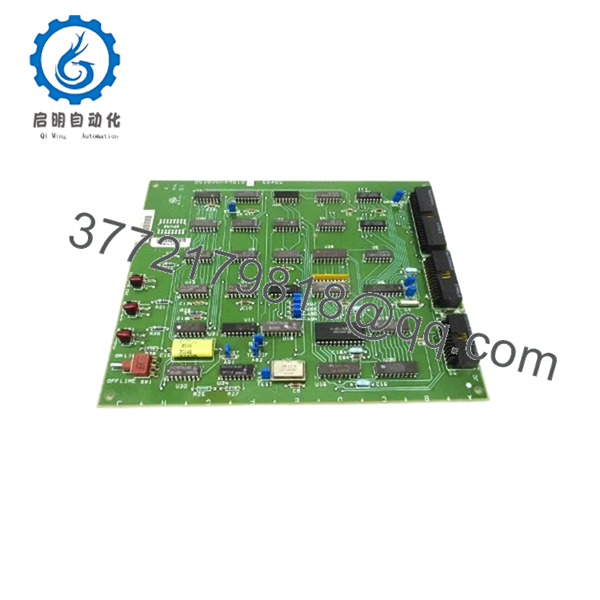
- DS3800HXRB1BIC
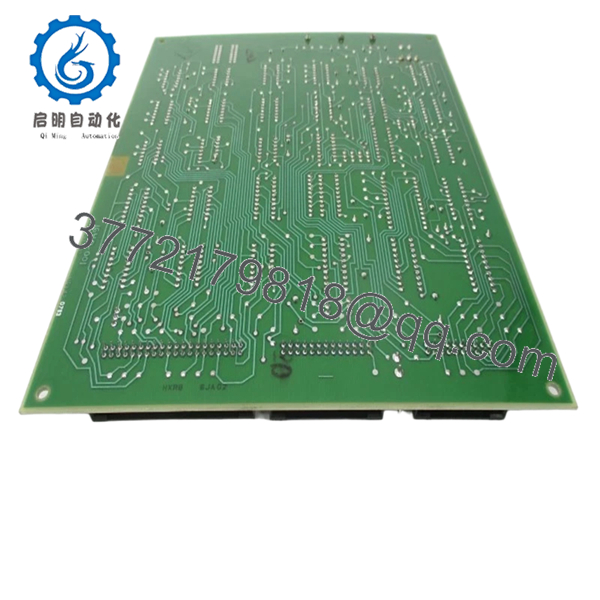
- DS3800HXRB1BIC
5. Installation & Configuration Guide
Stage 1: Pre-Installation Preparation
- ⚠️ Safety First: Confirm the unit is isolated from power. Execute Lock Out/Tag Out (LOTO) protocols for the turbine control rack. Allow 5 minutes for discharge.
- Tools Required: ESD wrist strap, PH1 screwdriver, board extraction tool, smartphone for documentation.
- Data Backup: Photograph the existing board’s DIP switch and jumper positions. If the board features any configurable resistors, record their settings exactly as found on the current unit.
Stage 2: Removing the Old Module
-
- Remove the protective front panel.
-
- Release the card locking mechanism at the top and bottom of the module.
-
- Gently pull the module along the guide rails.
-
- ⚠️ Note: Inspect the backplane connectors inside the cabinet for bent pins or contamination before inserting the replacement.
Stage 3: Installing the New Module
-
- ESD Protocol: Always wear a grounded wrist strap.
-
- Configuration Clone: Ensure all jumpers and DIP switches on the DS3800HXRB1BIC are set to match the photos taken in Stage 1. Incorrect switch settings can lead to “I/O Communication Failure” or incorrect signal scaling.
-
- Seating: Slide the board into the rails and push firmly until the backplane pins are fully seated and the locking tabs click into position.
-
- Self-Checklist: [ ] Jumpers verified, [ ] Module fully seated, [ ] Front panel secured.
Stage 4: Power-On & Testing
-
- Restore cabinet power.
-
- Check the LEDs on the board faceplate. A “Power On” indicator should be active.
-
- Use the Mark IV keypad/display or connected maintenance software to verify that the system recognizes the board.
-
- Monitor for any “I/O Comm” alarms. If an alarm appears, verify the switch settings and ensure the board is fully seated.
6. Frequently Asked Questions (FAQ)
Q: Is this board hot-swappable? A: Absolutely not. The Mark IV system is older technology, and attempting to insert or remove boards while the rack is powered will likely result in electrical shorts or damage to the backplane. Always kill the power first.
Q: Can I use this in a Mark V system? A: No. The DS3800HXRB1BIC is specific to the Mark IV architecture. Mark V systems use different hardware platforms. Installing incompatible boards will not work and may cause secondary faults.
Q: Why is it important to photograph my old board? A: Even with the same model number, small adjustments (jumpers/switches) are often made during the initial commissioning of a turbine. If you don’t mirror those exact settings, your system won’t communicate properly. It’s the single most common cause of “failed” replacements.
Q: Is this a refurbished or new item? A: We provide New Surplus stock. These are original, unused parts that have been verified in our facility. We ensure they meet the physical and electrical standards required for turbine control applications.
Q: What if the module shows a red fault light after install? A: First, check the rack address (DIP switches). If those are correct, verify that the card is pushed all the way in. If it still faults, the issue might be an upstream communication problem or a firmware mismatch—double-check your Mark IV system logs for the specific error code.



