
 WhatsApp: +86 16626708626
 Email:
  Phone: +86 16626708626
Description
3. Key Technical Specifications
| Parameter | Value |
| Product ID | DS3810MMBB1A1A |
| System Series | Speedtronic Mark IV |
| Board Type | MMBB (Membrane Interface) |
| Revision Suffix | 1A1A |
| Input Type | Matrix-scanned tactile switches |
| Connector | Multi-pin ribbon header for keypad flex-circuit |
| Mounting | Panel-mounted behind the operator bezel |
| Operating Temp | 0 to 60°C (32 to 140°F) |
4. Product Introduction
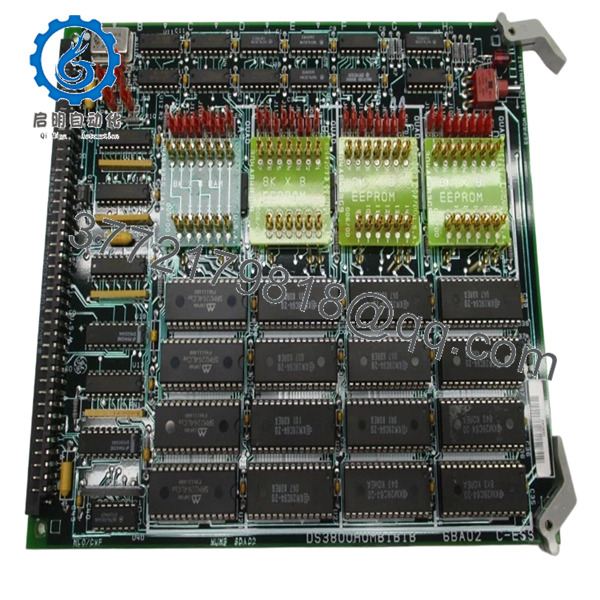
The GE DS3810MMBB1A1A is a specialized interface board within the Speedtronic Mark IV Turbine Control System. It serves as the vital link between the physical membrane keypad—where operators execute “Start,” “Stop,” and “Acknowledge” commands—and the internal control logic of the operator station.
In many Mark IV installations, the MMBB board is responsible for decoding the matrix-style signals from the front panel buttons. Because this board is located directly behind the operator interface, it is subject to mechanical stress from frequent button presses and environmental exposure. Replacing a faulty MMBB board is essential when operators report unresponsive buttons or “phantom” keystrokes that can lead to hazardous operating conditions.
5. Installation & Configuration Guide
Stage 1: Pre-Installation Preparation (Estimated Time: 15 mins)
- ⚠️ Safety First: This board handles operator commands. Replacing it while the unit is online can be risky if a “Start” or “Stop” signal is inadvertently pulsed during the swap. Always ensure the operator station is in a “Local” or “Maintenance” mode, or perform the swap during a scheduled outage.
- Tools Required: ESD wrist strap, small Philips screwdriver, and a cleaning kit (isopropyl alcohol) for the ribbon connectors.
- Data Backup: No software configuration is stored on this board, but you should document the cable routing to ensure the flex-circuits are not pinched during reassembly.
Stage 3: Removing the Old Module (Estimated Time: 10 mins)
- Ground yourself using an ESD strap.
- Open the operator station swing-panel to access the rear of the keypad assembly.
- Handle with Care: Carefully disconnect the thin flex-circuit ribbon cables from the keypad. These are delicate; do not use pliers. Use your fingers to gently release the connector locking tabs.
- Unscrew the MMBB board from its mounting standoffs.
Stage 3: Installing the New Module (Estimated Time: 10 mins)
- Verify the DS3810MMBB1A1A model number matches the old unit.
- Align the board with the standoffs and hand-tighten the screws. Do not over-torque, as this can crack the PCB or cause trace delamination.
- Reconnect the flex-circuit cables. ⚠️ Note: Ensure the gold contacts on the ribbon cable are clean and properly aligned before locking the connector.
- Self-Checklist: [ ] Connectors seated, [ ] No pinched cables, [ ] Board grounded.
Stage 4: Power-On & Testing (Estimated Time: 10 mins)
- Power up the operator station.
- Navigate to a diagnostic screen and test every physical button on the keypad.
- Check for “Keypad Error” or “Stuck Key” alarms on the diagnostic display.
- ⚠️ Troubleshooting Note: If certain buttons still don’t work, the issue may be the membrane keypad itself rather than the MMBB board. Inspect the flex-circuit for cracks.

- DS3810MMBB1A1A
6. Frequently Asked Questions (FAQ)
Q: My “Master Reset” button isn’t working. Is it the keypad or this MMBB board?
A: It’s a 50/50 split. If a whole row or column of buttons is dead, it’s usually the MMBB board or the cable. If it’s just one specific, high-use button like “Master Reset,” the physical membrane contact is likely worn out. However, starting with a new MMBB board is the standard first step because it’s easier to replace than the entire front bezel.
Q: Can I repair the traces on my old MMBB board?
A: I wouldn’t recommend it for turbine control. These boards use fine-pitch traces. A “cold” solder joint or a shaky repair could lead to an accidental “Turbine Trip” command being sent. When dealing with the primary operator interface, always go with a New Surplus board for reliability.
Q: Why does the revision “1A1A” matter?
A: This is the baseline revision. While some later Mark IV boards are interchangeable, the MMBB needs to match the pinout of your specific membrane keypad. GE made subtle changes to the connector spacing in later years; sticking to the “1A1A” ensures the ribbon cables reach the connectors without being strained.
Q: Is this board compatible with Mark IV Simplex and TMR?
A: Yes. The operator interface (the <I> station or similar) uses the same MMBB board regardless of the core redundancy, as the operator inputs are eventually broadcast to the R, S, and T cores.
Q: The connectors on my old board look “crusty.” Should I clean the cables?
A: Absolutely. In many power plants, humidity and sulfur in the air can corrode these silver/gold contacts. Before plugging in your new DS3810MMBB1A1A, clean the ends of the flex-cables with a specialized electronic contact cleaner to ensure a low-resistance connection.



