
 WhatsApp: +86 16626708626
 Email:
  Phone: +86 16626708626
Description
3. Key Technical Specifications
| Parameter | Value |
| Microprocessor Type | Intel Celeron |
| Clock Speed | 300 MHz |
| User Logic Memory | 10 Mbytes battery-backed SRAM |
| Non-Volatile Storage | 10 Mbytes Flash User Memory |
| Embedded Ethernet Ports | 3 x RJ-45 ports (10/100 Mbps, full/half duplex) via internal switch |
| Embedded Serial Interfaces | 1 x RS-232 (COM1 via 9-pin D-sub), 1 x RS-485 (COM2 via 15-pin D-sub) |
| Ethernet Protocols | SRTP, Modbus/TCP Client/Server, Ethernet Global Data (EGD) |
| Backplane Interconnect | High-bandwidth VME64 (Fully backward compatible with Series 90-70 VME) |
| Discrete I/O Capacity | 32K Inputs (%I), 32K Outputs (%Q) |
| Analog I/O Capacity | 32K Words Inputs (%AI), 32K Words Outputs (%AQ) |
| Current Consumption | 3.5 Amps @ +5 VDC / 0.1 Amps @ +12 VDC |
| Programming Environment | Proficy Machine Edition (version 5.00 or higher) |
4. Product Introduction & Supply Chain Strategy
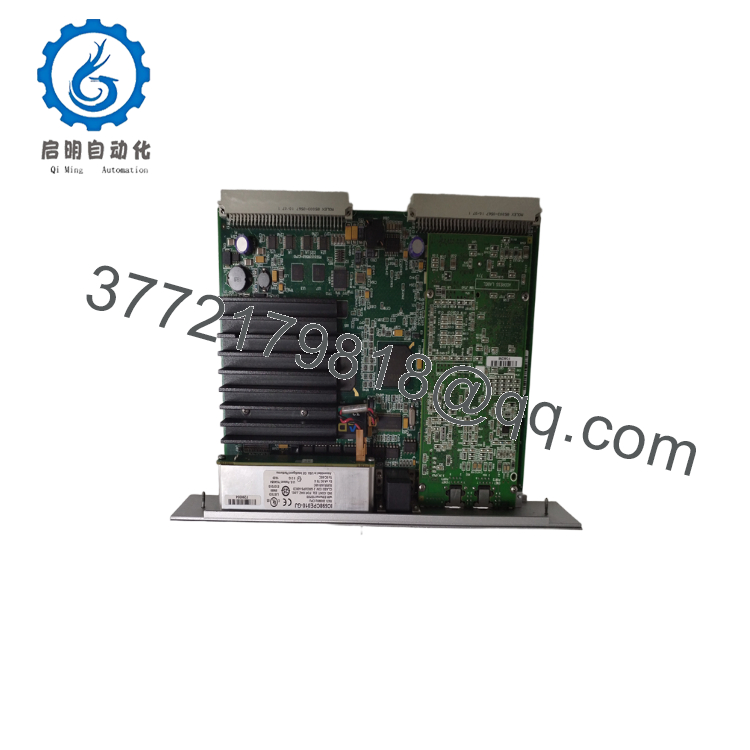
The GE Fanuc IC698CPE010 is the foundational 300 MHz central processing unit for the PACSystems RX7i mainframe platform. Combining a rugged VME64 backplane structure with a integrated three-port industrial Ethernet switch, this single-slot CPU manages extensive automation matrices up to 32K discrete points. Its hybrid architecture natively compiles legacy Series 90-70 VME execution blocks alongside modern, open-standard IP communication protocols, offering a high-bandwidth control core for large-scale process and power applications.
From a supply chain perspective, the IC698CPE010 represents a high-impact, single point of failure asset. Because the entire RX7i series is fully obsolete, a processor failure poses an immediate risk of permanent downtime. Procuring this card as a certified New Surplus component establishes a definitive risk assessment advantage; third-party refurbished processors often harbor hidden micro-fractures, degraded internal logic chips, and out-of-date bootloaders. Carrying 1–2 factory-sealed surplus spares ensures your maintenance crew has a zero-hour card ready for immediate deployment, reducing your Total Cost of Ownership (TCO) while long-term migration paths are engineered.

- IC698CPE010
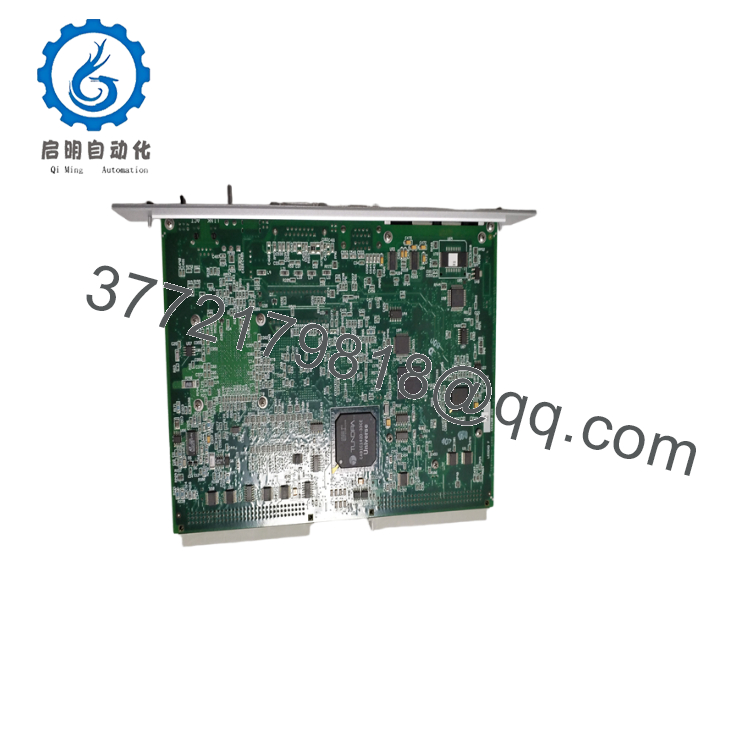
- IC698CPE010
5. Installation & Configuration Guide
Stage 1: Pre-Installation (Prep & Safety)
Execute strict lock-out/tag-out (LOTO) protocols on the targeted RX7i rack power supply and all connected external field communication modules. Wear a grounded ESD wrist strap connected directly to the bare metal chassis frame. Before extracting the existing CPU, connect a programming laptop via the front port and upload a complete backup of the application logic, target configuration settings, and current reference register tables using Proficy Machine Edition.
Stage 2: Removal
Unplug the active serial lines from the COM1/COM2 ports and disconnect the network cables from the three RJ-45 Ethernet connections, labeling all cables carefully. Loosen the upper and lower faceplate retaining screws securing the card casing. Pivot the top and bottom extraction levers outward simultaneously to break the mechanical friction seal of the high-density VME64 backplane contacts, then slide the processor horizontally out of the slot tracks.
Stage 3: Installation (Clone & Seat)
Verify that the replacement IC698CPE010 features clean backplane connections and that its configuration toggle switches match the original card layout. This processor must always be inserted into Slot 1 (the leftmost slot) of the primary RX7i rack baseplate. Slide the card smoothly along the plastic slot rails, then lock the top and bottom ejector clips to seat the module firmly into the VME64 backplane interface. Tighten the faceplate retaining screws and reattach all serial and Ethernet communication lines.
Stage 4: Power-On & Testing
Energize the primary RX7i rack power supply unit. Monitor the front status LEDs: the “OK” and “RUN” indicators must turn solid green after completing the internal self-diagnostic boot path. Establish a live online connection from your engineering laptop over the embedded Ethernet switch, clear the historical CPU error log, verify that the hardware configuration file matches the rack layout, and download the verified logic backup.
6. Firmware/Software Versions & Upgrade Notes
The IC698CPE010 processor relies heavily on its internal firmware baseline to manage its built-in three-port Ethernet switch and execute synchronized VME64 data transactions.
- Software Requirements: Setting up and managing this module requires Proficy Machine Edition version 5.00 or higher.
- Protocol Support: Upgrading the internal CPU firmware to V5.50 or higher introduces expanded Modbus/TCP master/slave tracking and fixes intermittent Ethernet Global Data (EGD) validation drops.
- Firmware Arbitrage Warning: Do not insert a replacement IC698CPE010 card into a running system without verifying its active firmware build on a test rack first. A significant mismatch between the new processor’s firmware layer and the original target application configuration can corrupt register structures, disrupt network routing to remote I/O drops, or lock the CPU into a continuous configuration fault. Always match firmware revisions prior to production commissioning.
7. Frequently Asked Questions (FAQ)
What is the function of the three built-in Ethernet ports on the front faceplate?
The three embedded RJ-45 ports on the IC698CPE010 connect to an internal, unmanaged Ethernet switch. They share a single IP address and a single MAC address. This architecture allows you to daisy-chain network runs between adjacent processors, connect HMI terminals locally, or interface directly with factory networks without purchasing a separate Ethernet communication card.
Is this CPU module brand new, or is it a pulled/refurbished unit?
This product is a Brand New Surplus unit. It is not used, not pulled from a decommissioned plant, and not refurbished. All modules undergo rigorous quality verification to ensure OEM-level reliability. Every card is packed in clean, original anti-static protective packaging, showing zero trace of pin scoring or board modifications, and features complete serial tracking.
Can I hot-swap this processor module while the RX7i rack is live?
No. The legacy RX7i VME64 backplane architecture does not support hot-swapping for primary processors. Attempting to pull or insert the IC698CPE010 while the rack is powered up will create electrical arcs across the high-current data lines. This can permanently burn out the backplane contacts, destroy adjacent memory modules, or cause an immediate system crash. Always power down the rack before swapping the hardware.
How does this module maintain its user logic during a complete power loss?
The IC698CPE010 utilizes a combination of volatile CMOS SRAM backed up by a lithium battery pack mounted on the main rack power supply, and an internal non-volatile Flash memory bank. During normal shutdowns, the battery loop maintains the live register data. For permanent security against long-term power blackouts, you should compile and save a master copy of the application code directly to the onboard Flash memory via Proficy Machine Edition.
What warranty terms apply to this obsolete surplus CPU card?
We back this New Surplus IC698CPE010 module with a comprehensive 2-year operational warranty from your date of purchase. This long-term coverage shields your maintenance budget from the short 30-day warranties typically offered by vendors selling used or repaired surplus components.



