
 WhatsApp: +86 16626708626
 Email:
  Phone: +86 16626708626
Description
3. Key Technical Specifications
- Processor Type: GE Series Six CPU architecture
- Memory Capacity: 32 KB user memory
- Power Supply Requirement: Backplane powered (typ. 5 V DC via rack)
- I/O Capacity: Supports multiple local I/O racks (via Series Six expansion)
- Programming Method: Handheld programmer or host-based software
- Communication: Proprietary Series Six bus
- Mounting: Rack-mounted (Series Six base rack)
- Operating Temperature: 0 to 60°C
- Dimensions: Approx. 300 × 200 × 50 mm
- Weight: ~1.5 kg
- LED Indicators: RUN, STOP, FAULT status LEDs
4. Product Introduction
The GE IC600CB536L is a CPU module designed for the legacy Series Six PLC platform, responsible for executing ladder logic and coordinating I/O scanning across connected racks. It operates within the Series Six backplane and interfaces with proprietary GE I/O modules.
In field deployments, this CPU is typically found in older manufacturing lines and utilities where long lifecycle systems remain in operation. Engineers choose it primarily for direct replacement to avoid full system migration, since retrofitting to newer platforms like GE RX3i requires significant downtime and re-engineering.
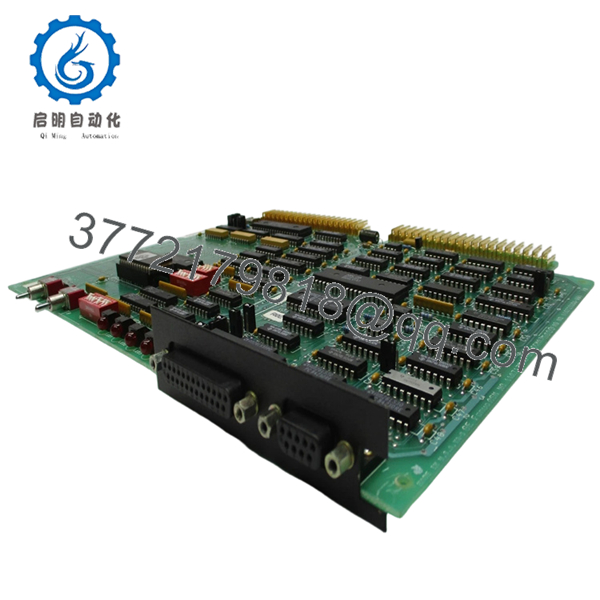
- IC600CB536L
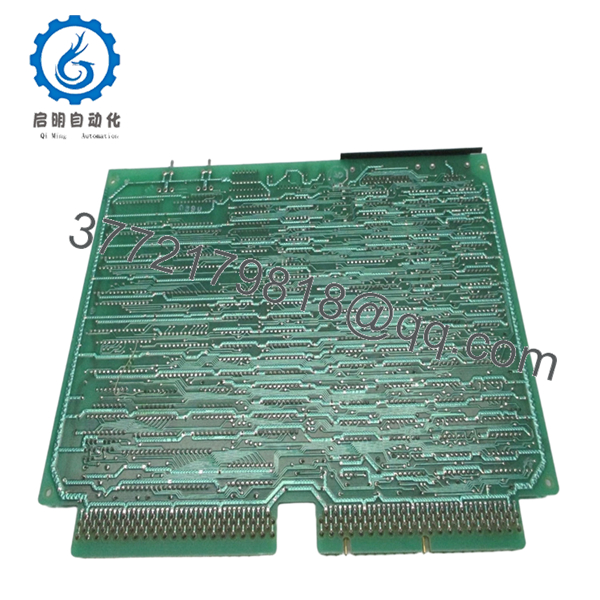
- IC600CB536L
5. Installation & Configuration Guide
Stage 1: Pre-Installation Preparation (Estimated Time: 10–15 min)
- ⚠️ Safety First: Notify operations, bring system to safe state, lock out/tag out power, wait at least 5 minutes for discharge.
- Tools Required: ESD wrist strap, PH1 screwdriver, multimeter, wire labels, smartphone.
- Data Backup:
- Upload or document ladder logic using available programmer.
- Record rack configuration.
- Photograph module position and any configuration switches.
Stage 2: Removing the Old Module (Estimated Time: 5–10 min)
- Remove rack cover or front panel.
- Carefully disconnect any connectors or retention brackets.
- Release locking tabs and pull module straight out — do not angle it.
- Inspect backplane connectors for bent pins or contamination.
- ⚠️ Note: Keep the old CPU until the new one is fully commissioned and stable.
Stage 3: Installing the New Module (Estimated Time: 5–10 min)
- Wear ESD protection before handling.
- Verify exact model match: IC600CB536L.
- Insert module firmly into the rack — ensure full seating.
- Secure locking tabs.
- Reinstall any retaining hardware.
- Self-Checklist:
- Module fully seated
- Locking tabs engaged
- Rack clean and dust-free
Stage 4: Power-On & Testing (Estimated Time: 10–15 min)
- Pre-Power Check:
- Use multimeter to verify no short on backplane supply.
- Power-On Steps:
- Power up rack only.
- Check LED status (RUN/FAULT indicators).
- Connect programmer and verify CPU responds.
- Load program if required.
- Perform I/O verification cycle.
- ⚠️ Troubleshooting Note:
- If CPU does not enter RUN mode, verify memory integrity and program load.
- No communication usually indicates backplane contact issue or incompatible rack configuration.
6. Frequently Asked Questions (FAQ)
Q1: Can I hot-swap the IC600CB536L CPU?
No. This platform does not support hot-swapping. Removing or inserting the CPU under power risks backplane damage. Always shut down the rack completely.
Q2: Is this module truly new or just refurbished?
Most units in circulation are New Surplus. That means unused but stored inventory. Expect original GE labeling, but packaging may not be factory sealed. Always request inspection photos.
Q3: What is the replacement if this CPU is unavailable?
There is no direct drop-in replacement within Series Six. Migration paths typically involve GE Fanuc Series 90-30 or RX3i systems, but that requires full reprogramming and I/O adaptation.
Q4: Will I lose my program if I replace the CPU?
Yes—unless the program is stored externally or backed up. Series Six CPUs do not retain logic independently once removed. Always extract the program before pulling the module.
Q5: Why are these units still expensive despite being obsolete?
Simple reason: installed base. Plants running Series Six systems often cannot justify downtime for migration, so working CPUs command a premium due to scarcity.
Q6: Are there compatibility issues between Series Six CPUs?
Yes. Even within Series Six, memory size and firmware revisions differ. You need to match the exact model (IC600CB536L) to avoid unexpected execution limits or incompatibilities.
Q7: What’s the biggest risk during replacement?
❗ Backplane damage and configuration loss.
I’ve seen technicians force modules into misaligned slots, bending pins. That turns a simple CPU swap into a full rack replacement. Take your time aligning the module.



