
 WhatsApp: +86 16626708626
 Email:
  Phone: +86 16626708626
Description
Technicians on assembly lines or packaging cells with GE Fanuc PLCs turn to the GE IC754VBI12CTD-FG as their go-to panel for real-time oversight of motor runs, conveyor jams, and recipe tweaks, mounted right at the action to slash response times during production hiccups. It handles everything from alarm silencing to setpoint nudges in environments like discrete manufacturing or batch processing, where operators need crisp visuals of I/O states and trends without fumbling for laptops. In retrofit jobs keeping VersaMax or 90-30 systems alive, this HMI door-mounts into MCCs or skids, bridging serial PLCs to Ethernet networks for SCADA tie-ins while shrugging off factory grit. The GE IC754VBI12CTD-FG steps in for control systems demanding reliable touch interaction amid vibration or spills, supporting diagnostics that pinpoint faults faster than traditional indicators. Shift crews value its role in guided sequences—say, jogging a feeder or clearing a fault tree—making it indispensable where uptime hinges on quick human decisions.
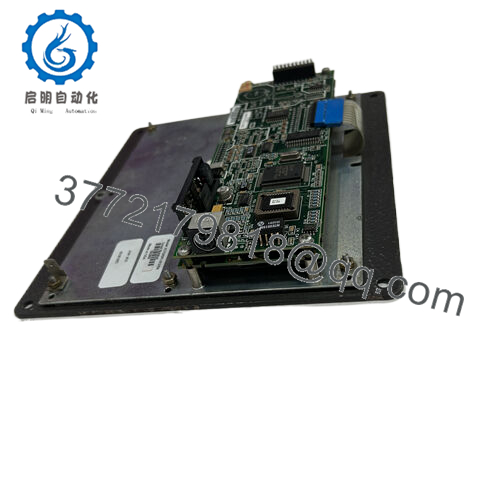
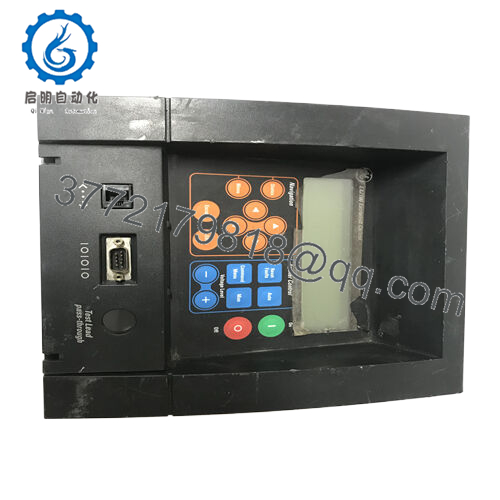
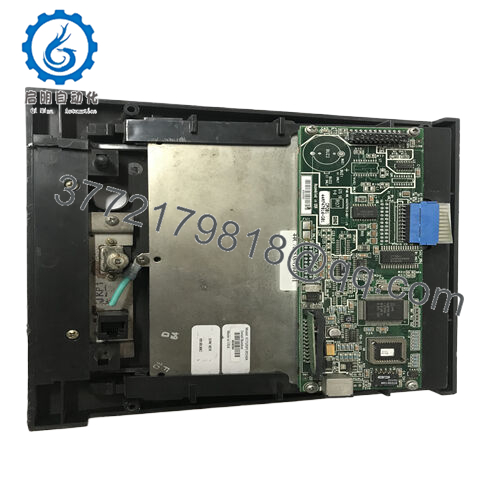
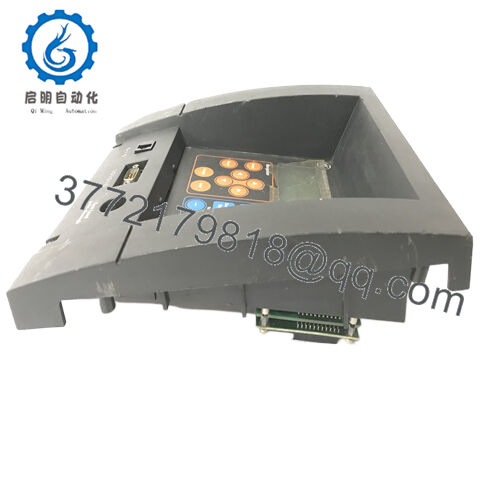
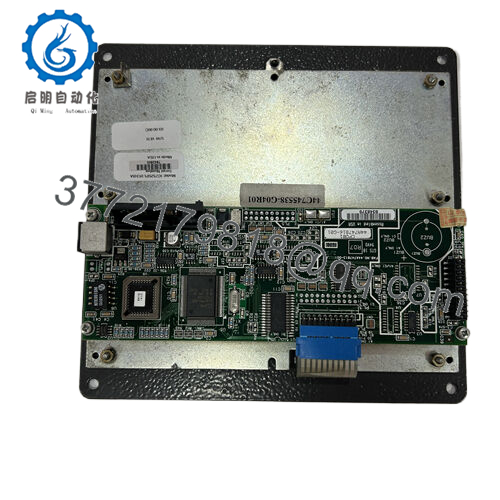
The GE IC754VBI12CTD-FG is a 12-inch QuickPanel+ touchscreen terminal from GE Fanuc, blending a high-res color display with embedded Windows CE runtime for operator interfaces in PLC-centric automation. It connects as the front-end layer to Series 90, VersaMax, or compatible controllers, using Proficy View Machine Edition projects to render screens, logs, and controls over Ethernet or serial links. In rackless setups, the GE IC754VBI12CTD-FG draws panel power while hosting tags, recipes, and trends in 32 MB DRAM, with flash for project persistence. The -FG suffix flags a firmware revision tuned for stability in demanding protocols or extended diagnostics, ideal for sites mixing legacy drivers with modern networking. Integrators lean on it to consolidate scattered indicators into one pane, cutting wiring while enabling scripting for custom behaviors like data export or multi-language swaps.
Operators get sharp 800×600 TFT rendering on the GE IC754VBI12CTD-FG, with resistive touch capturing gloved inputs for buttons, sliders, or graphs even in oily hands—perfect for 24/7 lines where clarity beats complexity. A single Ethernet port drives 10/100 Mbps SRTP or Modbus TCP to PLCs, paired with RS-232/RS-485 for point-to-point drives or RTUs, plus USB/SD for backups. At 24 VDC nominal (10.8-30 V), it sips under 48 W, auto-booting graphics-heavy apps with low latency for trends or alarm floods.
The sealed NEMA 4/12/4X front endures washdowns when gasketed tight, with 0-50 °C tolerance and fanless cooling suiting un-air-conditioned enclosures. Shallow depth slips into legacy cutouts, and front LEDs flag power, comms, and faults for at-a-glance checks. Firmware hardening in the -FG build resists lockups from traffic bursts, with SD logging capturing events for offline review.
Detailed Technical Specifications
| Parameter | Value |
|---|---|
| Model | GE IC754VBI12CTD-FG |
| Brand | GE Fanuc / QuickPanel+ |
| Product Type | 12-inch TFT touchscreen HMI |
| Display Size | 12-inch color TFT LCD |
| Resolution | 800 x 600 SVGA |
| Touch Type | Resistive, gloved finger compatible |
| Operating System | Windows CE embedded |
| Memory | 32 MB DRAM, flash project storage |
| Power Supply | 12/24 VDC (10.8-30 V range) |
| Power Consumption | <48 W max |
| Ethernet | 10/100 Mbps RJ-45 |
| Serial | RS-232/RS-485 combo |
| Additional Ports | USB, SD card slot |
| Operating Temperature | 0 °C to 50 °C |
| Storage Temperature | -20 °C to 60 °C |
| Front Rating | NEMA 4/12/4X sealed |
| Panel Cutout (W x H x D) | 11.88 x 8.96 x 2.7 in |

- IC754VBI12CTD-FG
Related Modules or Compatible Units
IC754VSI12CTD – Core 12-inch QuickPanel+ without -FG firmware optimizations.
IC754VBI06CTD – 6-inch compact version for secondary stations.
IC754VSL12CTD – Long-life 12-inch variant sharing connectors and drivers.
HMI-CAB-C110 – Serial cable for PLC or drive hookups.
QPJ1D121L2P – Budget QuickPanel Jr. for simple remote mimic panels.
Position the GE IC754VBI12CTD-FG with precise cutout alignment, clamping bezel evenly to seal gaps, and bond chassis ground solidly—loose ties invite noise on serial runs. Supply clean 24 VDC isolated from motor circuits, load the project via Ethernet/SD first, then verify boot sequence and touch calibration before live tie-in.
Inspect the GE IC754VBI12CTD-FG routinely for overlay scratches or LED dimming, refreshing projects from backups to counter flash cycles. Wipe screen with microfiber only, test comms loops quarterly, and profile CPU load in Proficy to preempt slowdowns from bloated tags.



